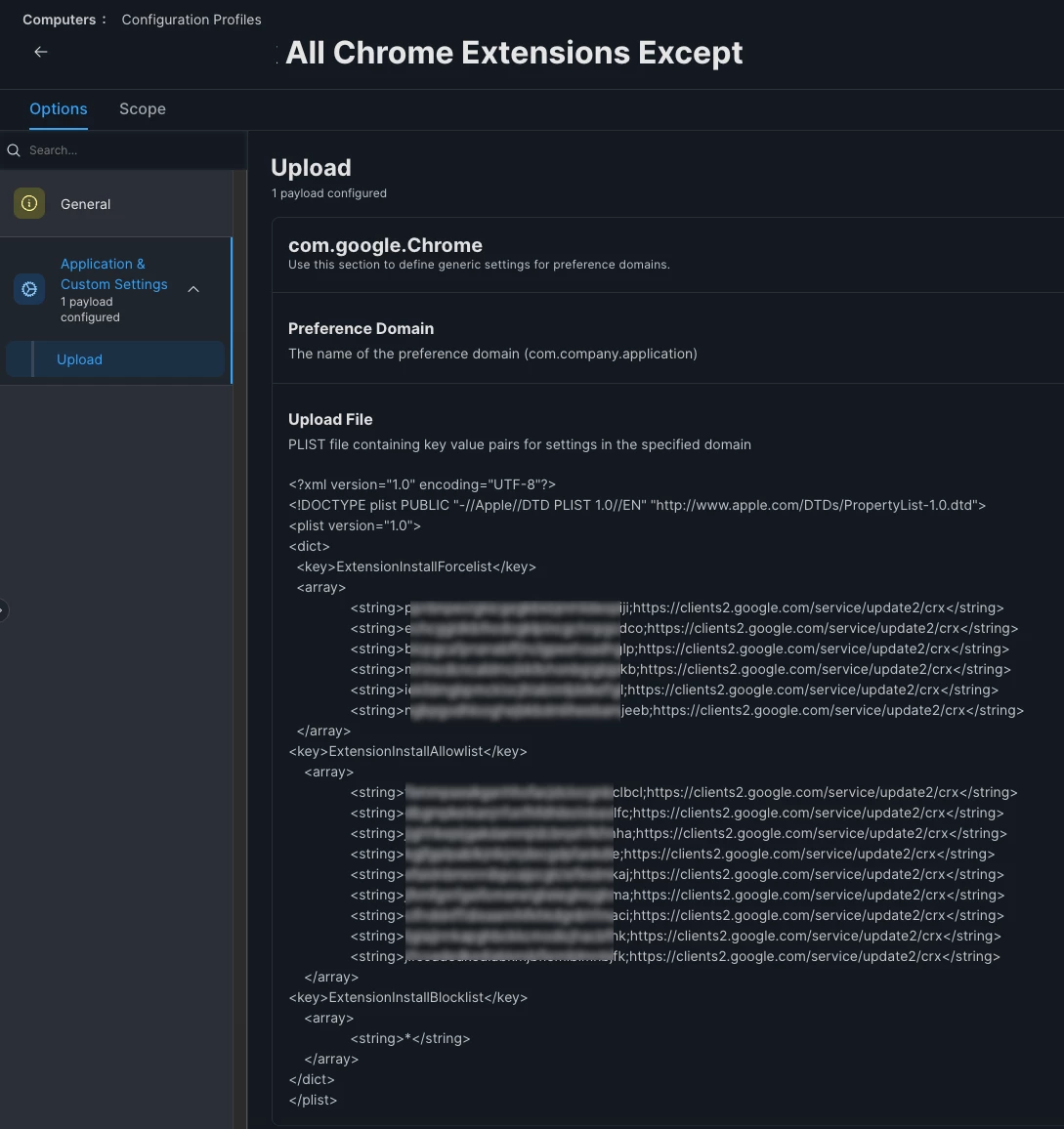
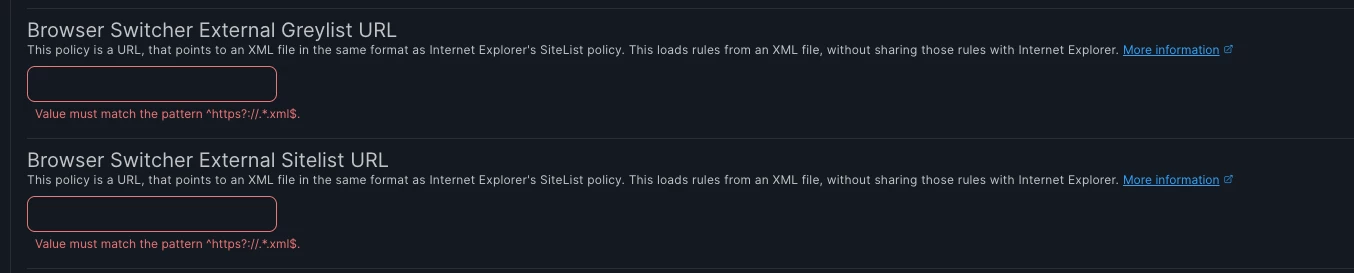
I’m deploying the google chrome extensions using the below.
Installing the forced extensions work (regardless if there is a user logged in to chrome or not)
However, one of my test computers doesnt have the user logged in to chrome and that blocks all extensions, even the ones in the allow list.
And when Im testing against my every drivers that Im logged in, I have the opposite effects. Im allow to install all extensions. and none of them are getting blocked.
I different set of eyes would be appreciated. I wish it was like some of the other post where people wait and then it works, but for me it hasnt been the case.
Best answer by TheCookieMonsta
Thank you all I was able to get it to work without so many settings and the whole JSON, just hte chrome extensions.
Schema: com.google.Chrome
<?xml version="1.0" encoding="UTF-8"?> <!DOCTYPE plist PUBLIC "-//Apple//DTD PLIST 1.0//EN" "http://www.apple.com/DTDs/PropertyList-1.0.dtd"> <plist version="1.0"> <dict> <!-- This blocks all extensions. --> <key>ExtensionSettings</key> <dict> <key>*</key> <dict> <key>installation_mode</key> <string>blocked</string> </dict>
<!-- All of these are force extensions. --> <key>ENTER EXTENTION CODE HERE</key> <dict> <key>installation_mode</key> <string>force_installed</string> <key>update_url</key> <string>https://clients2.google.com/service/update2/crx</string> </dict>
Have you tested this with Chrome Enterprise Core instead of using a plist to manage it? The free console from Google is actually much more stable than a config profile and will provide you more information from the machine and the browser (not to mention update policies, managed/unmanaged extensions, and more).
Please find and use the JSON. I do this daily and the JSON works 99%. Whatever is not there you can easily edit the JSON, grab the one for Edge while you are there
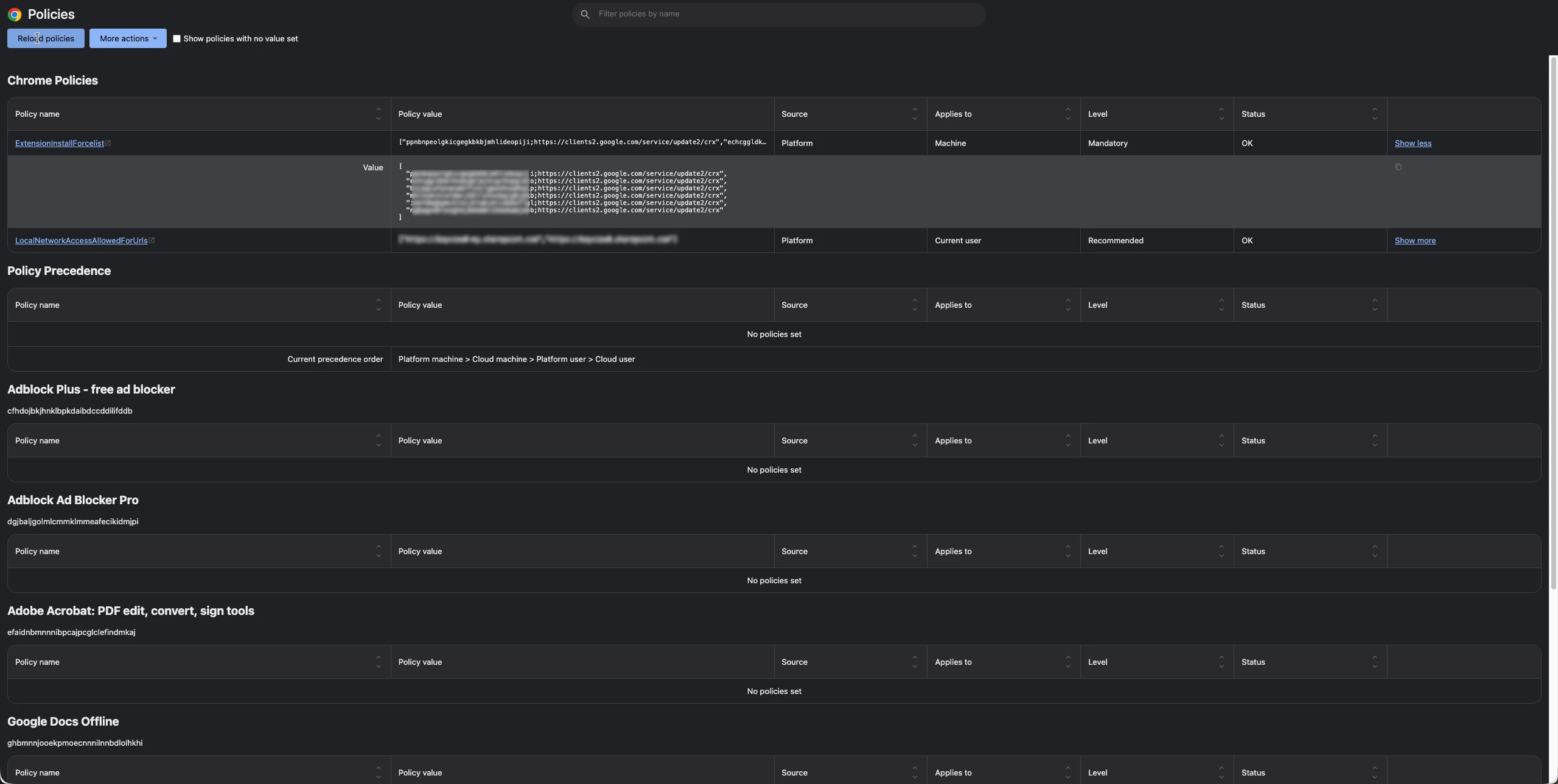
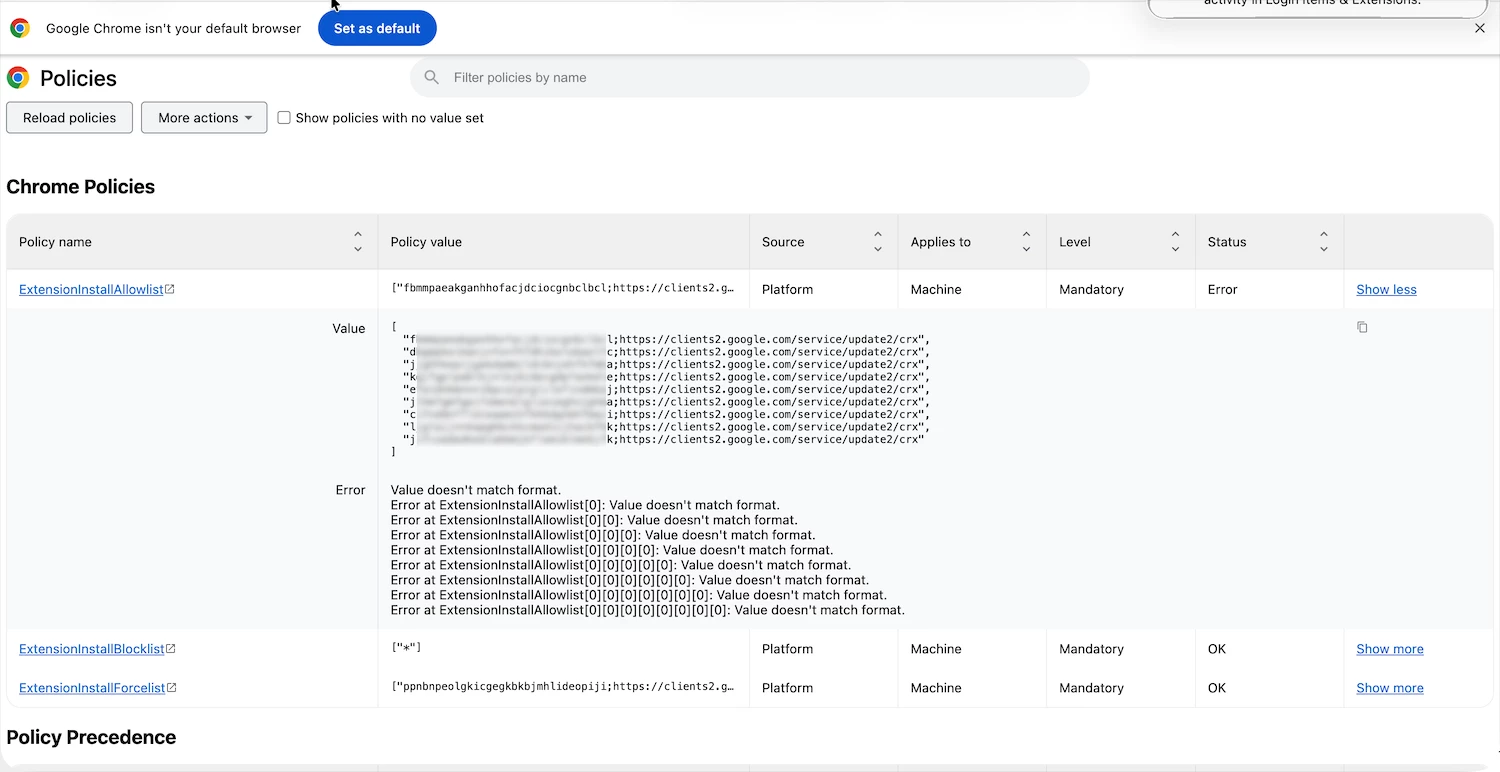
when I see that in the one Im logged in it says this:
On the upside, Chrome is seeing the policies and not throwing errors, which means your syntax is technically valid.
I’m wondering if you are hitting a Policy Precedence issue. Chrome typically prioritizes a Google Cloud Identity policy over a MDM Configuration Profile. If your users are logging into Chrome with managed identities, whatever policies are set in the Google Admin Console will take precedence and quash your Jamf configuration. Do you have any extension policies active in the Google Admin Console for these users?
Additionally, you should clean up your PLIST:
Forcelist: Keep the ID and URL; the browser needs the path to fetch the file.
Allowlist/Blocklist: Remove the URL strings and keep only the 32-character Extension IDs. Keep your allow list with just the 32-character Extension ID, and set the block list to a wildcard * to block everything not on the allow list. The browser only needs the ID to verify the "Allow" exception against your * wildcard block.
Please find and use the JSON. I do this daily and the JSON works 99%. Whatever is not there you can easily edit the JSON, grab the one for Edge while you are there
Please find and use the JSON. I do this daily and the JSON works 99%. Whatever is not there you can easily edit the JSON, grab the one for Edge while you are there
Or just use CEC to manage it...because it was meant to be that way anyways lol.
I spoke to my VP, and he is under the impressions is only for chromebooks and doesnt want to look into it. I did mentioned because I did see the chrome enrollment to the console int he JAMF 3rd party section. I’m going to try again to bring it up with more arguments. he did mentioned also he doesnt want to deal with more consoles.
Please find and use the JSON. I do this daily and the JSON works 99%. Whatever is not there you can easily edit the JSON, grab the one for Edge while you are there
Or just use CEC to manage it...because it was meant to be that way anyways lol.
I spoke to my VP, and he is under the impressions is only for chromebooks and doesnt want to look into it. I did mentioned because I did see the chrome enrollment to the console int he JAMF 3rd party section. I’m going to try again to bring it up with more arguments. he did mentioned also he doesnt want to deal with more consoles.
Nope. It was created specifically for Chrome Browser cloud management. It was originally called CBCM (Chrome Browser Cloud Management) and it works beautifully. Actually, we enrolled all of our 15k Windows devices and 3k macOS devices running Google Chrome into it and have a plane of management for parity. It’s extremely convenient - not to mention being able to poll reports for infosec.
when I see that in the one Im logged in it says this:
On the upside, Chrome is seeing the policies and not throwing errors, which means your syntax is technically valid.
I’m wondering if you are hitting a Policy Precedence issue. Chrome typically prioritizes a Google Cloud Identity policy over a MDM Configuration Profile. If your users are logging into Chrome with managed identities, whatever policies are set in the Google Admin Console will take precedence and quash your Jamf configuration. Do you have any extension policies active in the Google Admin Console for these users?
Additionally, you should clean up your PLIST:
Forcelist: Keep the ID and URL; the browser needs the path to fetch the file.
Allowlist/Blocklist: Remove the URL strings and keep only the 32-character Extension IDs. Keep your allow list with just the 32-character Extension ID, and set the block list to a wildcard * to block everything not on the allow list. The browser only needs the ID to verify the "Allow" exception against your * wildcard block.
unfortunately we are not using the google admin console.
It did cross my mind about other policy taking over what I was sending, but more in the JAMF side not in the Chrome side. and we are using it. that would make it easier on us. I will use only the ID as advised thank you, I tought you need the URL as well.
Please find and use the JSON. I do this daily and the JSON works 99%. Whatever is not there you can easily edit the JSON, grab the one for Edge while you are there
Please find and use the JSON. I do this daily and the JSON works 99%. Whatever is not there you can easily edit the JSON, grab the one for Edge while you are there
Thank you all I was able to get it to work without so many settings and the whole JSON, just hte chrome extensions.
Schema: com.google.Chrome
<?xml version="1.0" encoding="UTF-8"?> <!DOCTYPE plist PUBLIC "-//Apple//DTD PLIST 1.0//EN" "http://www.apple.com/DTDs/PropertyList-1.0.dtd"> <plist version="1.0"> <dict> <!-- This blocks all extensions. --> <key>ExtensionSettings</key> <dict> <key>*</key> <dict> <key>installation_mode</key> <string>blocked</string> </dict>
<!-- All of these are force extensions. --> <key>ENTER EXTENTION CODE HERE</key> <dict> <key>installation_mode</key> <string>force_installed</string> <key>update_url</key> <string>https://clients2.google.com/service/update2/crx</string> </dict>
Glad you got it figured out.I missed the part where you said you were using Google Console
unfortunately upper management doesnt want to use that. becasue the idea is to use a centralized single tool for all.. eventually killing jamf and managing the macs with Intune. to save money..