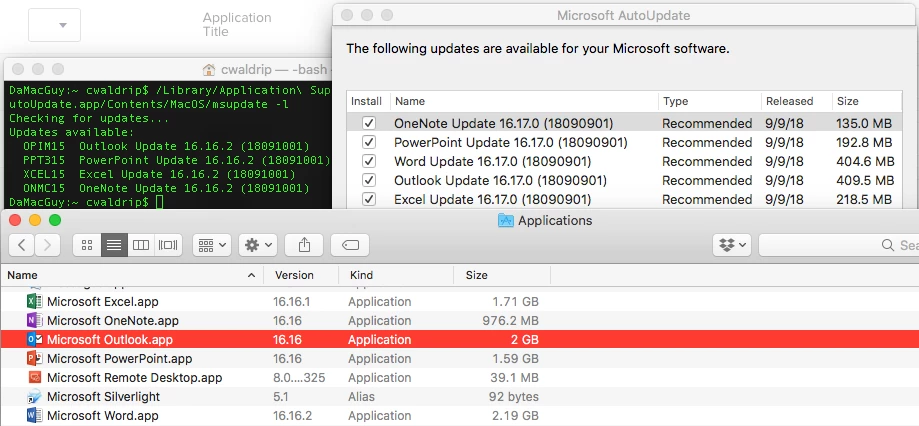
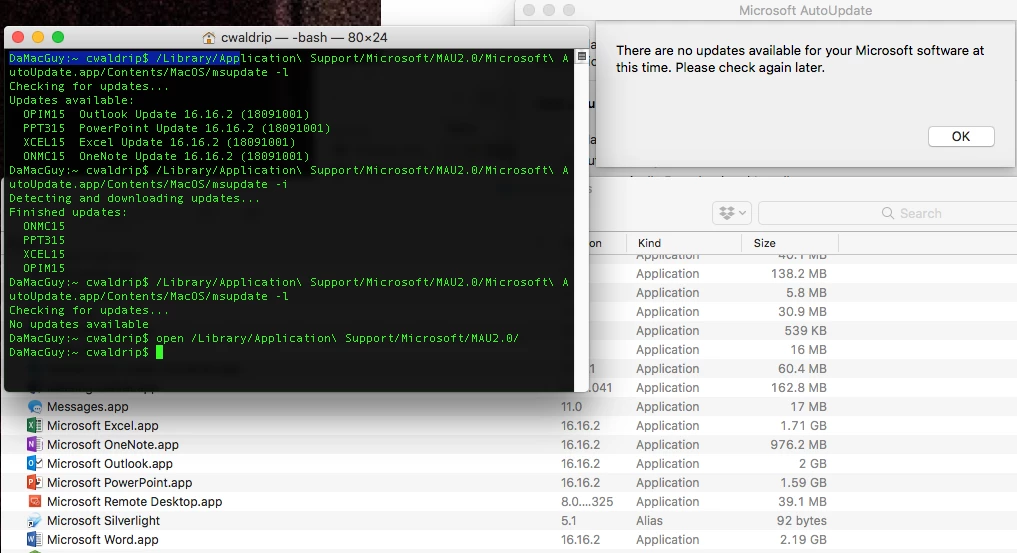
Microsoft AutoUpdate will apply 16.16.2 if any of the following is true:
- The macOS is less than 10.12
- It detects a volume license or single license such as a scratch-off activation card from a big box store
- You have applied a configuration profile that registers the apps with MAU and have not updated it as @sdagley mentioned.
- You're using the MSUpdateHelper4JamfPro.sh script and haven't yet updated lines 223-283 with the new apps IDs
- Your current user's
~/Library/Preferences/com.microsoft.autoupdate2.plist hasn't automatically updated its Application IDs (e.g. still using MSWD15 instead of MSWD2019)
- Your Office for Mac installation isn't yet activated
Microsoft AutoUpdate will apply 16.17 when all of the following are true:
- The macOS is 10.12 or later
- The software is activated using an Office 365 sign-in
- All the apps have been launched at least once and registered with MAU or you have applied the updated configuration profile with the new app array list.
If using the configuration profile, be sure to include the following key/value toward the end of the plist between lines 70-71.
<key>StartDaemonOnAppLaunch</key>
<true/>
Then create a new configuration profile or edit your existing profile. In the Custom Settings payload, upload this new plist to replace the old information and deploy to your machines.