
Question

Microsoft AutoUpdate - How To Inventory

  • January 11, 2019
  • 3 replies
  • 36 views

Forum|alt.badge.img+1

I've searched an searched and couldn't find a how to inventory this app's custom location /Library/Application Support/Microsoft/MAU2.0/

Here's how I did it:
1. Add this path to: Settings > Computer Management > Inventory Collection
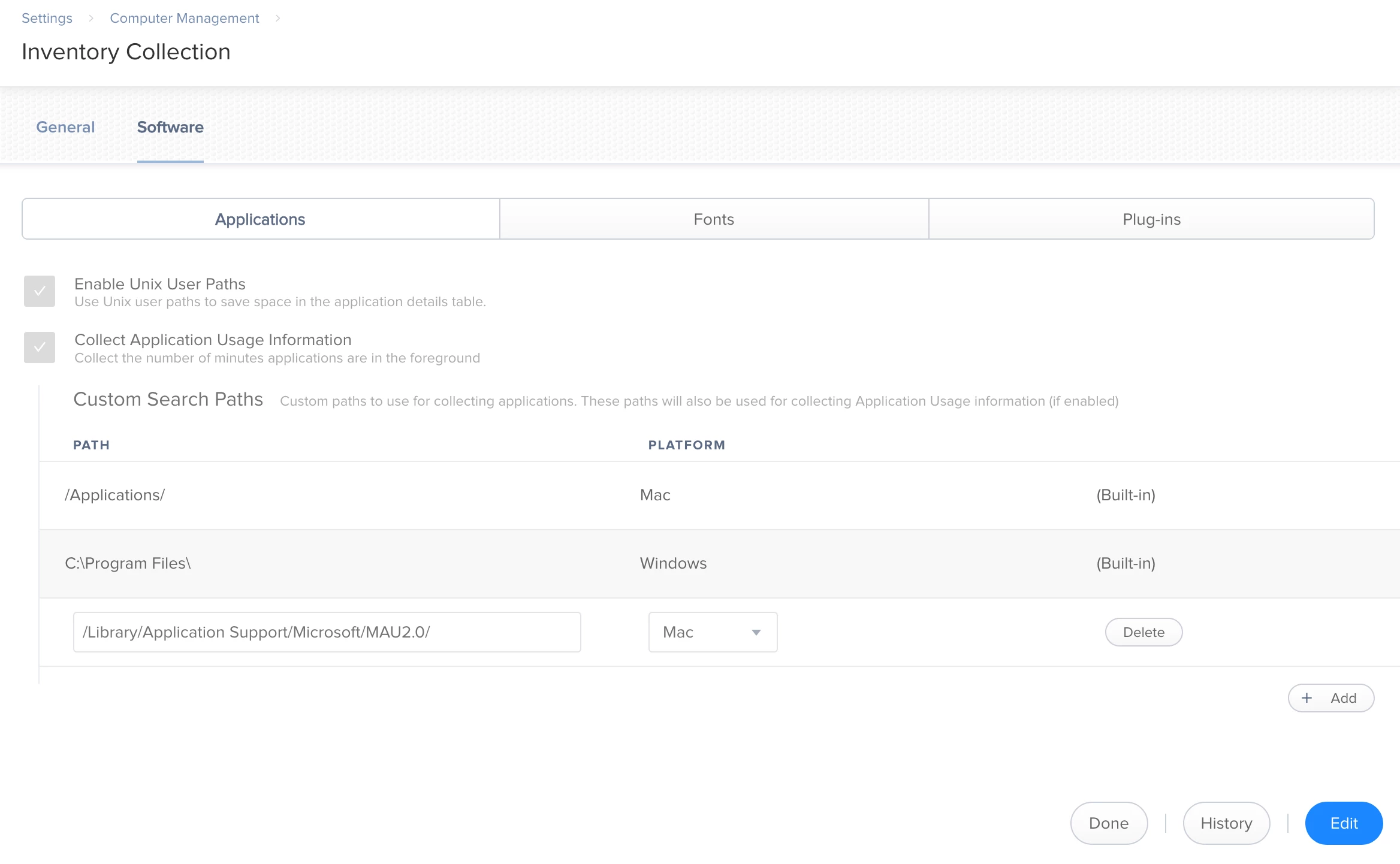
2. This path should be queried for the Applications location for a computer
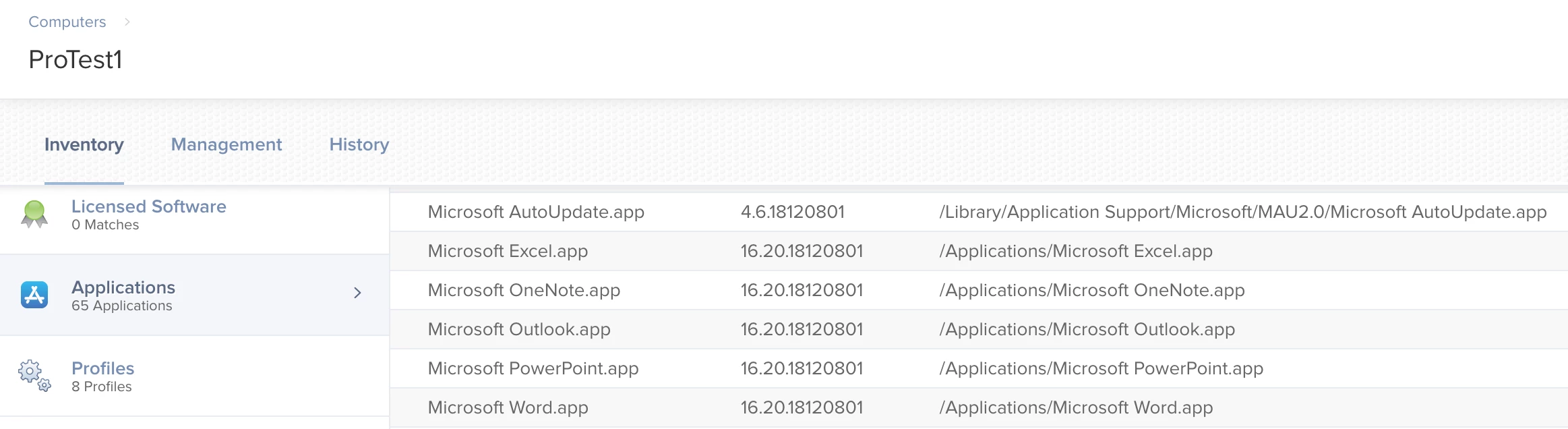
3. Now you should be able to create anything like a Smart Group to query this app
Application Title HAS Microsoft AutoUpdate

Note: It took a few days for me to notice this custom path showing up in the Inventory page for our Computers. As I write this our server is on v.10.9.0-t1544463445

3 replies

Forum|alt.badge.img+20
  • Contributor
  • January 14, 2021

@ajtardio hey, does this still work? I just added the path to the 'inventory collection' settings

i created 2 smart groups to check for 'application title' 'has'/'does not have' 'microsoft autoupdate.app'


sdagley
Forum|alt.badge.img+25
  • Jamf Heroes
  • January 14, 2021

Yes, this still works. You won't see it in a Computer's Application inventory until it does its periodic recon (or something else triggers a recon)


Forum|alt.badge.img+15
  • Valued Contributor
  • March 2, 2021

Wished I found this post earlier. I have it setup now on Jamf Pro 10.26 and it works correctly.