Question

Mojave and AD Accounts

  • August 27, 2018
  • 20 replies
  • 94 views

Forum|alt.badge.img+18

Is it just me, or are AD accounts completely mishandled and broken in Mojave? I can't find anyone talking about this.

20 replies

bpavlov
Forum|alt.badge.img+18
  • Esteemed Contributor
  • August 27, 2018

@alexjdale Mojave is in beta so that's why people won't be talking about it. If you got access to the Apple Dev Discussion forums, you can ask there and post a link to the discussion here and others who have access to those forums can post.

I'm also hoping you're providing bug reports/feedback to Apple. More on that here: https://babodee.wordpress.com/2018/08/22/the-importance-of-filing-feedback-during-major-os-releases-from-apple/


Forum|alt.badge.img+18
  • Author
  • Contributor
  • August 27, 2018

I'm aware of that. The Apple discussions forums are lacking. Lots of people are talking about Mojave here so I was hoping for someone to give me some feedback on this. I have filed my reports on it but can't find anyone talking about it anywhere.

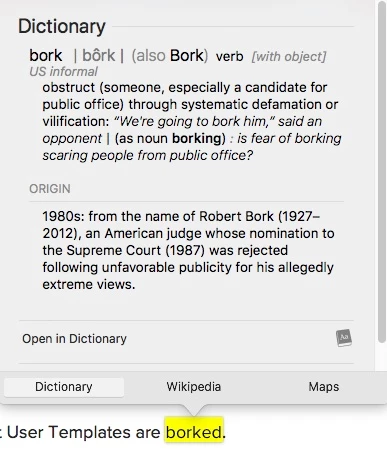
Edit: I did find the problem, it's that User Templates are borked.


Forum|alt.badge.img+9
  • Valued Contributor
  • August 27, 2018

:-)


Forum|alt.badge.img+3
  • New Contributor
  • September 25, 2018

Hi
@alexjdale We also have big problem and we have open a case at Jamf support today.

/Mika


ThijsX
Forum|alt.badge.img+20
  • Employee
  • September 25, 2018

Currently also having issues with my own user profile, upgraded successfully but when logging in it get a apple screen, and then only black cursor and wont login with my Mobile Managed AD account, with local account seems fine.


Forum|alt.badge.img+4
  • Contributor
  • September 25, 2018

Yeah I just experienced the same thing. I don't think AD binds work.


ThijsX
Forum|alt.badge.img+20
  • Employee
  • September 25, 2018

So after a whole day of troubleshootint, reinstalling and recovering macOS, changing user templates, FV, SecureTokens, pref plist files...

Pram reset did the job..


Alyoung
Forum|alt.badge.img+7
  • Contributor
  • September 26, 2018

Been testing enrolling a "new" mojave device into Jamf Pro as opposed to upgrading a current system. Just erased a mac mini and put mojave on it. One thing that I've noticed. AD accounts when logged in for the first time are showing as internet accounts. In our environment, with High Sierra, AD accounts automatically downloaded as Mobile Accounts. Have not done anything on our end to change that - other than having macOS Mojave.
So something must be going on in the OS in how it's dealing with AD accounts i would assume. Still have more testing to do.


mark_mahabir
Forum|alt.badge.img+15
  • Jamf Heroes
  • September 26, 2018

@Alyoung It doesn't help you but I'm not able to reproduce this in 10.7.1 (on-prem) and the latest Mojave revision. We use a script to bind to AD at enrollment time.

Our accounts show as "Managed, Mobile" as expected and I don't have any issues logging in. Tried this on both (Self Service based) upgrades from Sierra and High Sierra, as well as a clean install of Mojave.


Forum|alt.badge.img+13
  • Valued Contributor
  • September 27, 2018

Here's what I've seen:

  • Fresh Mojave image > enroll in Jamf > bind to AD > try to login with AD account > password just shakes and nothing happens
  • 10.13 image enrolled and bound to AD, and login with AD account > upgrade to Mojave > I can continue to login with the account just fine

This is basically what happened when 10.13 came out until we discovered the unchecking of the "use full UNC path" option fixed it.

Running 10.3.0 on-prem (waiting to go to the cloud and can't upgrade before then), using the built in bind configuration.

Edit: I have a script that uses "/System/Library/CoreServices/ManagedClient.app/Contents/Resources/createmobileaccount" to create an account and that does work. It doesn't get the securetoken however.


Forum|alt.badge.img+15
  • Valued Contributor
  • September 27, 2018

I filed a Bug Report for another AD issue at my org. If you have a FileVault config profile to defer FV until logout/restart an AD mobile user (who is also an admin) will not get the authentication prompt. You have to log out/restart from a local admin user for the authentication pop-up to appear. Didn't see this behavior in any of the Mojave betas, just the release 18A391.


Forum|alt.badge.img+1
  • New Contributor
  • October 2, 2018

Yes there is a problem with AD mobile accounts. Upgraded my MacBook Pro from 10.13.6 to 10.14 - bind to AD domain - enrolled in jamf 9.98 - logged in with as a Domain user- Account created was admin instead of a Standard account. Able to log in with this domain account.Tried to delete the domain account from the Users pane in System Preferences - a dialog box prompts with the user (to be deleted) name entered and asking for the password. The password however is not accepted and thus the account is not deleted.

Any suggestion?


Forum|alt.badge.img+4
  • Contributor
  • October 3, 2018

Honestly, after this, we started to strongly consider ditching AD binding and move toward something like NoMAD. JAMF owns it now, and there's an open-source version. You get all the same benefits without having to mess with all the finicky binding.


Forum|alt.badge.img+5
  • Contributor
  • October 17, 2018

Seeing the same thing. Has anyone found any solutions for this or any suggestions. Thanks in advance.


Forum|alt.badge.img+12
  • Contributor
  • January 25, 2019

@cmudgeUWF I am curious how do you handle your local admin groups? I used a AD group and script with the Directory Utility to give my techs admin rights on the machines. With NoMAD this functionality is gone once I Unbind.


Forum|alt.badge.img+13
  • Valued Contributor
  • January 25, 2019

@wmateo That's a good question.


Forum|alt.badge.img+4
  • Contributor
  • February 20, 2019

@wmateo That's a good point. We've not started the experimentation quite yet, but it could also be accomplished with a local account that only your techs have access to.


Forum|alt.badge.img+13
  • Honored Contributor
  • February 21, 2019

@wmateo

It seems with Mojave you have to use the long form for AD admin groups. so dsconfigad -groups "yourdomanyouradmingroup", inlcude quotes. I can confirm it works with Hi-C and above, Nomad and Nomad login.


Forum|alt.badge.img+5
  • Contributor
  • March 29, 2019

@PhillyPhoto did you ever get solution for "/System/Library/CoreServices/ManagedClient.app/Contents/Resources/createmobileaccount" im in the same boat.


Forum|alt.badge.img+6
  • Contributor
  • June 21, 2019

Does anyone know if Mojave and Active Directory do not play nice with spaces between the users login first and last name?