Solved

Multi-User Login Issue

  • May 7, 2019
  • 8 replies
  • 62 views

emadams
Forum|alt.badge.img+10

Let me start off by saying that we are a school site/district and all of our users are domain based of our network and not local user accounts.

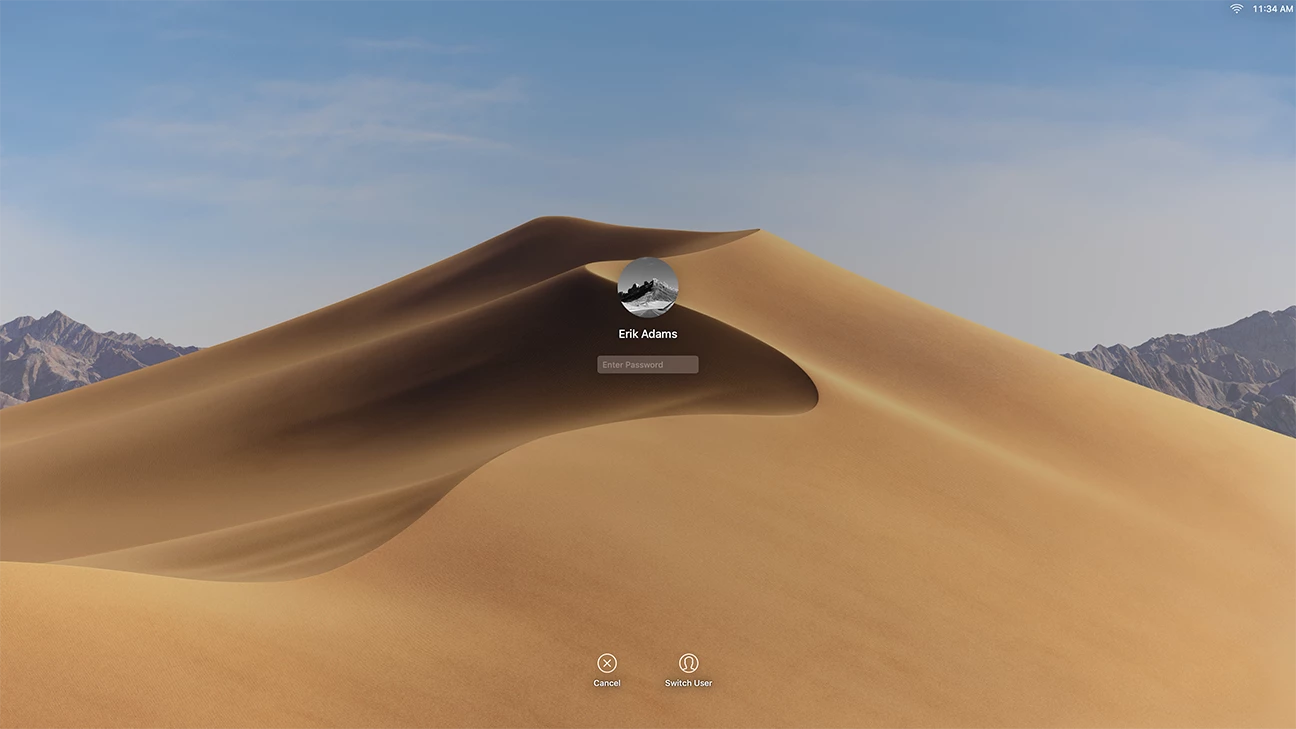
We upgraded one of our Mac labs to Mojave and quickly discovered an issue with the login screen. Once a user was logged into a machine and that machine either went to the screensaver or the user locked the machine to leave. No one could login to that machine. In previous versions of the macOS a new user could simple click on the switch user button at the bottom of the screen and log in. Now those options are gone.

Is there something we may have missed when setting up our jamf profiles for these machines? I can't seem to find anything.

Best answer by ChrisCox

In System Preferences, go to Users & Groups, Login Options and make sure the Show fast user switching menu as box is checked. In Jamf Pro, locate the configuration profile with the Login Window payload and ensure the Fast User Switching box is checked.

8 replies

Forum|alt.badge.img+10
  • Valued Contributor
  • May 7, 2019

Do you have filevault enabled in your environment? It sounds like no one else has securetoken and the drive is locked


Forum|alt.badge.img+7
  • Contributor
  • May 7, 2019

If you are sure your current login window configuration profile has fast user switching enabled, then you may want to make sure you have at least two local users on the computer that you are testing this with. A requirement for faster user switching to work is that the system must have another local account besides the one that is currently logged in.


emadams
Forum|alt.badge.img+10
  • Author
  • Contributor
  • May 7, 2019

ChrisCox,

Were would I look to make sure the fast user switching is enabled? I want to check there first and I am not too familiar the computer side of jamf yet.

Erik


Forum|alt.badge.img+6
  • Contributor
  • May 7, 2019

What happens if you enter Opt-Return while on that screen?

Seth


Forum|alt.badge.img+7
  • Contributor
  • Answer
  • May 8, 2019

In System Preferences, go to Users & Groups, Login Options and make sure the Show fast user switching menu as box is checked. In Jamf Pro, locate the configuration profile with the Login Window payload and ensure the Fast User Switching box is checked.


emadams
Forum|alt.badge.img+10
  • Author
  • Contributor
  • May 15, 2019

@ChrisCox

This worked. We had to get our district office to make the change at there level because it was a root setting but we were able to make the change and push the setting out to all of our Macs. It solve the problem and added the switch user icon at the bottom of the lock/login screen. Thank you so much for the help and suggestion.


Forum|alt.badge.img+7
  • Contributor
  • May 15, 2019

That's awesome! I'm glad I could help.


Forum|alt.badge.img
  • New Contributor
  • June 29, 2020

@ChrisCox Has this setting edit behaved similarly with JAMF Connect / NoMad ? Just wondering since we have all of our devices running NoMAD for login with a similar school environment. Just wondering if anyone knew before we go and test this on our devices. Thanks in advance!