
Solved

Need Assistance with Running a Script

  • April 18, 2016
  • 3 replies
  • 29 views

Forum|alt.badge.img+8

Hello Everyone,

Just shy of three weeks ago I participated in a conversation regarding [https://jamfnation.jamfsoftware.com/discussion.html?id=19398](signing users out of the App store via a script). The script does it's job when ran via Terminal or in Apple's Remote Desktop client—no issues whatsoever.

I have gone ahead and put together the following script that signs in, updates the programs, then finally signs out:
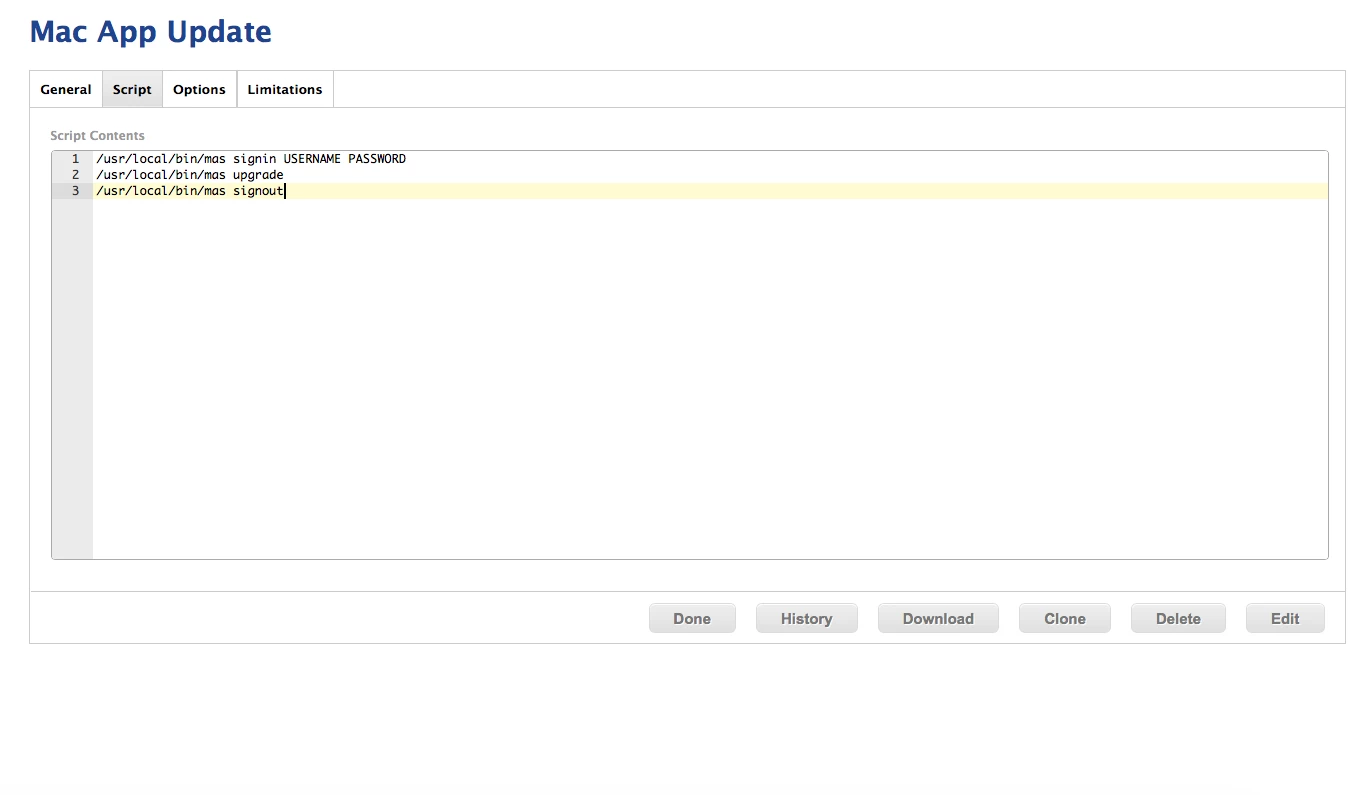
This works perfect when done by hand, but pushing through JAMF's Self Service causes issues. Notably "Can't Install Item. There was a problem installing Update App Store Apps. Contact your administrator."

As per the original thread, the MAS command line tool was placed in /usr/local/bin/.

Best answer by roiegat

Well just from a script perspective you need the "#!/bin/bash" at the top to let it know to use bash. Then also add "exit 0" to let it know it ran successfully.

3 replies

roiegat
Forum|alt.badge.img+16
  • Valued Contributor
  • Answer
  • April 18, 2016

Well just from a script perspective you need the "#!/bin/bash" at the top to let it know to use bash. Then also add "exit 0" to let it know it ran successfully.


Forum|alt.badge.img+8
  • Author
  • Contributor
  • April 18, 2016

@roiegat It was the exit 0 I was missing. I tried it both with the #!/bin/bash and had the same results so I was trying to get the script as simplified as possible. Thank you for your speedy response, I greatly appreciate it!


davidacland
Forum|alt.badge.img+18
  • Valued Contributor
  • April 18, 2016

If #!/bin/bash or #!/bin/sh are missing from scripts, you might get commands failing and odd errors so I'd always recommend including it.
