Question

New to Casper - Needing help deploying .sh script to multiple Macs

  • October 21, 2016
  • 6 replies
  • 28 views

Forum|alt.badge.img+1

Hi there,

I have a asset manager .sh script that scans the computer to update asset in our asset manager system.
Been looking how to create a policy to run that script but cant seem to locate how to upload the script to the web JSS dashboard?
Am i looking in the correct location? Any help would be great.

Cheers
Nathan

6 replies

Forum|alt.badge.img+8
  • Contributor
  • October 21, 2016

Hi,

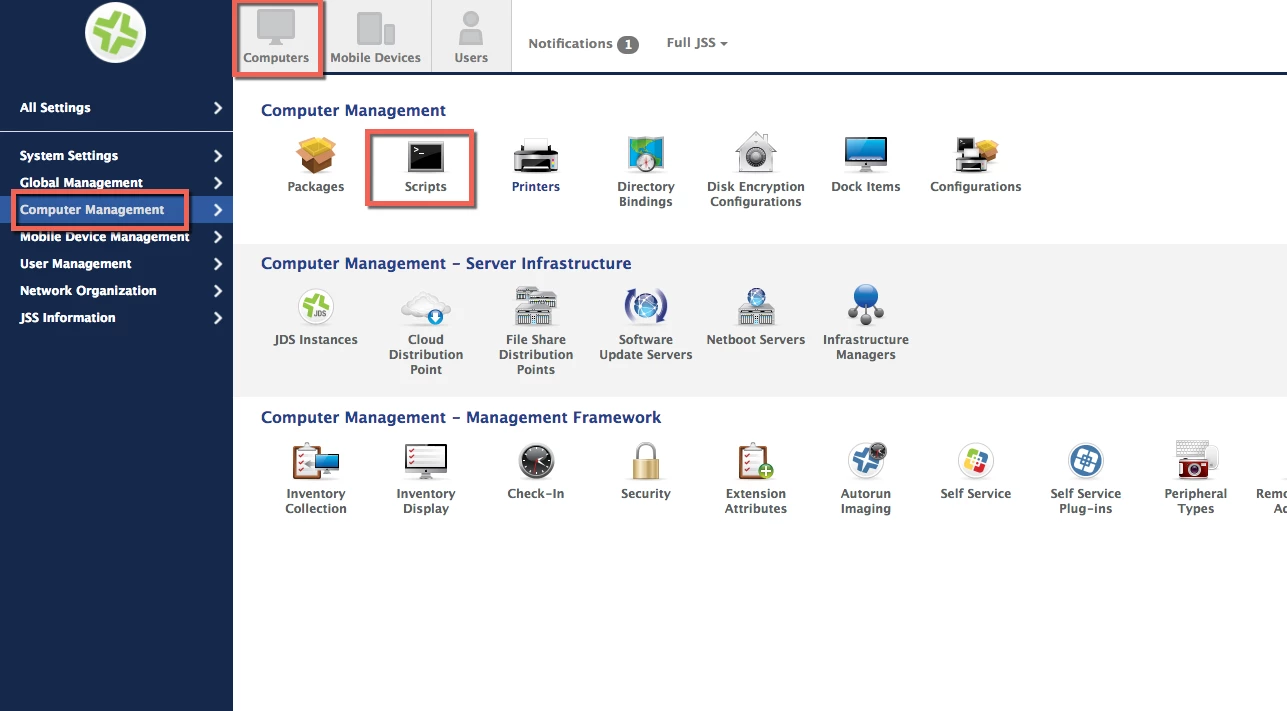
if you go to Management Settings > Scripts > New. Cut and paste the script text in then scope a policy to run said script.

Al


Forum|alt.badge.img+6
  • Contributor
  • October 21, 2016

Edit
Option 1:

you could open the script in an editor (Text Wrangler, ect.) then copy and past into the Script Interface.

Computers >>>Computer Management >>>Script

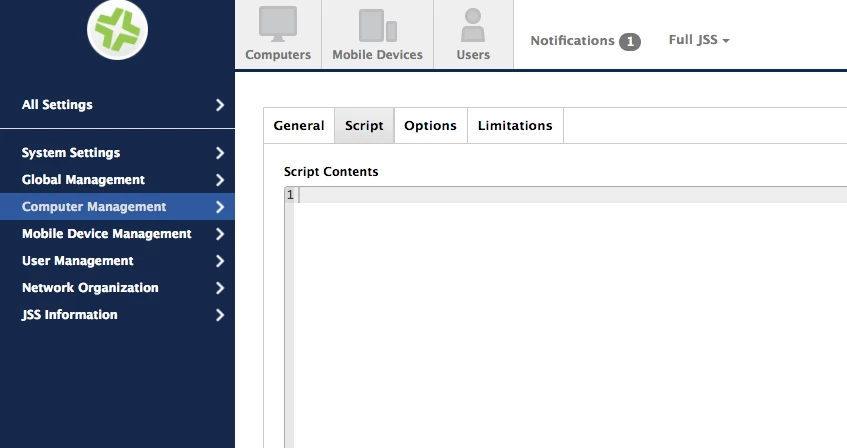
Click the "+" and select the "script" tab to paste what you need.


damienbarrett
Forum|alt.badge.img+19
  • Honored Contributor
  • October 21, 2016

I upload bash scripts all the time to JSS using Casper Admin. I don't think there's a way to upload a script via the web interface, but you can paste the script contents as defined above.


Forum|alt.badge.img+6
  • Contributor
  • October 21, 2016

@damienbarrett You are correct...need that 2nd cup of coffee.


Forum|alt.badge.img+8
  • Contributor
  • October 21, 2016

@damienbarrett I forgot you could even do that! Nice in the web app though as you can test and tweak easily if required.


Forum|alt.badge.img+15
  • Valued Contributor
  • October 22, 2016

A word of caution -- remember that the script entry via the JSS web page is not a "real" text editor like BBEdit/TextWrangler and the like. I do not recommend editing scripts within this window as things like minus-signs and dash symbols can lead to big problems if not careful!