Question

O365 settings in a configuration profile?

  • December 14, 2017
  • 10 replies
  • 51 views

Forum|alt.badge.img+8

Folks:
Before I waste a lot of time testing; has anyone deployed Outlook 2016 O365 settings by config profile? Can we coerce the Exchange payload into having the setting ready and waiting for a user to log in?
Thanks!
- Scott

10 replies

Forum|alt.badge.img+18
  • Esteemed Contributor
  • December 15, 2017

@pbowden Hey Paul, any thoughts on this? This could be quite useful...
Gabe Shackney
Princeton Public Schools


talkingmoose
Forum|alt.badge.img+36
  • Community Manager
  • January 2, 2018

That Exchange payload is for managing Apple's Mail app.

Third party apps are manageable using configuration profiles if those apps store their settings in plists in a manageable location (generally some form of Library/Preferences). Outlook for Mac doesn't store user settings in plists. Instead, they're in stored in each profile in a sqlite database.


Forum|alt.badge.img+4
  • Contributor
  • January 17, 2018

so how do we do it for outlook?


Forum|alt.badge.img+18
  • Esteemed Contributor
  • January 17, 2018

I’d recommend scouring http://macadmins.software for info. Its got quite a lot of resources for all things Microsoft on Mac...

Gabe Shackney
Princeton Public Schools


Forum|alt.badge.img+4
  • Contributor
  • January 17, 2018

my issue is we are migrating users from outlook to office 365 and the server settings aren't updating like they do on pcs
we need to automate this
any suggestions?


Forum|alt.badge.img+18
  • Esteemed Contributor
  • January 17, 2018

Maybe check the preference section of the Mac admins website or scripts. @pbowden pbowden maybe able to help as well.

Gabe Shackney
Princeton Public Schools


talkingmoose
Forum|alt.badge.img+36
  • Community Manager
  • January 17, 2018

For a new setup, I have an Outlook Exchange setup script here:

https://github.com/talkingmoose/Outlook-Exchange-Setup-5/wiki

For existing setups, Autodiscover should redirect Outlook to Office 365. But if more than the server address is changing (e.g. username too), then this may not work for you.


Forum|alt.badge.img+4
  • Contributor
  • January 18, 2018

its for current users
only the exchange server settings are changing
what is the best way to deploy the autodiscover change?


talkingmoose
Forum|alt.badge.img+36
  • Community Manager
  • January 18, 2018

@FoxSports, Autodiscover is an Exchange server-side feature not something you'll configure in Outlook. Its purpose is to direct email clients to the correct servers for information.

Your Office 365 administrator would configure these settings when the migration is ready to proceed. He or she will likely add these DNS records:

https://support.office.com/en-us/article/Create-DNS-records-at-any-DNS-hosting-provider-for-Office-365-7b7b075d-79f9-4e37-8a9e-fb60c1d95166?ui=en-US&rs=en-US&ad=US


Forum|alt.badge.img+9
  • Valued Contributor
  • January 18, 2018

@FoxSports , I second what @talkingmoose said: If your Exchange admin set up Autodiscover correctly with your DNS hosting provider, then Outlook for Mac should automatically redirect.

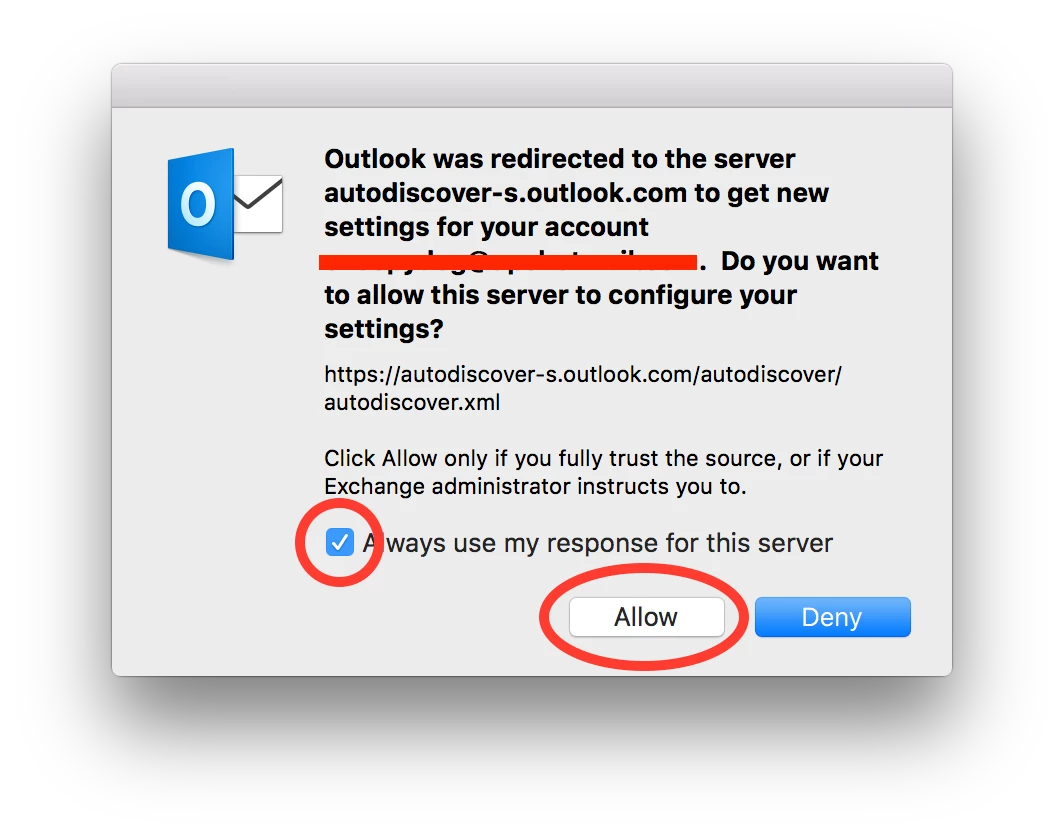
When we migrated, the only thing users had to get past is a "redirect" message like this one: