Question

Office 2016 default Save dialog mode

  • September 22, 2015
  • 49 replies
  • 163 views

Show first post

49 replies

Forum|alt.badge.img+1
  • New Contributor
  • January 29, 2016

I am not a developer, just a user of Office 2016. I have the latest version 15.18 and would dearly love to change the Office default to Open and Save Locally, but I don't know how to apply the command that tim arnold has posted. Please can anyone help me? I am sure that there are many thousands of Office 2016 users who would like to make this change!


Forum|alt.badge.img+14
  • Contributor
  • January 30, 2016

Hey @paulfanner

Open Terminal, located at /Applications/Utilities/Terminal.app or search for "Terminal" in Spotlight.

Copy and paste the following:

defaults write ~/Library/Group Containers/UBF8T346G9.Office/com.microsoft.officeprefs.plist DefaultsToLocalOpenSave -bool TRUE

Open Office 2016 and the default save location should be local.

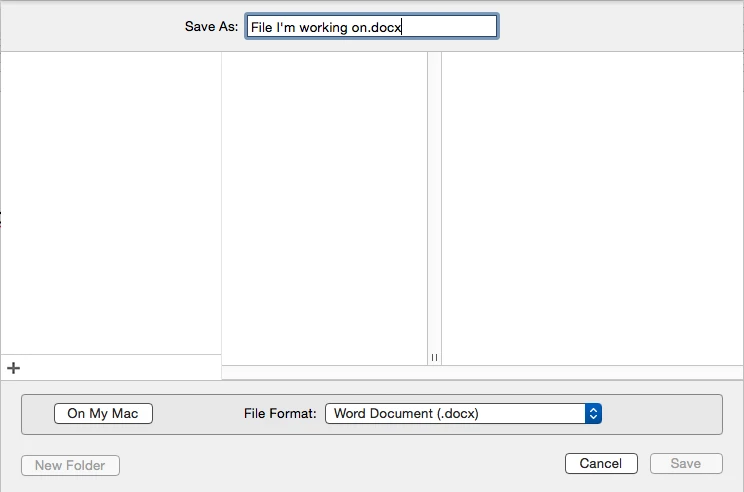
The easiest way would be to open Word, attempt to save a document and click on "On my Mac".


Forum|alt.badge.img+1
  • New Contributor
  • January 30, 2016

Hi Abdiaziz,
Many thanks for your reply and assistance. I have run this in terminal and I confirm that the plist file has been amended to include the key DefaultsToLocalOpenSave and is set to true. However, the Open button still defaults to OneDrive Personal - it is still necessary to select On my Mac to open local files!
Best regards,
Paul


Forum|alt.badge.img+11
  • Valued Contributor
  • February 26, 2016

Unfortunately the "DefaultsToLocalOpenSave" key does not work. Tested with version 15.19.1.


Forum|alt.badge.img+13
  • Honored Contributor
  • February 29, 2016

Hi All,
Just a follow up. My setting is working with 15.19.1. plist with key change converted to profile

Larry


MrRoboto
Forum|alt.badge.img+9
  • Valued Contributor
  • March 16, 2016

What is the best way to deploy this preference? Run as script once per user? Or convert to profile?

How to convert plist to profile?


Forum|alt.badge.img+12
  • Contributor
  • May 11, 2016

This command isn't working for me with 15.21.1. Does anyone know if the key pairs have changed?


donmontalvo
Forum|alt.badge.img+36
  • Hall of Fame
  • May 11, 2016

This is what we have for User level stuff, based on our requirements, seems to work for us...

## User level
over500=`dscl . list /Users UniqueID | awk '$2 > 500 { print $1 }'`
for u in $over500 ;
do
    /bin/mkdir -p /Users/"$u"/Library/Group Containers/UBF8T346G9.Office 2>/dev/null
    /usr/bin/defaults write /Users/"$u"/Library/Group Containers/UBF8T346G9.Office/com.microsoft.officeprefs.plist DefaultsToLocalOpenSave -bool 'TRUE' 2>/dev/null
    /usr/sbin/chown -R "$u" /Users/"$u"/Library/Group Containers/UBF8T346G9.Office 2>/dev/null
    /usr/sbin/chown "$u" /Users/"$u"/Library/Preferences/com.microsoft.autoupdate2.plist 2>/dev/null
done

EDIT: This is only a portion of our suppressMicrosoftOffice2016.sh script.


Forum|alt.badge.img+1
  • New Contributor
  • June 9, 2016

Has anyone been able to get the com.microsoft.officeprefs.plist imported into the JSS as a Configuration Profile Custom Setting?

It seems to work fine with the Defaults Write command but won't work as a Custom setting in the JSS (v.9.82).

Thanks!


Forum|alt.badge.img+13
  • Honored Contributor
  • June 9, 2016

hey @mackin_j I did have a working profile in 15.19.1, but with subsequent updates, it stopped working. I used Rich's script as part of my first boot for the settings that@donmontalvo mentioned, and fixed the dialog with outset login-once and "defaults write ~/Library/Group Containers/UBF8T346G9.Office/com.microsoft.officeprefs.plist DefaultsToLocalOpenSave -bool TRUE" as mentioned above. Has been working from15.19.1 to 15.22.whateverthehellwereatnow


donmontalvo
Forum|alt.badge.img+36
  • Hall of Fame
  • June 17, 2016

The defaults commands only seem to work for me when I use the entire path. Tilde ~ seems to break it.


Forum|alt.badge.img+4
  • Contributor
  • March 2, 2017

The defaults command doesn't work for me at all, even putting in the entire path.

Even editing it in Terminal and adding:

<key>DefaultsToLocalOpenSave</key> <true/>

doesn't work.

Excel version 15.33 (170228).


Forum|alt.badge.img+4
  • Contributor
  • March 2, 2017

Actually it works for Save, but not Open in Excel.

"The DefaultsToLocalOpenSave setting is for all office applications. It however is not consistent. For build 161019, Word's open and save default to local but for Powerpoint and Excel only save defaults to local."

Please vote here:

https://excel.uservoice.com/forums/304933-excel-for-mac/suggestions/15694884-default-to-my-mac-instead-of-onedrive#comments

Will need hundreds more votes for Microsoft even to think about it.


Forum|alt.badge.img+13
  • Honored Contributor
  • March 2, 2017

@jlbrown how are you deploying it?. It's still working for me with version 15.31, haven't tried with 15.33 as I'm on slow release

L


Forum|alt.badge.img+4
  • Contributor
  • March 2, 2017

L, I didn't deploy it with Jamf - just entered the defaults command in Terminal on my machine.

So it works with you for Open dialog in Excel?

Save dialog is OK, but I get no change in Open dialog in Excel.

Both Open and Save work in Word.


Forum|alt.badge.img+13
  • Honored Contributor
  • March 2, 2017

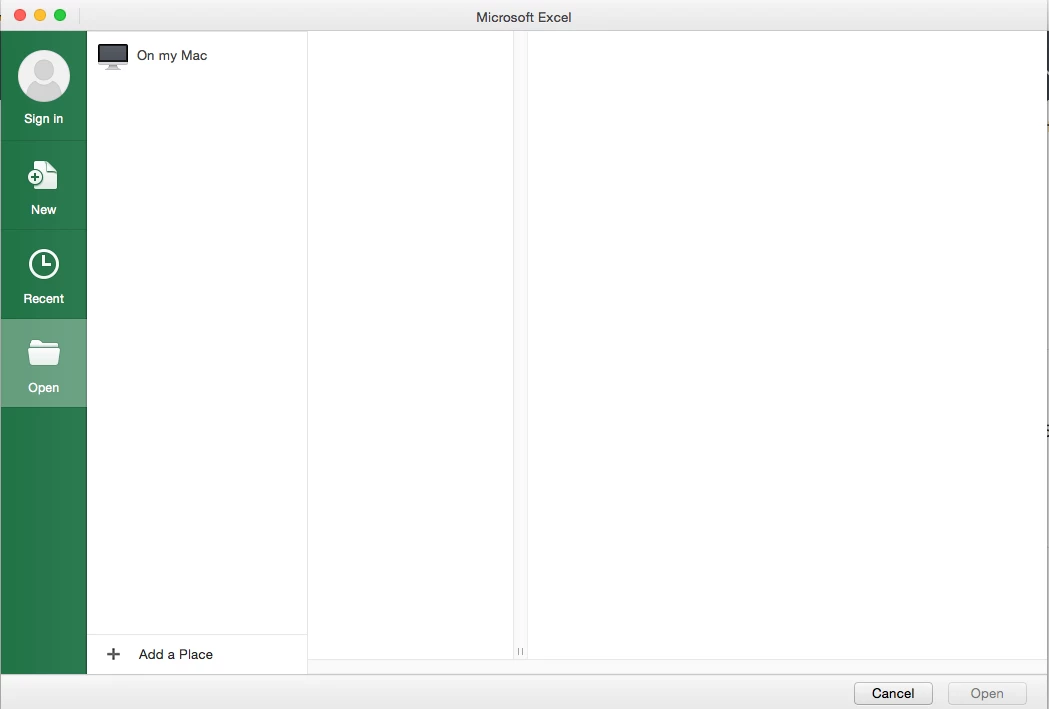
@jlbrown My mistake, I was confused as I was on my home machine. I just checked and you are correct. You get the following when you choose Open. Once you choose "on my Mac", you are taken to the Documents folder. Have you jumped on slack?


Forum|alt.badge.img+13
  • Honored Contributor
  • April 30, 2017

@jlbrown not sure if you saw the update, but the defaults command has changed as of 15.33. As usual, Rich has updated his script and profile. it can found here.
I confirmed it does work for Excel now. It must be run with root privileges

sudo /usr/bin/defaults write /Library/Preferences/com.microsoft.office DefaultsToLocalOpenSave -bool true

Forum|alt.badge.img+4
  • Contributor
  • May 1, 2017

Thanks for the post @LSinNY - I did miss Rich's update.

Ran the defaults command but didn't work.

My /Library/Preferences/com.microsoft.office file is empty.

Office version 15.34 (170426)


Forum|alt.badge.img+13
  • Honored Contributor
  • May 1, 2017

@jlbrown my Bad. I posted on an iphone. the command should be:

/usr/bin/defaults write /Library/Preferences/com.microsoft.office.plist  DefaultsToLocalOpenSave -bool true

checked:
LarrysiMac$ /usr/bin/defaults read /Library/Preferences/com.microsoft.office.plist
{ DefaultsToLocalOpenSave = 1;
}


Forum|alt.badge.img+4
  • Contributor
  • May 1, 2017

Thanks @LSinNY - that works.

Open and Save in Word, but still only Save in Excel.

Thanks again (and thanks Rich!)


Forum|alt.badge.img+5
  • Contributor
  • May 22, 2017

Tested a variety of these solutions on Mac 10.12.4 and Office 15.29 and did not get a single one to work. I must be doing something wrong but I don't know what. I was logged in as a test local user and making these changes, as root when needed, but specifying the test users home paths when needed. This did work: [https://www.jamf.com/jamf-nation/discussions/20571/office-2016-for-mac-disable-cloud-services-onedrive-sharepoint](link URL)


Forum|alt.badge.img+16
  • Honored Contributor
  • August 15, 2017

Any updates to this, I just gave it a short try and looked like it's back to the "MicrosoftRegistrationDB.reg"?

C


Forum|alt.badge.img+7
  • Contributor
  • May 4, 2018

@genazzano Jamf runs scripts as root so if you refer to a home directory it will use root's. To run a command as another user use:

#!/bin/bash

#Figures out the logged in user and puts username into variable
USER=$(ls -l /dev/console | awk '{print $3}')

#Use su (switch user) command then reference the variable containing the logged on user's username then pass the command you need in single quotes

su $USER -c 'command to run as logged on user goes here'

exit 0

Good luck


Forum|alt.badge.img+1
  • New Contributor
  • May 20, 2019

This profile shows the Finder as the first option to save Office documents

Guarda documentos de Office localmente por defecto .mobileconfig