Question

OneLogin and Single-Sign-On Extensions

  • August 24, 2021
  • 3 replies
  • 6 views

Forum|alt.badge.img+3

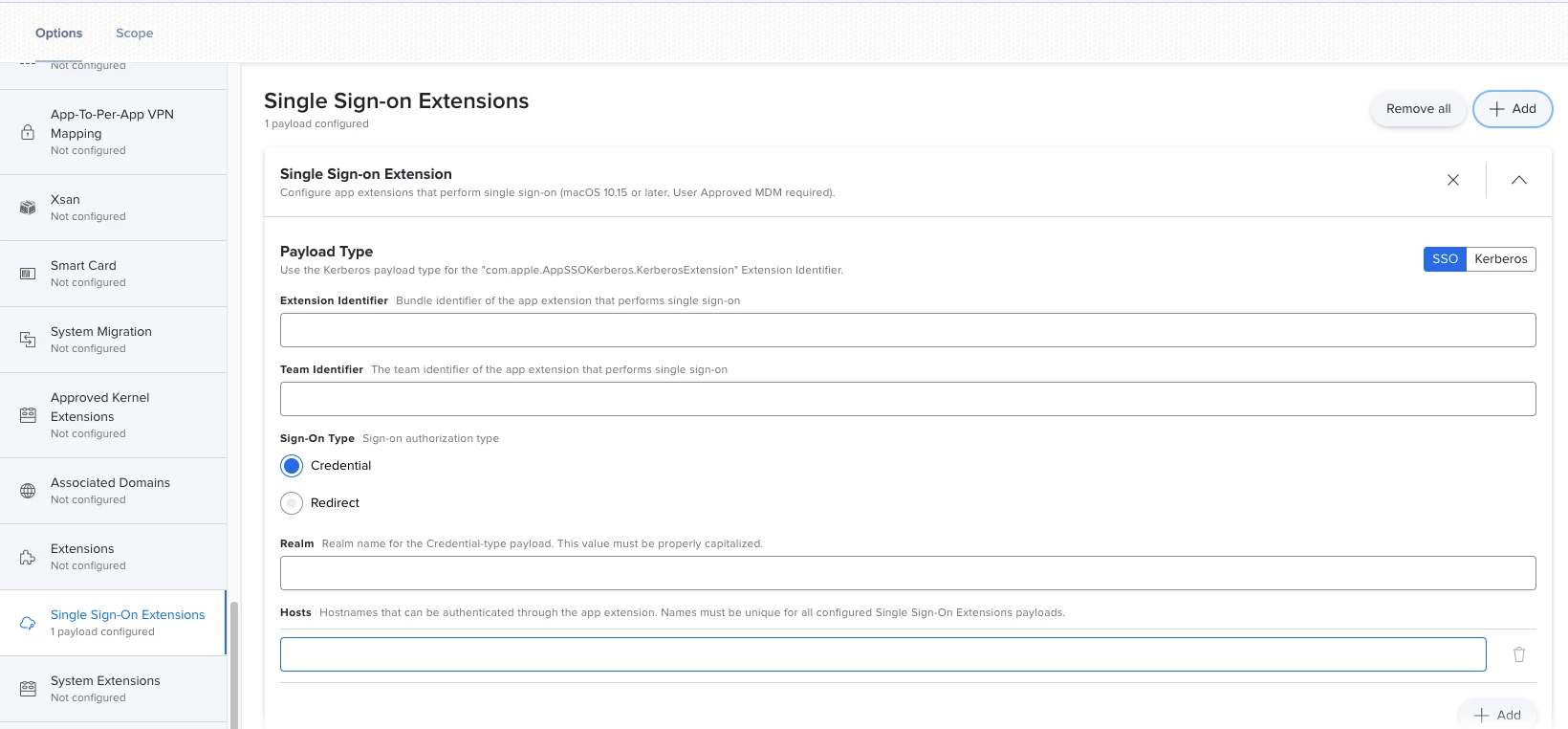
So apparently BigSur removed SSO Extensions, We use OneLogin as our User look up and to bind and create users when we use PreStage Enrollment. Cant find any documentation on how to setup the SSO Extension below. Anyone have any experience with the variables? We do not user JAMF connect only JAMF Pro


3 replies

Forum|alt.badge.img+7
  • Contributor
  • 27 replies
  • August 24, 2021

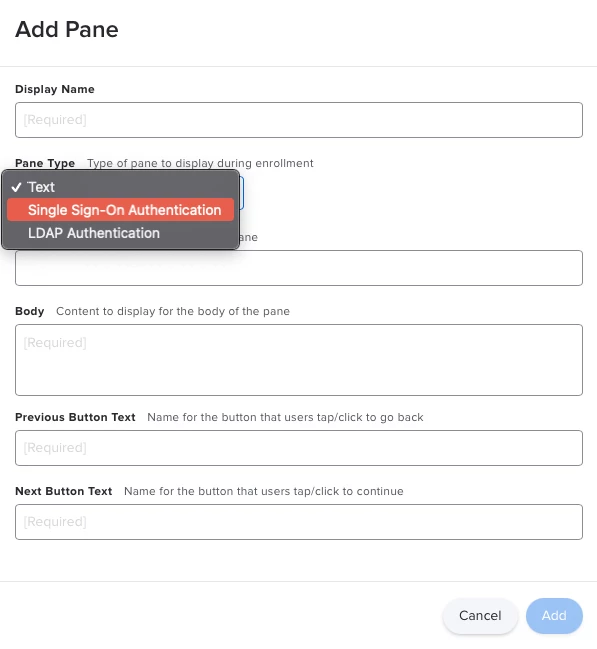
If you're looking to have the user sign in with SSO when they are setting up the computer, then you'll want to go with Enrollment Customizations as your tool for the job. You can add a pane for SSO authentication, and the PreStage will pull the account information from that sign-in.

When you build an enrollment customization and create a new pane, you can select SSO Auth from the Pane Type dropdown:

That should do the trick to get user accounts created.

SSO Extension are a little different. The idea is that the SSO Extension allows multiple applications to utilize a single SSO token on a Mac. A good example of this is the Azure extension, which allows all Microsoft apps to authenticate once you have signed in via the Company Portal app. Additionally, you can make this SSO information available to browsers as well, so you are able to sign-in without hassle when using web interfaces. From a user-experience standpoint, it's similar to how ADFS handles authentication on domain-bound PCs. Super convenient.


Forum|alt.badge.img+3
  • Author
  • New Contributor
  • 5 replies
  • August 24, 2021

If you're looking to have the user sign in with SSO when they are setting up the computer, then you'll want to go with Enrollment Customizations as your tool for the job. You can add a pane for SSO authentication, and the PreStage will pull the account information from that sign-in.

When you build an enrollment customization and create a new pane, you can select SSO Auth from the Pane Type dropdown:

That should do the trick to get user accounts created.

SSO Extension are a little different. The idea is that the SSO Extension allows multiple applications to utilize a single SSO token on a Mac. A good example of this is the Azure extension, which allows all Microsoft apps to authenticate once you have signed in via the Company Portal app. Additionally, you can make this SSO information available to browsers as well, so you are able to sign-in without hassle when using web interfaces. From a user-experience standpoint, it's similar to how ADFS handles authentication on domain-bound PCs. Super convenient.


Hey @jcaleshire our issue is we added the pane and users login with there OneLogin credentials, it does not create/bind the user. so we only have the Admin created.


Forum|alt.badge.img+7
  • Contributor
  • 27 replies
  • August 24, 2021

Ah, so what sounds like you need is Just-In-Time user creation from the loginwindow. 

That's going to be a bit trickier, since you'll need to leverage a JIT login tool like NoMAD Login AD (NoLoAD for short, found here). I'm not sure how well NoLoAD works with OneLogin, though, since it is designed to work with AD.. The other option, of course, is using Jamf Connect, but that tends to be on the pricier side of things.