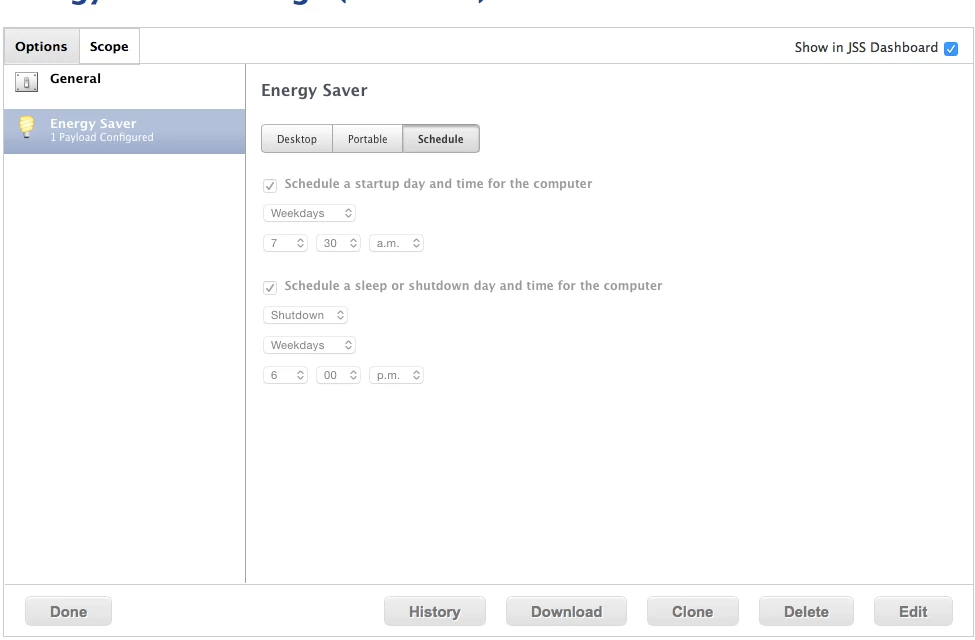
This is intended behavior for OS X Yosemite. Which I find pretty dumb.
https://support.apple.com/kb/PH18583?locale=en_US
Your Mac must be awake and you must be logged in for it to shut down at the scheduled time. If you are not logged in or your Mac is in sleep, it won’t shut down.
Here's a launch daemon that shutdowns the machine at 11 PM, I then use a config profile to power them back on.
Package as a .pkg and deploy
<?xml version="1.0" encoding="UTF-8"?>
<!DOCTYPE plist PUBLIC "-//Apple//DTD PLIST 1.0//EN" "http://www.apple.com/DTDs/PropertyList-1.0.dtd">
<plist version="1.0">
<dict>
    <key>Label</key>
<string>com.org.shutdown</string>
<key>UserName</key>
<string>root</string>
<key>Program</key>
<string>/sbin/shutdown</string>
<key>ProgramArguments</key>
<array>
    <string>/sbin/shutdown</string>
    <string>-h</string>
    <string>now</string>
</array>
<key>StartCalendarInterval</key>
<dict>
    <key>Hour</key>
    <integer>23</integer>
    <key>Minute</key>
    <integer>00</integer>
</dict>
</dict>
</plist>
Post flight (After script)
#!/bin/bash
chown root "/Library/LaunchDaemons/com.org.shutdown.plist"
chmod 644 "/Library/LaunchDaemons/com.org.shutdown.plist"
launchctl load -w "/Library/LaunchDaemons/com.org.shutdown.plist"