Question

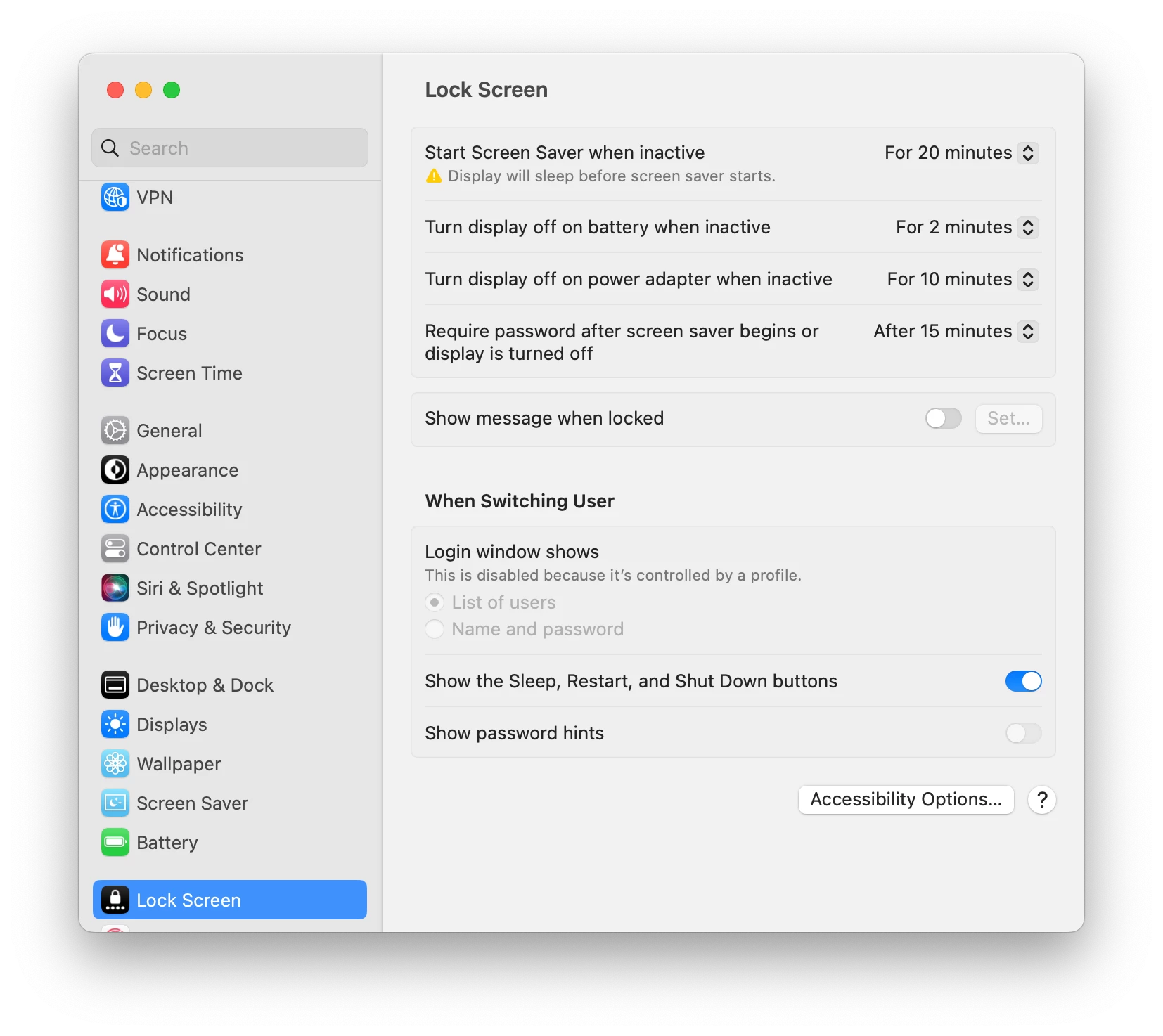
payload for “System Settings > Lock Screen > Turn display off on power adapter when inactive"

  • January 11, 2023
  • 9 replies
  • 204 views

Forum|alt.badge.img+8

I can't seem to figure out where the config profile payload for handling these lock screen options are. Also, is there a way to let standard users adjust these without admin credentials?

9 replies

mm2270
Forum|alt.badge.img+24
  • Legendary Contributor
  • January 11, 2023

Those will be in the Energy Saver Configuration Profile payload, and under the Portable > Battery and Portable > Power Adapter tabs.

As for allowing end users to adjust those, I don't know the exact syntax, but my guess is some security authorizationdb command would allow standard users to edit those settings. However, if you apply those settings via Config Profile, I don't think they would then be able to adjust any of them. Most profile settings lock down the settings its applying to.


Forum|alt.badge.img+8
  • Author
  • Contributor
  • January 11, 2023

In Jamf, the energy settings payloads allow me set a value, but I can't see where I would allow standard users to change the settings on their own. Something is requiring admin credentials for that, but I don't see where I can manage that.


mm2270
Forum|alt.badge.img+24
  • Legendary Contributor
  • January 11, 2023

I don't think that's a Jamf thing. I believe it's the OS that locks those once the device is under MDM management.

You can try the following to see it opens the settings up. Again, uncertain if this will work alongside an applied profile managing those settings, but you can try it.

/usr/bin/security authorizationdb write system.preferences allow /usr/bin/security authorizationdb write system.preferences.energysaver allow


Forum|alt.badge.img+8
  • Contributor
  • January 11, 2023

iMazing is a great app for figuring out payloads.

+1 for the authorizationdb to change user permissions


Narmijarv
Forum|alt.badge.img+4
  • New Contributor
  • February 1, 2023

I have tried to set display off on battery and power adapter for our Macbooks. Both with Configuration Profile and script running at recurring checking. But still users are able to change these settings in Mac OS Ventura. The settings jumps back at next check-in. I want these options be locked for our users, so they can't change them. 


Forum|alt.badge.img+8
  • Contributor
  • February 1, 2023

I have tried to set display off on battery and power adapter for our Macbooks. Both with Configuration Profile and script running at recurring checking. But still users are able to change these settings in Mac OS Ventura. The settings jumps back at next check-in. I want these options be locked for our users, so they can't change them. 


Unfortunately I have the same experience. Not sure if this is a bug or intended behaviour


Forum|alt.badge.img
  • New Contributor
  • April 10, 2023

I don't think that's a Jamf thing. I believe it's the OS that locks those once the device is under MDM management.

You can try the following to see it opens the settings up. Again, uncertain if this will work alongside an applied profile managing those settings, but you can try it.

/usr/bin/security authorizationdb write system.preferences allow /usr/bin/security authorizationdb write system.preferences.energysaver allow


Worked great for me, stuffed the script in a policy and my standard user account can now change the lock screen settings, Thanks!


Forum|alt.badge.img
  • New Contributor
  • April 26, 2023

Unfortunately I have the same experience. Not sure if this is a bug or intended behaviour


unfortunately having the same issue here


Forum|alt.badge.img+1

I don't think that's a Jamf thing. I believe it's the OS that locks those once the device is under MDM management.

You can try the following to see it opens the settings up. Again, uncertain if this will work alongside an applied profile managing those settings, but you can try it.

/usr/bin/security authorizationdb write system.preferences allow /usr/bin/security authorizationdb write system.preferences.energysaver allow


Thank you! Confirming this script still works for Mac OS Ventura! As Tvande mentioned below I was able to create this as a script and then created a policy to apply for standard users.