
Question

Personal Mac enrolled in Jamf with no admin required

  • September 21, 2018
  • 3 replies
  • 34 views

Forum|alt.badge.img+7

A user at my company managed to enrol him Mac in Jamf with no admin access or JSS access??

He said he was asked by Outlook to enrol his device but it told him enrolment failed and his emails stopped syncing. Intune/company portal isn't working correctly for us but thats another issue.

I'm more concerned that maybe the Office365 enrolment has somehow enrolled his personal device into Jamf??

His mac wasn't scoped to anything but yet it pulled down self-service, company licensed software, security certificates, admin accounts the lot!

How is that possible? Has anyone else seen this?
3 replies

Forum|alt.badge.img+7
  • Author
  • Contributor
  • September 21, 2018

Following on here are a few settings from our JSS.

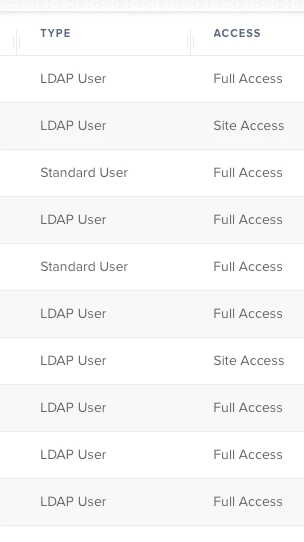
Only the 10 users on the list are able to enrol anything from the jamf enrolment site.

Also please see my User enrolment settings. Are these wrong???


Forum|alt.badge.img+7
  • Contributor
  • September 24, 2018

Looks like your user initiated enrollment settings would allow All LDAP Users to enroll their machine in Jamf.

Can you login to
https://<yourjss>:8443/enroll as a user who does not have access to jamf console?

Ash


Forum|alt.badge.img+7
  • Author
  • Contributor
  • October 1, 2018

OMG That was it!!!!

I mean it says not allowed to enrol personal devices only institutional but turned it all off and now works just for admins.

Thanks! Lets put this down to a blonde moment.

