Question

.pkg install on login

  • August 2, 2017
  • 10 replies
  • 21 views

Forum|alt.badge.img+6

I'm currently trying to deploy the latest version of Symantec to all of my Mac's so that they are on the latest version. I currently have a policy written to install from the self service and it is restricted to admins so that we can test that it does install correctly and the promts that should show up do in fact show up. This is all working. However, when I remove the installer from self service and alter the policy so that my target computers should initiate this installer when they checkin with the JSS or when a user logs in the packages fail to run. Any ideas? There is probably a post on JAMF already about this but I've been searching for hours and can't find it.
Thanks!

10 replies

Forum|alt.badge.img+12
  • Valued Contributor
  • August 2, 2017

how is your app scoped? Are you seeing any failures in the policy logs?


Forum|alt.badge.img+6
  • Author
  • Contributor
  • August 2, 2017

currently it is scoped to be available to all users but pointing to two specific computers so I can test it before I deploy it to all machines.


Forum|alt.badge.img+6
  • Author
  • Contributor
  • August 2, 2017

No I don't see any failures.


Forum|alt.badge.img+12
  • Valued Contributor
  • August 2, 2017

Ok, is it set to automatically install? any failures in the policy logs?


Forum|alt.badge.img+6
  • Author
  • Contributor
  • August 2, 2017


Forum|alt.badge.img+12
  • Valued Contributor
  • August 2, 2017

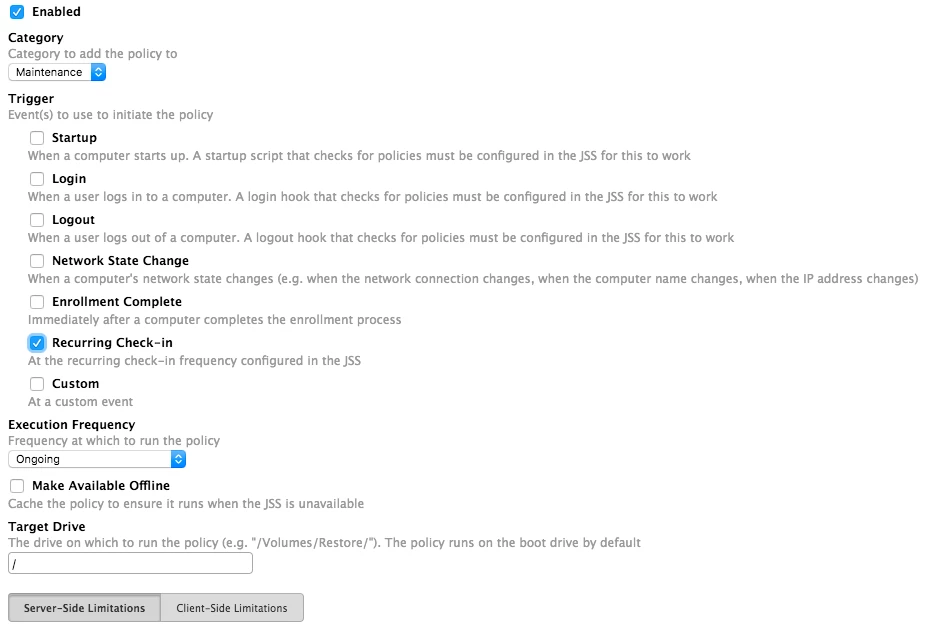
Ah, ok change your frequency to "once per computer" then under the package make sure its set to install.


Forum|alt.badge.img+6
  • Author
  • Contributor
  • August 2, 2017

I've been running a
$ sudo jamf recon && sudo jamf policy in order to force the machine to checkin and initiate the process but while it does check-in it doesn't kick the processes off. I'm sure I'm missing something obvious


Forum|alt.badge.img+12
  • Valued Contributor
  • August 2, 2017

Right, i would change the frequency to once per computer then under logs, flush your test computers then run your recon/policy


Forum|alt.badge.img+6
  • Author
  • Contributor
  • August 2, 2017

YAAS!!! Thanks Dylan, that worked for me!


Forum|alt.badge.img+12
  • Valued Contributor
  • August 2, 2017

Awesome! I have seen very little use for the "ongoing" flag, as most things need to run once then its good. So for an example, when i update flash every 2nd day it seems, ill upload the new package then go into the logs and flush all. Each computer will then see that upon check in and run the policy.