Question

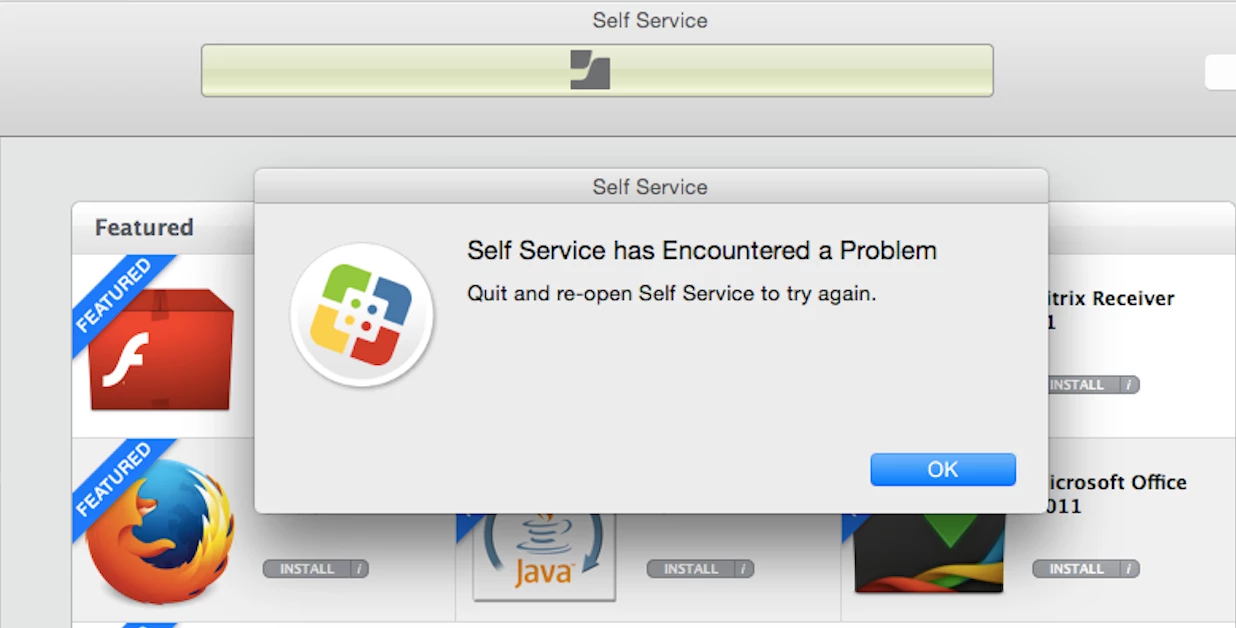
Policies failing in Self Service

  • June 4, 2015
  • 8 replies
  • 63 views

Forum|alt.badge.img+5

O Hai,

I have a user who can't run any polices via Self Service on their Mac. The scripts/policies that we push down work fine. Quitting and restarting Self Service doesn't help, removing framework and re-enrolling doesn't work. Policy logs in JSS don't show that user is even trying- as in, there are no policy logs triggered from Self Service.

Any thoughts?
8 replies

kitzy
Forum|alt.badge.img+14
  • Valued Contributor
  • June 4, 2015

Is there anything interesting in the jamf.log on the Mac?


Forum|alt.badge.img+5
  • Author
  • New Contributor
  • June 4, 2015

Really the only interesting thing is the lack of interesting things:

Jun 4 15:03:08 macbook-air.partners.org Self Service[2244]: [ERROR] -[SSDeployableObject handleTimeoutError:] (line:364)

--> Quit and re-open Self Service to try again.: (null)

Jun 4 15:03:08 macbook-air.partners.org Self Service[2244]: [ERROR] -[InstallerQueueProcessBinder finishProcess] (line:190)

--> Policy Adobe Flash Player failed with: Error Domain=JAMFSoftware/SelfService Code=20 "Quit and re-open Self Service to try again." UserInfo=0xcf11400 {NSLocalizedDescription=Quit and re-open Self Service to try again.}

Fun fact- if we trigger the policies via terminal (jamf policy -event), they download fine.


Forum|alt.badge.img+12
  • Contributor
  • June 4, 2015

@themonger13 Have you updated your JSS recently? We moved to 9.65 a while ago, and now many of our 10.9.5 clients have broken Self Service. Constant nagging from networksetup that prevents Self Service from even opening.


mm2270
Forum|alt.badge.img+24
  • Legendary Contributor
  • June 4, 2015

Have you tried deleting the application first, then re-enrolling the Mac to ensure its getting the latest version of Self Service from your JSS?
Also, you're not pushing out a customized version of Self Service, right? Just the one that can auto deploy down to clients from the JSS when enrolled?

Lastly, there actually is a Self Service log that may reveal something. If you open Console.app on the Mac, look under ~/Library/Logs and then look for JAMF and turn down that folder. There is a JAMFApplications.log there that may give you something more to go on than the regular jamf.log is showing.


Forum|alt.badge.img+5
  • Author
  • New Contributor
  • June 5, 2015

@dferrara no updates or changes. We're on 9.63, and have been since it came out.

@mm2270 no customized SS, deleted/re-enrolled, tried a new user in sys prefs, no effect. I'll have a look at the JAMFApplications.log. Thanks!

It's the only machine this is happening with, but it's driving me crazy. I refuse to hose the machine based purely on Self Service not working.


Forum|alt.badge.img+5
  • New Contributor
  • June 5, 2015

I had this issue with a client Mac yesterday. I was able to resolve it by moving Self Service into the trash and then running a "sudo jamf manage" command from the terminal. It re-loaded self service and all was well.


Chris_Hafner
Forum|alt.badge.img+27
  • Jamf Heroes
  • June 5, 2015

Yep. I've seen this in the past. Often when a machines logic board is changed out and not updated to reflect the new UDID in the JSS.


Forum|alt.badge.img+5
  • Contributor
  • February 8, 2018

Figured id post what i did to fix this on one of my users. We just did a sudo jamf removeFramework and then re-enrolled the machine via a quick add. That seemed to fix the problem.