Answer

PPPC and LanSchool

  • July 11, 2019
  • 12 replies
  • 62 views

gmorgan
Forum|alt.badge.img+7

LanSchool, once installed, needs to be given permission under Privacy/Accessibility. I was looking at trying to automate this using PPPC but the issue is there isn't actually an app in the Applications folder to point to. Ideas?

Best answer by ttyler1999

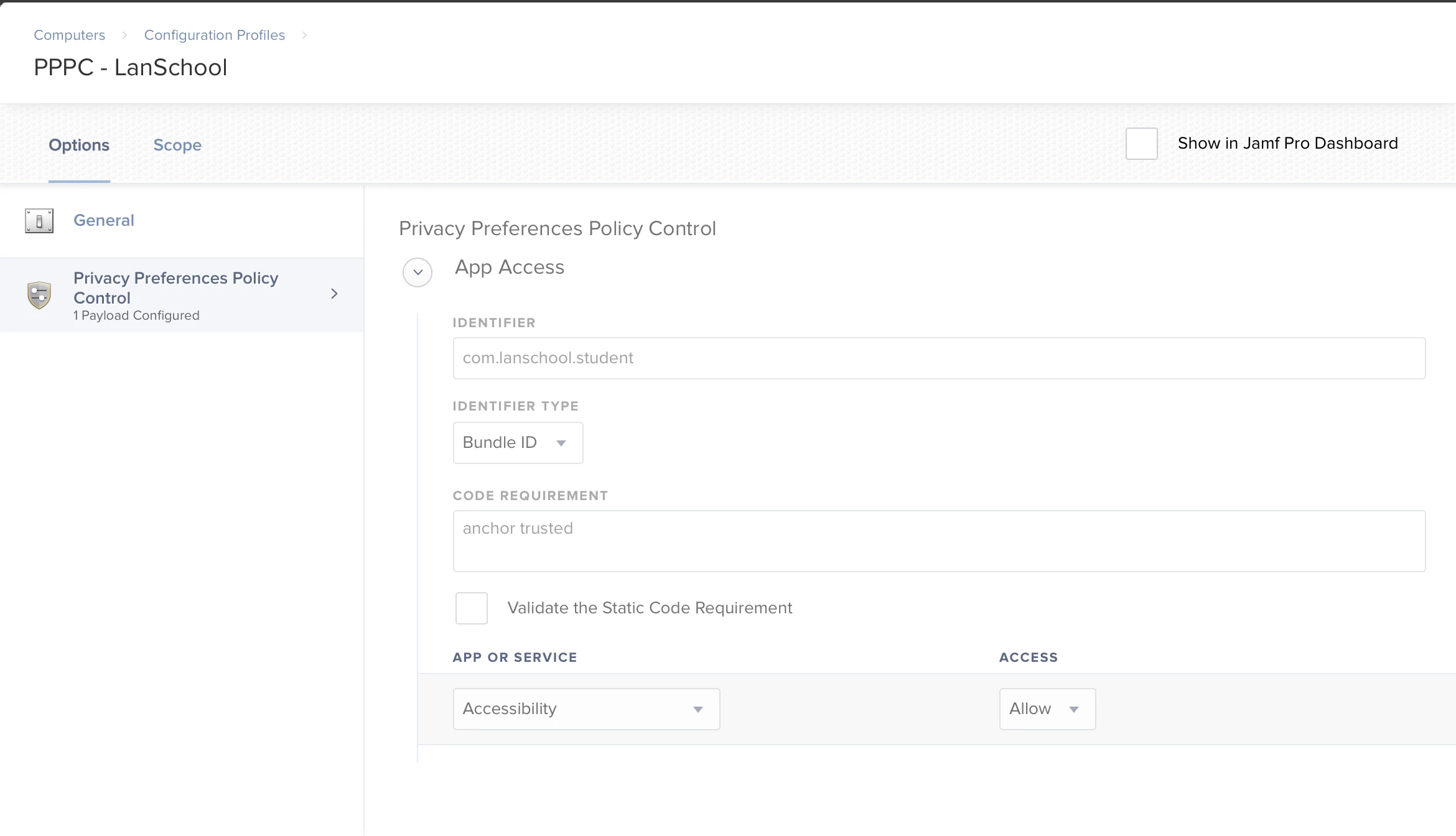
The client app lives at /Library/Application Support/Lanschool/student.app

12 replies

Forum|alt.badge.img+7
  • Contributor
  • Answer
  • July 12, 2019

The client app lives at /Library/Application Support/Lanschool/student.app


PaulHazelden
Forum|alt.badge.img+12
  • Jamf Heroes
  • September 6, 2019

@gmorgan Did you get this to work?
I have looked at it, and it was asking for Full Disk Access, which isn't available in PPPC. And a couple of others that are available for deny in PPPC, but Allow is required setting.


Forum|alt.badge.img+7
  • Valued Contributor
  • September 6, 2019

I used these instructions to make a PPPC and everything is working except for limiting web in Safari. LanSchool support isn't of much help and told me to talk to JAMF/Apple.

LanSchool also told me that they have their hands tied when it comes to macOS Catalina and to not upgrade when it comes out.


PaulHazelden
Forum|alt.badge.img+12
  • Jamf Heroes
  • September 11, 2019

@SirSir Thank you for that link, we got nowhere with LanSchool either.

Been getting loads of emails from various software companies all saying the same - don't upgrade to Mac OS X Catalina. had one saying it will be at least 4 months before they will be ready.


gmorgan
Forum|alt.badge.img+7
  • Author
  • Contributor
  • September 11, 2019

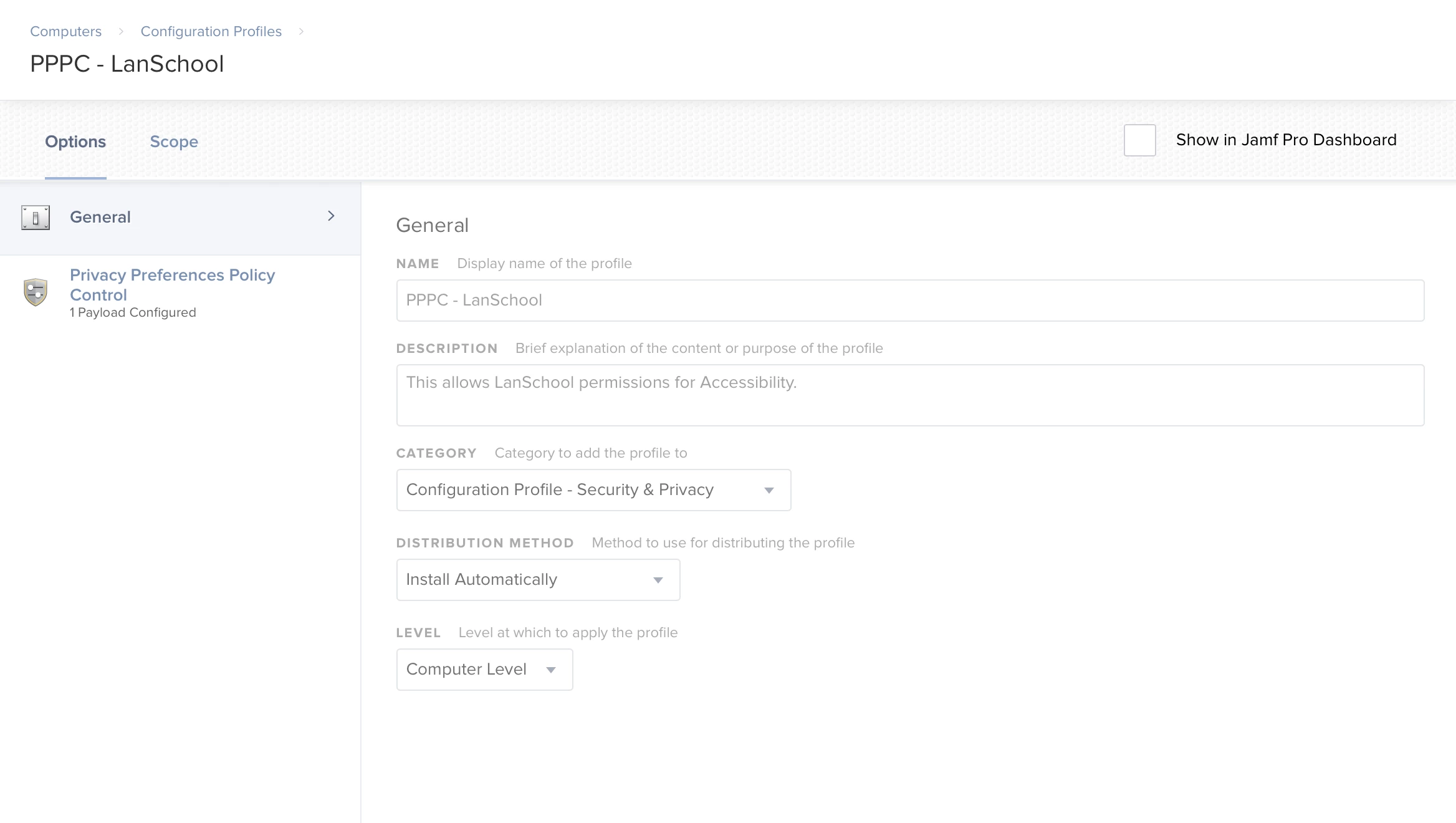
Yes I did. Here's what I have.


Forum|alt.badge.img+1
  • New Contributor
  • September 26, 2019

There are two apps for LanSchool that need to have PPPC settings configured. One is LanSchool (filename lsutil.app) and the other is LanSchool Student (student.app), both of which appear in the /Library/Application Support/LanSchool folder. Using PPPC-Utility from github, I was able to configure a configuration profile that I could save and then upload to my JAMF server. The only item they can't configure is the microphone, but as I understand it that is a conscious decision on Apple's part. I created a LanSchool Student custom app using their custom tool, then created the configuration profile using PPPC-Utility. When both of these policies run on the student devices, LanSchool has started working as planned. See help here: https://helpdesk.lenovosoftware.com/portal/kb/articles/mojave-support


Forum|alt.badge.img+2
  • New Contributor
  • September 26, 2019

@vvanier This is how I finally got it to work with Mojave. So far it's giving me new troubles on my Catalina test machine. Only a few of the teachers seem to be using it now though that I might just ditch it for next year.


njitcoord
Forum|alt.badge.img+1
  • New Contributor
  • October 17, 2019

vvanier, do you need to use a third party utility like PPPC just to send out these configurations?

I only learned about needing to push out these permissions now that the Lanschool installer explains it.
(The installer I got in June didn't explain it like it does now).


njitcoord
Forum|alt.badge.img+1
  • New Contributor
  • October 17, 2019

On second thought, how do I get the machines to not auto update to Catalina?

They didn't used to, but it looks like they might be doing it now.


PaulHazelden
Forum|alt.badge.img+12
  • Jamf Heroes
  • October 21, 2019

softwareupdate --ignore "macOS Catalina"

Will remove the option for Catalina from Software update


njitcoord
Forum|alt.badge.img+1
  • New Contributor
  • October 23, 2019

Awesome.

One more question. I set up the mobileconfig file using PPPC-utility and pushed it out, but both lanschool and lsutil are not showing up in Accessibility at all. Is it because they are hidden, or is the thing not working?
Are they hidden, or not working?


Forum|alt.badge.img+7
  • Valued Contributor
  • October 24, 2019

LanSchool/Student won't show up in the Accessibility with the PPPC installed, they are hidden. You may see them if you log in as a local admin however (though this is hit or miss for me.)