I have a issue with PPPC I cannot get rid of
In my enrollment process I have a script that prompt user for country looks like below
#!/bin/bash
sleep 20
# Create folder
/bin/mkdir -p /Library/company
/bin/chmod -R 755 /Library/company
serialNumber=$( ioreg -c IOPlatformExpertDevice -d 2 | awk -F" '/IOPlatformSerialNumber/{print $(NF-1)}' )

# Prompt for Country
countryValue=`/usr/bin/osascript <<EOT
tell application "System Events"
    with timeout of 9999 seconds
    activate
    set theCountry to {"IDMAC", "NLMAC", "JPMAC", "USMAC"}
    set selectedCountry to {choose from list theCountry with prompt "Select Country"}
    end timeout
end tell
EOT`

# Set ComputerName|LocalHostName|HostName
scutil --set ComputerName  "$countryValue-$serialNumber"
scutil --set LocalHostName  "$countryValue-$serialNumber"
scutil --set HostName  "$countryValue-$serialNumber"

exit 0
Just before this scripts it called the following popup appears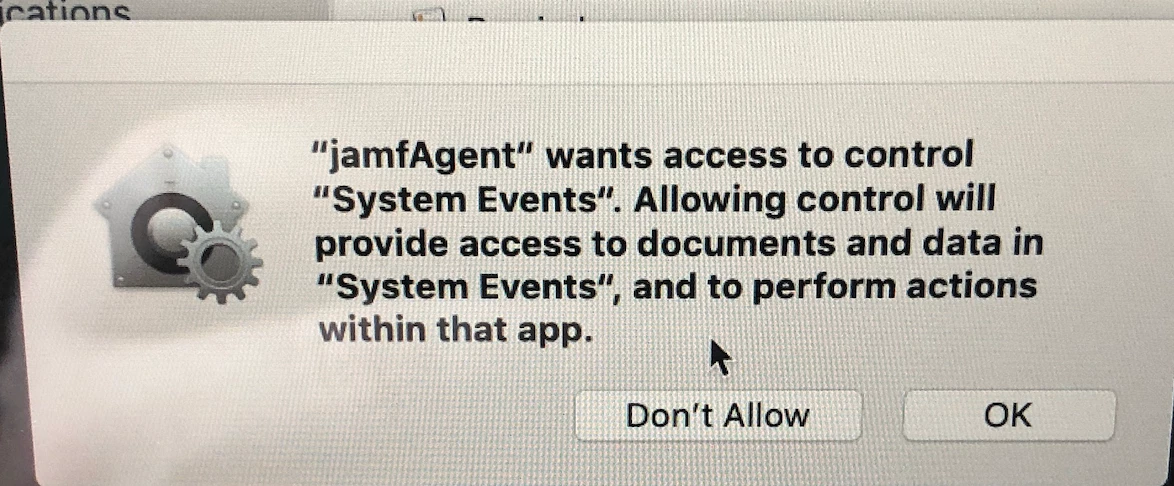
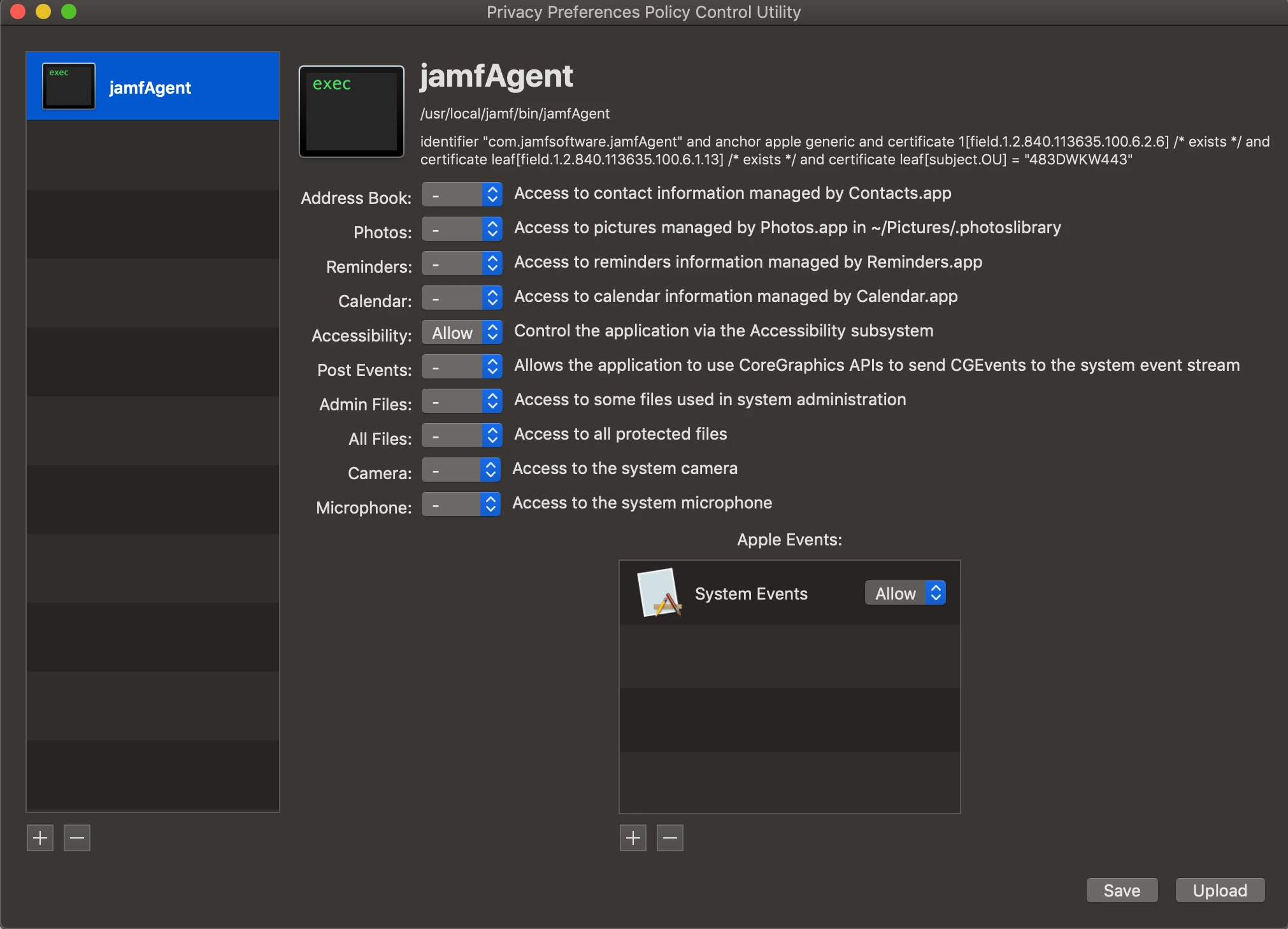
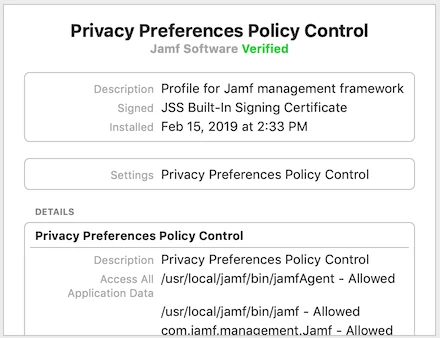
I have of course used the PPPC tool and set it up the following way but it keep showing up. I have checked the macs and the config profile has been loaded, so cannot understand why this keep popping up when I have created the matching PPPC
Do anyone has an idea what is going wrong