Question

PreStage Enrollment

  • October 19, 2021
  • 4 replies
  • 11 views

Forum|alt.badge.img+3

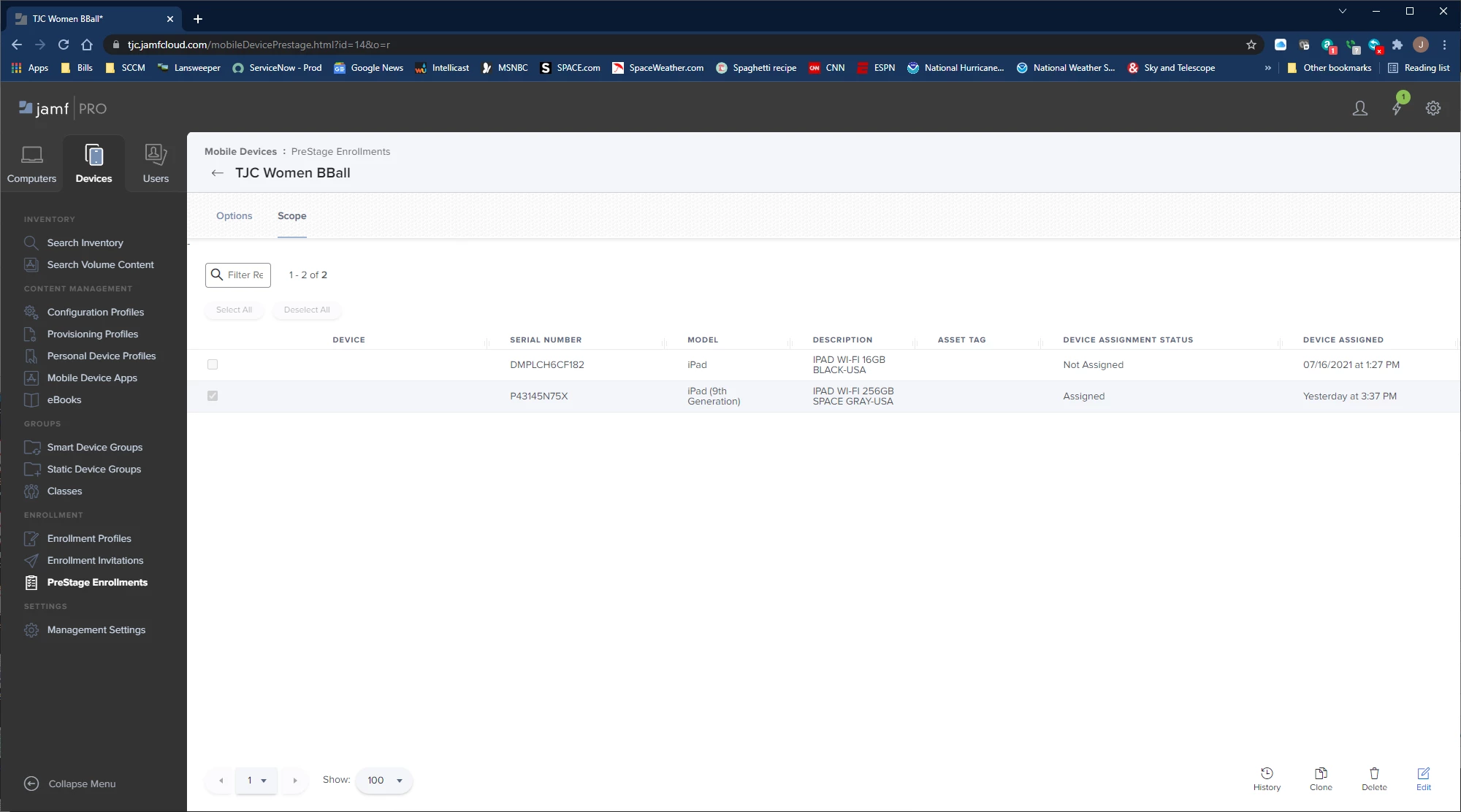
I am having trouble with being able to select an iPad in the Prestage Enrollment listing in Jamf Pro.  When on the main devices screen I select prestage enrollment on the left then it shows the list of devices.  I can see the ipad and it has a check mark in the box for the group I want to assign it to.  Under the device column I can click on it.  It is just blank.  I can select other devices just fine.  Does anyone have an idea what may be the issue here?

4 replies

Forum|alt.badge.img+3
  • Author
  • New Contributor
  • October 19, 2021

One thing I forgot to mention.  The iPad was enrolled into Apple School Manager via Configurator 2.


Hasibravo
Forum|alt.badge.img+7
  • Contributor
  • October 20, 2021

Hi Jmcglu, Could you please provide the screenshot then It will make sense what exactly you are facing issue.


Forum|alt.badge.img+3
  • Author
  • New Contributor
  • October 20, 2021

Hi Jmcglu, Could you please provide the screenshot then It will make sense what exactly you are facing issue.


Hasibravo
Forum|alt.badge.img+7
  • Contributor
  • October 26, 2021


Thank you for providing a screenshot

This means both devices are not enrolled in MDM yet. Once you will enrol the device then you will see the Serial number under the Devices column and you can click on it. 

I hope you got your answer.