
Question

Profiles cannot be approved while using remote or automated input methods...

  • April 26, 2018
  • 26 replies
  • 144 views

Forum|alt.badge.img+14

Our users on 10.13.4 are getting the following message when approving their MDM Profile...
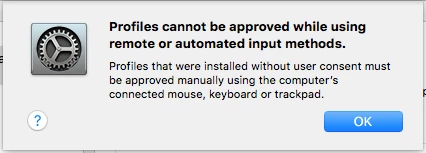
The problem is, there is no remote session going on. They are trying to approve the MDM profile while sitting right in front of their laptop, using it's own built in keyboard and trackpad. The only way we can get them approved is to login as root user and then it works.

Anyone else seen this and have a fix? I've already removed MDM profiles and re-enrolled into MDM and it makes no difference.

26 replies

bpavlov
Forum|alt.badge.img+18
  • Esteemed Contributor
  • April 26, 2018

Have you checked to see what processes are running?


Forum|alt.badge.img+14
  • Author
  • Honored Contributor
  • April 26, 2018

@bpavlov I've tried it immediately after a reboot with no apps open. The only possible process would be the ARD agent, but there was no remote connection to the admin console at that time.


scottb
Forum|alt.badge.img+18
  • Valued Contributor
  • April 26, 2018

I can sit here with screen sharing active and still approve the MDM Profile on the Mac (on the actual Mac).
So something else is going on.
Do you have anything else like TeamViewer, etc. running?


Forum|alt.badge.img+14
  • Author
  • Honored Contributor
  • April 26, 2018

@scottb

Nope. nothing running. but logging in as root user am able to approve it.


scottb
Forum|alt.badge.img+18
  • Valued Contributor
  • April 26, 2018

@ooshnoo - How about something that does cursor movement like "Jiggler"? I have this on mine and can test.
I got it to move the cursor, but it's not on the test Macs...
Might be worth a look?


Forum|alt.badge.img+14
  • Author
  • Honored Contributor
  • April 27, 2018

@scottb this is happening on freshly imaged machines, with nothing but a bare OS and Office 2016.


Forum|alt.badge.img+4
  • Contributor
  • April 27, 2018

hmm. strange one.
I encountered the same issue but later found out that it's due to lanschool running in the background.


Forum|alt.badge.img+16
  • Honored Contributor
  • May 1, 2018

I wonder if it's only allowing the originally created account to approve it. That would be incredibly dumb, but this is Apple and 10.13 we're talking about so insanely stupid ideas aren't exactly unexpected at this point.


Forum|alt.badge.img+8
  • Valued Contributor
  • May 7, 2018

I am seeing the same behavior on a machine that does not have any remoting software installed or other tools of the kind.

However, after rebooting, we were able to approve the MDM, so this sounds like a process the machine thinks is trying to automate stuff.

Weird things, indeed.


Forum|alt.badge.img+10
  • Valued Contributor
  • May 7, 2018

I have seen this on a few computers too. Just haven't had time to open a case or post here in JN.

~Scott


Forum|alt.badge.img+1
  • New Contributor
  • May 15, 2018

Has anyone come up with a fix? I'm running into the exact same problem. I run as a non-admin user, and use a separate admin level account when credential prompts for installs and system modifications. I did use those credentials to install the MDM profile, so perhaps it's a mismatch between the account that installed the profile and the account that is trying to approve? If so, that's kludgy as heck. I'll try switching to the admin user interactively and report back how it goes.


Forum|alt.badge.img+8
  • Valued Contributor
  • May 15, 2018

Well, for what it's worth, we discovered that Google Chrome or one of the installed extensions was the culprit of this strange behavior. The machine had a couple of extensions for Windows Remote Desktop and Citrix, so maybe it was one of those.


scottb
Forum|alt.badge.img+18
  • Valued Contributor
  • May 16, 2018

Which takes us back to the claims that "nothing but the OS" are likely not true.
If anyone truly has this issue with ZERO added software, then it's an issue for sure.


Forum|alt.badge.img+8
  • Valued Contributor
  • May 16, 2018

Totally true… It's interesting to figure out, though, that extensions on a browser are detected by this mechanism.


Forum|alt.badge.img
  • New Contributor
  • May 24, 2018

Just ran into this same issue. Killed Google Chrome completely and user was able to approve mdm.


retroroscoe
Forum|alt.badge.img+7
  • Contributor
  • July 18, 2018

Another possibility is if MagicPrefs is loaded on the machine.
Kill the process in Activity Monitor and try again


Forum|alt.badge.img
  • New Contributor
  • August 1, 2018

Hey party people, here's a quick way to sort this:

Boot to safe mode (hold Shift @ boot), approve the profile.

Whatever Chrome extensions and other remote services you have won't load in safe mode.

This worked like a charm on two machines I had that were self-enrolled.


scottb
Forum|alt.badge.img+18
  • Valued Contributor
  • August 3, 2018

I've seen at least 4-5 pieces of software cause this. I was going to start maintaining a list, but found that either a safe boot or a clean user account worked fine. Still, it's a royal PITA to walk clients through yet another hoop.


Forum|alt.badge.img+14
  • Author
  • Honored Contributor
  • August 14, 2018

@scottb here is the list you wanted to create...already made!!!

https://docs.google.com/spreadsheets/d/1IWrbE8xiau4rU2mtXYji9vSPWDqb56luh0OhD5XS0AM/edit#gid=0


scottb
Forum|alt.badge.img+18
  • Valued Contributor
  • August 14, 2018

@ooshnoo - this is the table for KEXT whitelisting...the issue here is the computer not allowing local "approvals" of Profiles.
I looked thru the tabs, and didn't see anything regarding this one. Or am I blind?


Forum|alt.badge.img+3

Just posting here to add to the knowledge - I was running into this issue and narrowed it down to Google Chrome thanks to this thread.

The offending extension? Google Play music.


Forum|alt.badge.img+3
  • New Contributor
  • September 26, 2018

I had the same issue whit some devices @ebtech solution works 100%.


Forum|alt.badge.img+2

Killed Chrome & then tried to approve worked like charm!! Thanks All for your solution!!!!


Forum|alt.badge.img+4
  • Contributor
  • June 13, 2020

So I have been seeing this same thing. I assumed this was a new security feature with MacOS whereby remote control can no longer approve MDM management. Is everyone here saying that it's not and it's actually a bug or some other app?

Is there no way I can spin up the update and approve the execution by terminal?


sdagley
Forum|alt.badge.img+25
  • Jamf Heroes
  • June 13, 2020

@Maxalot It's not a bug, Apple intentionally blocks remote approval of MDM management. It must be approved by a local user via the GUI.
