Question

Recovery HD partition not created

  • March 10, 2015
  • 2 replies
  • 15 views

Forum|alt.badge.img+5

I normally use AutoDMG when creating a base OS for Casper Imaging. However, I've imaged almost 20 units and I can't see Recovery partition. Is there anything I've missed during the process?

2 replies

davidacland
Forum|alt.badge.img+18
  • Valued Contributor
  • March 10, 2015

It should be automatic. It isn't visible normally, how are you checking for it?


Forum|alt.badge.img+10
  • Contributor
  • March 11, 2015

The recovery partition is hidden by default.

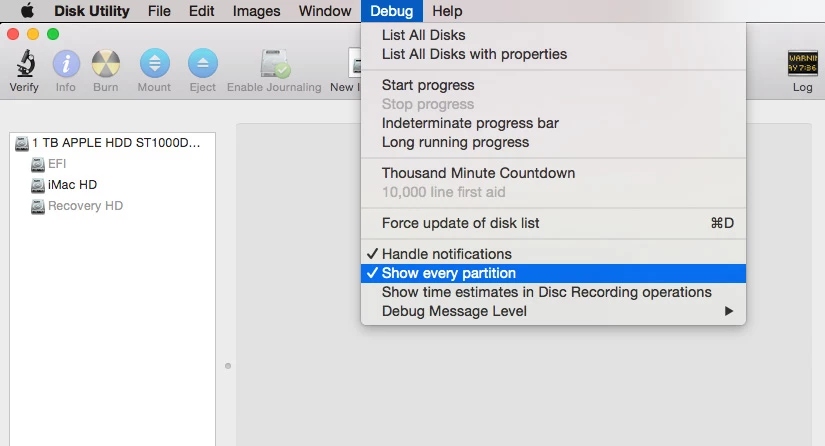
You can view hidden partitions in disk utility by enabling the debug menu doing the following :

Quit Disk Utility, open Terminal and type the following:

defaults write com.apple.DiskUtility DUDebugMenuEnabled 1

Open Disk Utility, the debug menu should be in the menubar. Select it and scrol down to Show every partition. You should see the recovery partition if it exists.