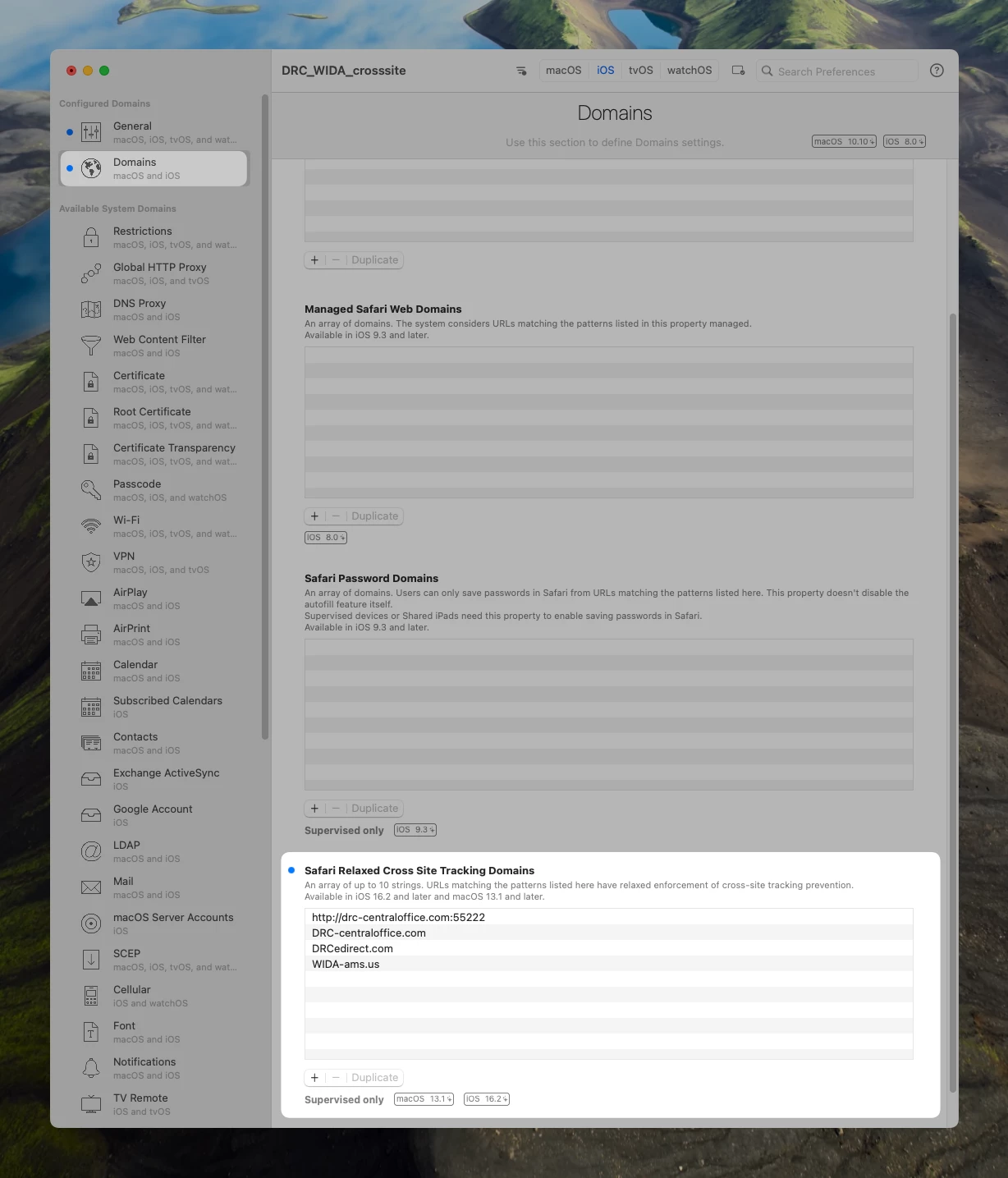
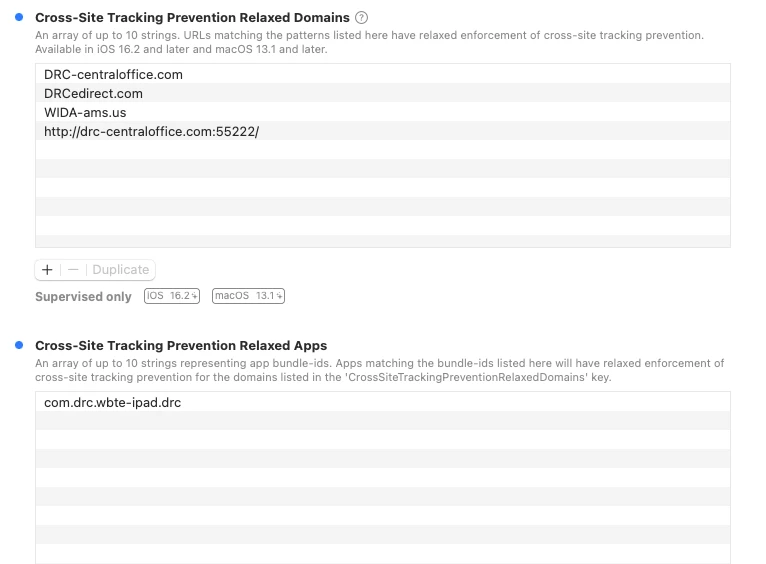
I'm looking to setup, add a domain (DRC WIDA testing) to a configuration profile with "Relaxed Domains" for our iPads. I don't see it anywhere I've looked in Jamf Pro configuration profiles, but Apple and WIDA have references to it. This would allow us finally to not have to manually toggle Cross-Site tracking to "on" on each iPad!!!!
I've setup a custom configuration as described but I'm hoping there is a non-custom method that I'm just missing.
This functionality is supported by a key in the Domains payload CrossSiteTrackingPreventionRelaxedDomains.
From WIDA / DRC Insight
Cross-Website Tracking and Device Supervision
Important: Sites using iPadOS 16.2 and higher no longer need to enable Cross-Website Tracking as
long as the device is supervised and the domains are relaxed following the instructions below. This can be
done using Automated Device Enrollment and MDM software or by using Apple Configurator.
Note:
- Sites using iPadOS 16.1.2 and below must still enable Cross-Website Tracking.
- Supervision must be enabled for all devices regardless of iPadOS version.
Supervising iPadOS Devices
Supervise a Device Using MDM Software and Relaxing Domains
If you are using MDM software, DRC INSIGHT checks the device serial number and directs you to your
designated MDM server, where you can view and edit your enrollment profile. Once the device is enrolled it
is automatically supervised.
For more information, work with your MDM provider and Apple.
1. In the Domains payload option within your MDM, locate the Cross-site tracking relaxed for domains
field.
• If you do not see this field, you will have to create a custom profile and upload it to your MDM.
2. Enter the following domains to be relaxed:
• <string>DRC-centraloffice.com</string>
• <string>http://drc-centraloffice.com:55222</string>
Note: 55222 is the default port value. Use the same port that you used during COS - SD installation
if you used a custom port.
• <string>DRCedirect.com</string>
• <string>WIDA-ams.us</string>
3. You no longer need to enable Cross-Website Tracking for testing. However, if you receive a content
retrieval error message when you begin a test and think the domains may not be relaxed, enable Cross-
Website tracking in the iPad settings and are able to begin a test then the domains have not been relaxed.
|