Question

Remove App from Application Folder with out seeking Admin credentials

  • April 7, 2022
  • 4 replies
  • 25 views

Forum|alt.badge.img+3

Hello, 


I have a situation when one of our builds deployed, it add custom app(NetworkFilterApp) to Application Folder, when attempted to uninstall or remove , seeks admin credentials to remove app, Can it be possible to supress Admin credentials  screen and continue with app removal .Any Jamf profile configuration supports this ? Kindly provide pointers 

4 replies

Forum|alt.badge.img+5
  • Contributor
  • April 7, 2022

Since your computer are managed, why dont you scope the affected computer and remove the App with a script ?

Also you can add a button in the Self Service to remove it without credentials.


Forum|alt.badge.img+10
  • Valued Contributor
  • April 7, 2022

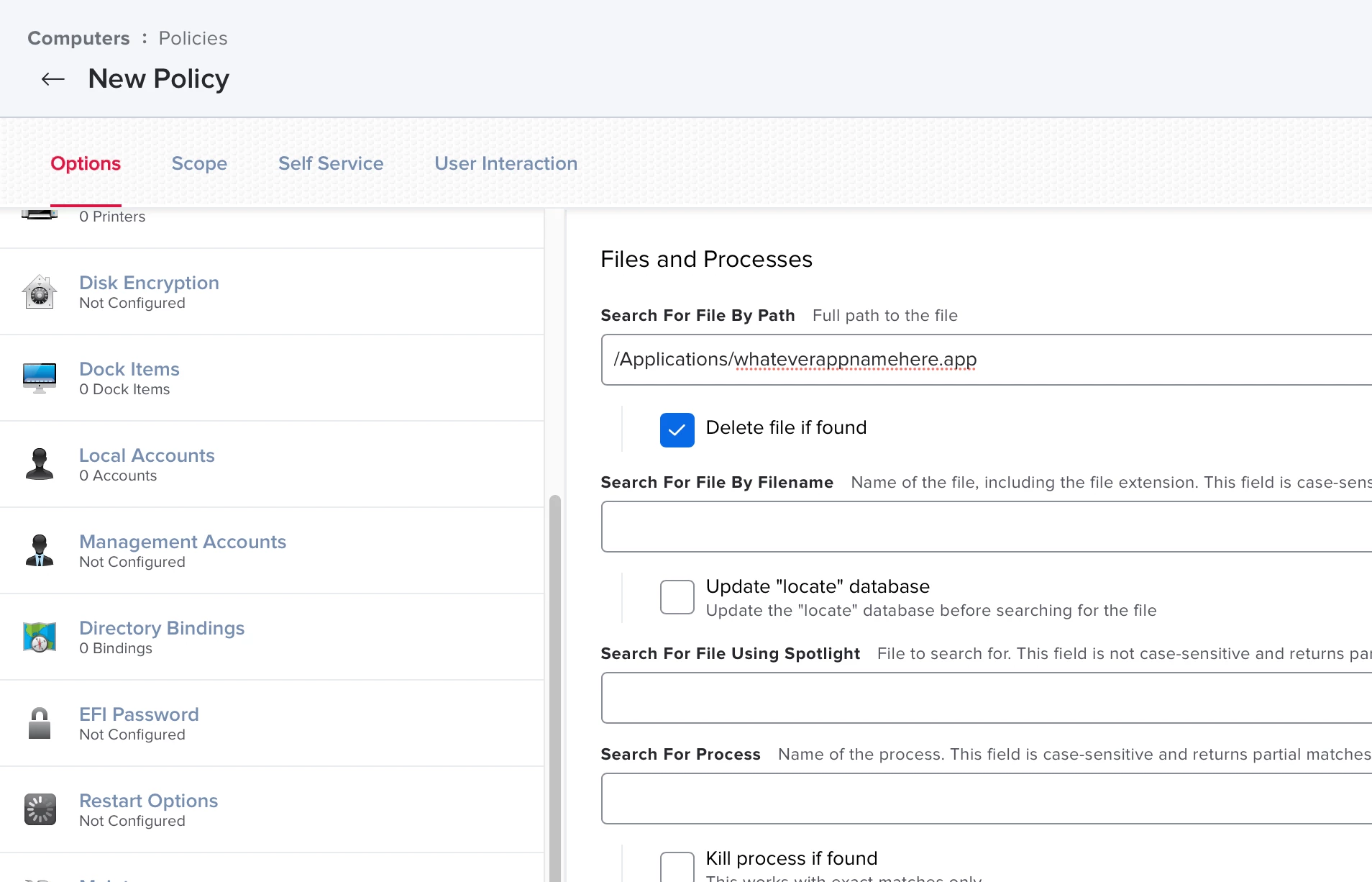
Just use a new Policy with the application listed in the files and processes payload. You can search for the app at the exact path then delete it. If the application also has other components installed in other locations such as Library then an uninstall script would be better. Some apps also have uninstall scripts embedded in the app package or in Application Support that you might be able to trigger with a script.


Forum|alt.badge.img+3
  • Author
  • New Contributor
  • April 7, 2022

Just use a new Policy with the application listed in the files and processes payload. You can search for the app at the exact path then delete it. If the application also has other components installed in other locations such as Library then an uninstall script would be better. Some apps also have uninstall scripts embedded in the app package or in Application Support that you might be able to trigger with a script.


Scott,thank you for replying so quickly.I see a problem when app is hosting
any system extension and to remove all its traces.. demanding any admin
credentials. Removing app works fine ,deletes with out issue .
Looking to see when move to trash choosen from app content menu,should
remove with out creds .

tiffanydavis
Forum|alt.badge.img+6
  • Contributor
  • October 11, 2023

Just use a new Policy with the application listed in the files and processes payload. You can search for the app at the exact path then delete it. If the application also has other components installed in other locations such as Library then an uninstall script would be better. Some apps also have uninstall scripts embedded in the app package or in Application Support that you might be able to trigger with a script.


Thanks for this post about removing apps! It was super helpful in moving my end users from the Microsoft Teams classic over to the new Microsoft Teams (work or school)!