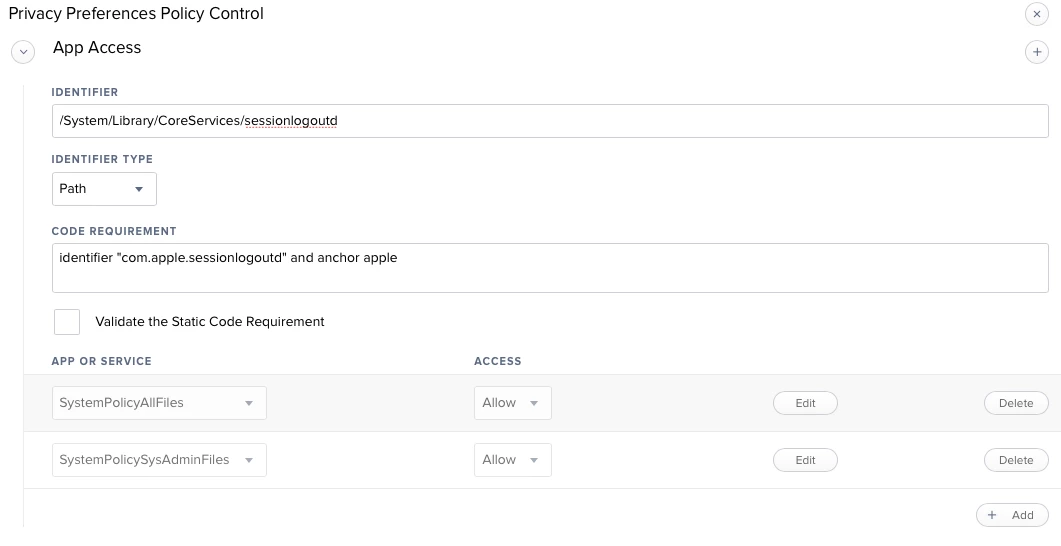
For years we used a logouthook to remove Student homefolders on logout. after some issues in high sierra we created a combination of launchagents/deamons to accomplish this. But in Mojave we encounter the operation is not permitted when de script tries to delete the homefolder. this is caused by the new PPPC security.
How can i whitelist a script so it is able to completely remove the homefolder(s) on logout? i know you can do some tweaking with a pppc policy but really dont know how this works in our situation.

Solved
Removing user home folder on logout Mojave
 +6
+6Best answer by mediacollege
After trying several methods i concluded that non of the commands where reliable, the homefolder wasn't removed all the time so i came up with this script which tries to delete the homefolder and if this failes, it will retry several attempts. For us it seems to work, maybe not the most efficient solution but it seems to be more reliable.
#!/bin/sh /usr/local/bin/jamf deleteAccount -username studentsecond attempt
if [[ -e "/Users/Student" ]]; then sysadminctl -deleteUser student chflags -R nouchg /Users/student chmod -R 777 /Users/student rm -Rf /Users/student fithird attempt
if [[ -e "/Users/Student" ]]; then /usr/local/bin/jamf runScript -script removehomedir.sh -path /Library/Scripts/ fifourth attempt
if [[ -e "/Users/Student" ]]; then /usr/local/bin/jamf deleteAccount -username student fi /usr/local/bin/jamf createAccount -username "student" -realname "Student" -password "" -picture /Library/User Pictures/Fun/Ma.png exit





Enter your E-mail address. We'll send you an e-mail with instructions to reset your password.