Solved

Reporting on Graphics Card or GPU Hardware installed on Mac Clients

  • October 21, 2015
  • 9 replies
  • 38 views

Forum|alt.badge.img+3

Hi All
I used to have an ARD script that was able to report on installed Graphics Hardware on any mac hardware...typically I've misplaced this so wondered if anyone had tried this before or even better might have incorporated Graphics Card reporting into Casper Hardware inventory?

Cheers

Best answer by mm2270

Hmm. Not sure that there is anything built into the Casper Suite that reports on that. Looking thru a few records I don't see any mention of the graphics cards and VRAM, for example.

You could add an Extension Attribute. This is not well tested, so I don't know how reliable it would be against all types of Macs, but try this-

#!/bin/sh

echo "<result>$(system_profiler SPDisplaysDataType | awk '/Chipset Model/,/Displays/{print}' | sed '$d;s/^ *//g')</result>"

9 replies

mm2270
Forum|alt.badge.img+24
  • Legendary Contributor
  • 7886 replies
  • Answer
  • October 21, 2015

Hmm. Not sure that there is anything built into the Casper Suite that reports on that. Looking thru a few records I don't see any mention of the graphics cards and VRAM, for example.

You could add an Extension Attribute. This is not well tested, so I don't know how reliable it would be against all types of Macs, but try this-

#!/bin/sh

echo "<result>$(system_profiler SPDisplaysDataType | awk '/Chipset Model/,/Displays/{print}' | sed '$d;s/^ *//g')</result>"

BrysonTyrrell
Forum|alt.badge.img+19
  • Valued Contributor
  • 85 replies
  • October 21, 2015

@mm2270's is pretty much the same as the one I used except I awk instead of sed:

#!/bin/bash
# Returns the GPU chipset for a Mac. Because Macs may have two chipsets for discrete switching
# the last result is what is always returned (Intel HD Graphics are always the first result)
echo "<result>${/usr/sbin/system_profiler SPDisplaysDataType | awk -F': ' '/Chipset Model/ {print $2}' | tail -1}</result>"
exit 0

Forum|alt.badge.img+3
  • Author
  • New Contributor
  • 5 replies
  • October 21, 2015

Thanks for the replies, I'll check these out


donmontalvo
Forum|alt.badge.img+36
  • Hall of Fame
  • 4293 replies
  • August 5, 2016

We had a request to report on which Macs have dedicated graphics card.

Cobbled something together based this, and other posts:

#!/bin/sh
system_profiler SPDisplaysDataType | grep 'Chipset Model:' | cut -f2- -d':' | tr -d ' '

Output from Terminal shows proper carriage return:

$ system_profiler SPDisplaysDataType | grep 'Chipset Model:' | cut -f2- -d':' | tr -d ' '
AMDRadeonR9M370X
IntelIrisPro

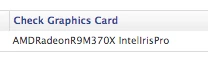
When you bring up the computer in JSS you see:

When you view the computer in a list with the EA displayed, the column loses its line returns:

Is there a way to force the column to preserve the line return for this EA?

TIA,
Don


donmontalvo
Forum|alt.badge.img+36
  • Hall of Fame
  • 4293 replies
  • August 5, 2016

To be honest, an EA outputting either of these two values would be fine as well:

  • BuiltIn
  • PCIe

"BuiltIn" for computers that only have built in graphics; "PCIe" for computers that have a dedicated graphics card.


BrysonTyrrell
Forum|alt.badge.img+19
  • Valued Contributor
  • 85 replies
  • August 5, 2016

Something like this?

#!/usr/bin/python
import subprocess

p = subprocess.Popen(['system_profiler', 'SPDisplaysDataType'], stdout=subprocess.PIPE)
output, err = p.communicate()

count = len([x for x in output.split('
') if 'Chipset Model' in x])

print('<result>{}</result>'.format('BuiltIn' if count < 2 else 'PCIe'))

Forum|alt.badge.img+10
  • Contributor
  • 14 replies
  • February 10, 2017

For what it's worth, I had problems with this on Sierra until I modified the script a bit. This works well for me:

#!/bin/bash
# Returns the GPU chipset for a Mac. Because Macs may have two chipsets for discrete switching
# the last result is what is always returned (Intel HD Graphics are always the first result)
vidcard=`/usr/sbin/system_profiler SPDisplaysDataType | awk -F': ' '/Chipset Model/ {print $2}' | tail -1`
echo "<result>$vidcard</result>"
exit 0

Forum|alt.badge.img+4
  • Contributor
  • 17 replies
  • February 17, 2021

Sorry to bring up an old thread but I didn't find anything more current. I am trying to get egjerde's solution to work but probably missing a step. I created an EA with the following settings:
Display Name: GPU
Enabled: Yes
Data Type: String
Inventory Display: Hardware
Input Type: Script
Mode: Shell
Then pasted the above script from egjerde and saved. The new EA does not display the GPU for any enrolled machine. Also tried all of the previously mentioned scripts in this thread. Am I missing something or does the script no longer work on newer OS's?


SureExclamation
Forum|alt.badge.img+4
  • New Contributor
  • 9 replies
  • March 1, 2021

@steagle , try removing the exit command and see if that works.