Question

Restrict Sierra betas and retail

  • July 18, 2016
  • 27 replies
  • 135 views

Show first post

27 replies

msample
Forum|alt.badge.img+9
  • Valued Contributor
  • August 26, 2017

Just an additional observation guys... blocking the link to access the beta download

There is a link that also points to the download for the Beta which is: https://itunes.apple.com/us/app/macos-sierra/id1127487414?mt=12&l=en-us.
What I'm wondering (not having investigated this until now), if an Mac environment doesn't have the luxury of Casper Managing their Macs would blocking the links such as the one I'm pasted above also help? I understand links can be blocked by editing the hosts file also (e.g., /private/etc/hosts)


sepiemoini
Forum|alt.badge.img+21
  • Employee
  • August 10, 2018

Using the Custom Settings payload when creating a Configuration Profile, I specified com.apple.SoftwareUpdate and uploaded the corresponding property list file:

<?xml version="1.0" encoding="UTF-8"?>
<!DOCTYPE plist PUBLIC "-//Apple//DTD PLIST 1.0//EN" "http://www.apple.com/DTDs/PropertyList-1.0.dtd">
<plist version="1.0">
<dict>
    <key>AllowPreReleaseInstallation</key>
    <false/>
</dict>                
</plist>

I also had to run this command before uploading the file: usr/bin/plutil -convert xml1 /path/to/com.apple.SoftwareUpdate.plist.

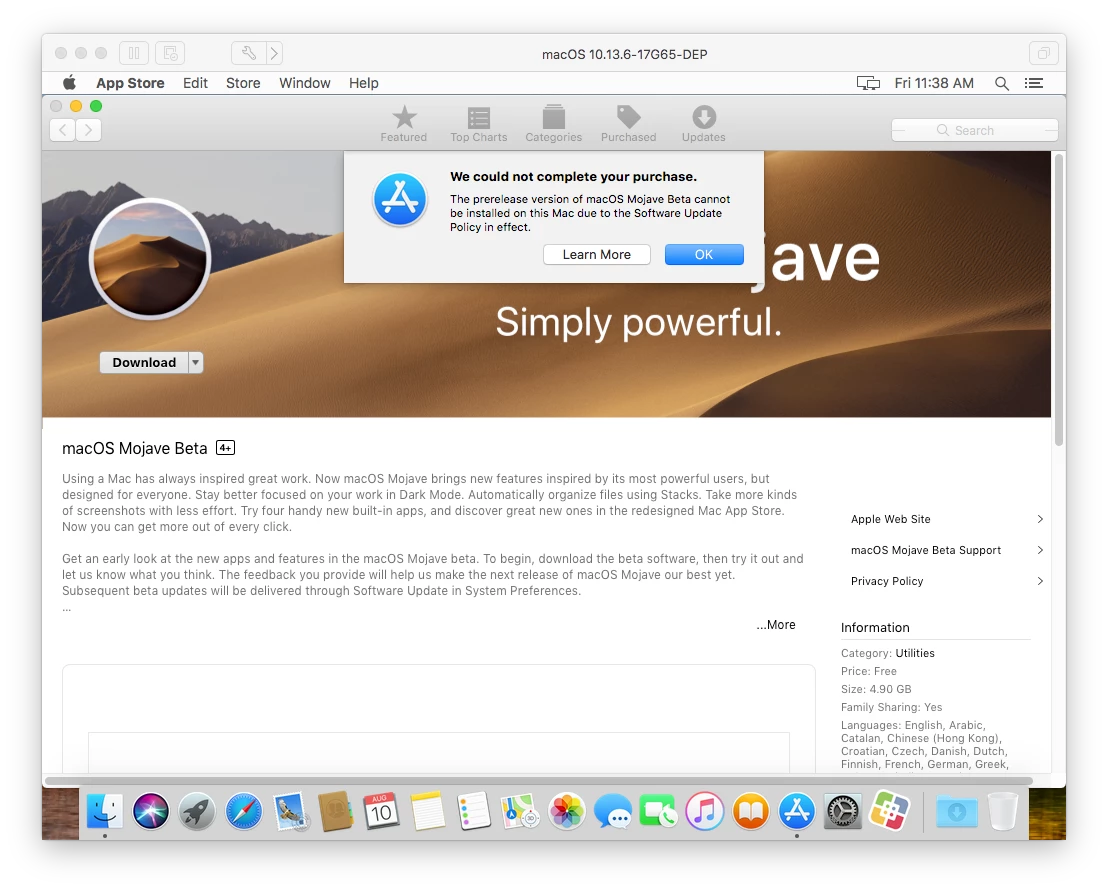
After doing this, I specified a scope and the profile installed automatically. Apple forces you to first install the macOSDeveloperBetaAccessUtility.pkg if you aren't already enrolled into the Beta Program. From here, you're redirected to the App Store where the profile blocks the download of the macOS, in this case it was Mojave.

Apparently similar results can be reached if you simply configure the Software Update payload in the configuration profile settings as well but this works too!