Solved

Scope Policy by Local User Account

  • December 30, 2015
  • 9 replies
  • 30 views

Forum|alt.badge.img+3

Is there a way to scope a policy by a local user account?
I wanted to make a Policy to remove certain dock items from the local student account at each login but it does not seem to allow me to specify the local student account only.

Best answer by tobiaslinder

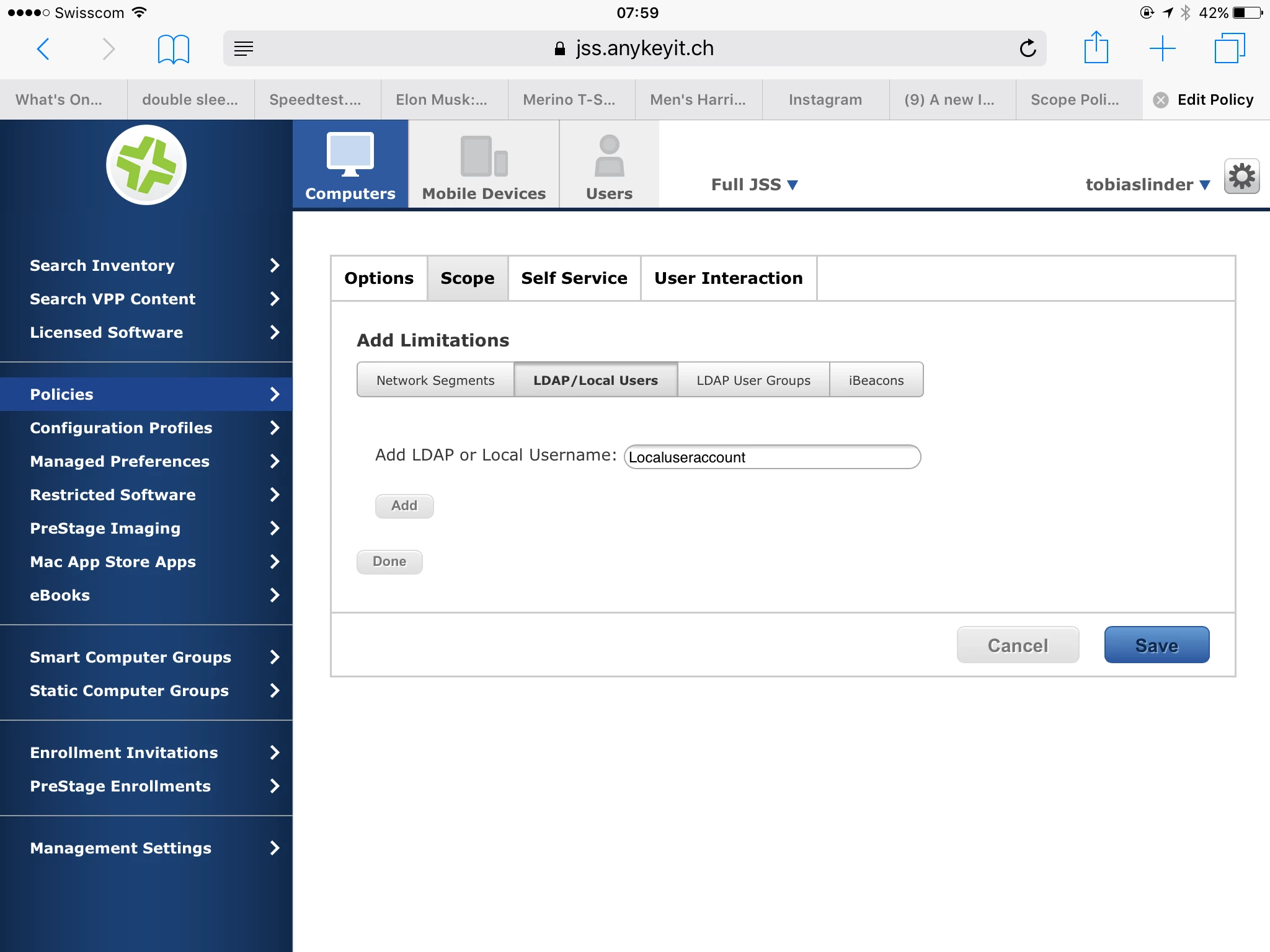
You can do this by scoping it to the computers and then set a limitation for the user.
9 replies

exno
Forum|alt.badge.img+14
  • Contributor
  • December 30, 2015

Not sure if this helps or not but what i have done in the past for guest accounts and local user accounts was Create a Smart group that finds machines with the Local User Accounts, For instance StuGuest.

Then i'd make a bash script to have dockutil add and remove items based on a default dock schema. with the [ plist location specification ] being the path to the home folder

Lastly, i'd set that script and smart group into a policy that runs on login if it has to always look a certain way.


tobiaslinder
Forum|alt.badge.img+16
  • Valued Contributor
  • Answer
  • January 1, 2016

You can do this by scoping it to the computers and then set a limitation for the user.


Forum|alt.badge.img+16
  • Valued Contributor
  • January 3, 2016

Pretty sure you need to have the policy set to a login trigger for this to work. Which in this particular case is probably what your after anyway.


tobiaslinder
Forum|alt.badge.img+16
  • Valued Contributor
  • January 3, 2016

Yes, @Look is correct.


Forum|alt.badge.img+3
  • Author
  • New Contributor
  • January 4, 2016

@tobiaslinder I must be blind as a bat. Thank you.


daniel_ross
Forum|alt.badge.img+20
  • Jamf Heroes
  • November 13, 2016

Love the JAMF Nation Resources! This is exactly what I was looking for @Look


Forum|alt.badge.img+6
  • Contributor
  • April 24, 2017

@Look What do you do if you want a Self Service item only show up for a particular user, but NOT have that policy execute at login?


Forum|alt.badge.img+16
  • Honored Contributor
  • April 24, 2017

@stwrz Probably would have to duplicate the policy and have it only set to run via Self Service.


Forum|alt.badge.img+11
  • Contributor
  • April 24, 2017

@stwrz .. following @chriscollins suggestion.. make sure you remember to exclude that particular user from the "Login" policy..