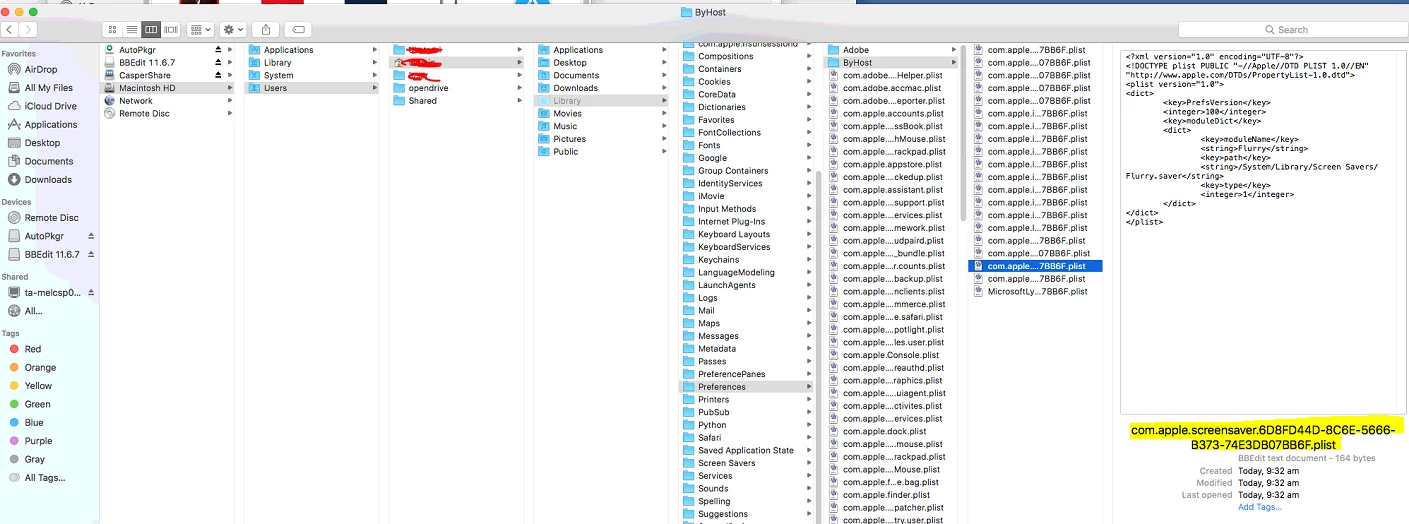
I've read lots of posts about this but I have yet to find something that works for me. Basically I'm using a policy to run a login script that includes the following lines (among others):
currentUser=$(ls -la /dev/console | cut -d " " -f 4)
idleTime=$(su -l $currentUser -c "defaults read /Users/$currentUser/Library/Preferences/ByHost/com.apple.screensaver idleTime")
My currentUser variable is being set properly. My problem is with the second line. According to policy logs the defaults read command fails with "The domain/default pair of (.../com.apple.screensaver, idleTime) does not exist". This exact script works fine when running it manually as root, it only fails once I attempt to run it via Jamf policy.
I read that because scripts deployed via policy run as root, I shouldn't have to use su -l $currentUser. But I've found that if I don't use su then I get that same error when running the script manually as root. I'm new to all this, so maybe there's something about using defaults read as root that I'm unaware of?
I'm at a complete loss but am still convinced it's some sort of permissions issue. Does anyone have any helpful suggestions?