
Question

Screensaver policy issues in El Capitan

  • March 1, 2016
  • 3 replies
  • 35 views

Forum|alt.badge.img+5

I'm wondering if anyone else is hitting this. I deployed the workaround to push com.apple.screensaver settings as a Custom Payload instead of using the JSS built-in screensaver settings that are bugged in 9.82.

I confirmed that the Profile is pushed to my test Mac, and that the Profiles section settings/values match what I see when viewing the preference panes for Screensaver and Security.
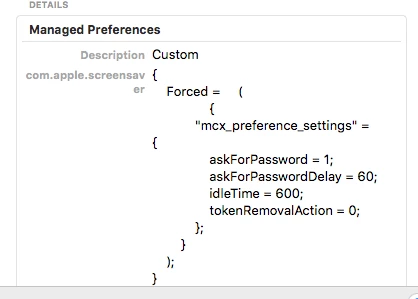
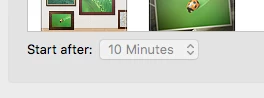
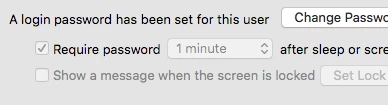
The behavior I find happening is that the screensaver kicks in at 10 minutes as expected, but it requires the password immediately, not after the configured 60 seconds.

3 replies

Forum|alt.badge.img+14
  • Contributor
  • March 1, 2016

It might be an issue with the value type. Mine works after two seconds, configured like this:

askForPasswordDelay=2.0

It's been a while, but it makes me think you need a float and not a integer there. Try 60.0


Forum|alt.badge.img+15
  • Contributor
  • March 2, 2016

@pmcgurn I have just experienced this issue first hand. It is a known defect you have to create a signed profile in profile manager on an OS X server and import it for it to work properly.


stevewood
Forum|alt.badge.img+38
  • Hall of Fame
  • March 2, 2016

@pmcgurn have you read through this post: Require Password after sleep or screen saver begins

You may want to read through that and then head over to Kitzy's blog and read through his post:

Security & Privacy Configuration Profile bug in Casper 9.82

I found that following Kitzy's blog post I was able to get my machines to behave properly with the necessary 5 second delay for our users. I combined Login Window, Security & Privacy, along with the Custom Settings that are in that post.
