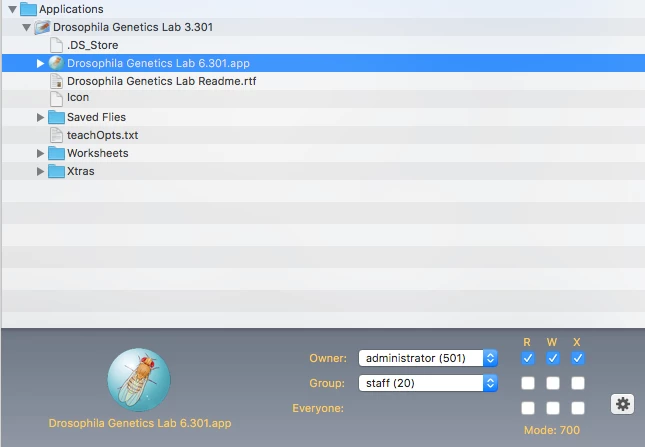
I cannot for the life of me figure this out. I've got an Application I put out on Self Service that won't allow students to open it. I used Composer to create a PKG (and a DMG) attached it to the policy. It installs no problem, Applications is whitelisted and other Apps work. When they try to open it, it says they don't have permissions to open the application. I'm not sure what else to try here.

Solved
Self Service App Permission
 +6
+6Best answer by mm2270
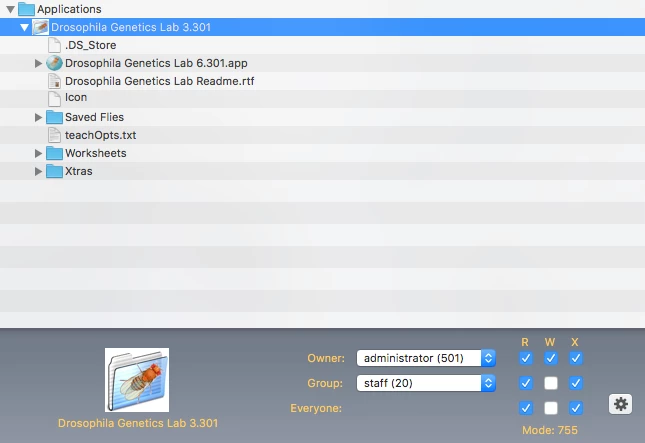
Ok, I didn't look close enough before, but in your first screenshot of the permissions on the app itself, it looks like only "administrator" can open it. There need to be checks for the staff group at least for Read and Execute (R + X) If not, only the account "administrator" can execute the app bundle. You should probably also set Everyone to the same permissions as staff.


Enter your E-mail address. We'll send you an e-mail with instructions to reset your password.