As of Monday, any device that runs our Self Service policy to bind to Active Directory immediately loses access to Self Service with the message that the MDM Server is not available. We can manually bind to AD in System Preferences which works fine, but using the built in Directory Binding has suddenly stopped Self Service working.
Has anyone else experienced this?
Thanks,
Best answer by howie_isaacks
Also done this @howie_isaacks, it's every single new device we are enrolling. The whole process is fine until we run the Policy in Self Service - what's also interesting is the policy works, the device binds to AD and then Self Service goes offline.
Maybe this is a good time to re-think binding to AD. What real benefit do you get from doing it? That said, what exactly does the policy do? What happens if you bind to AD using a configuration profile instead?
What do you see if you query the Jamf Pro server using Terminal?
ex. "dig jss.jamfproserver.com"
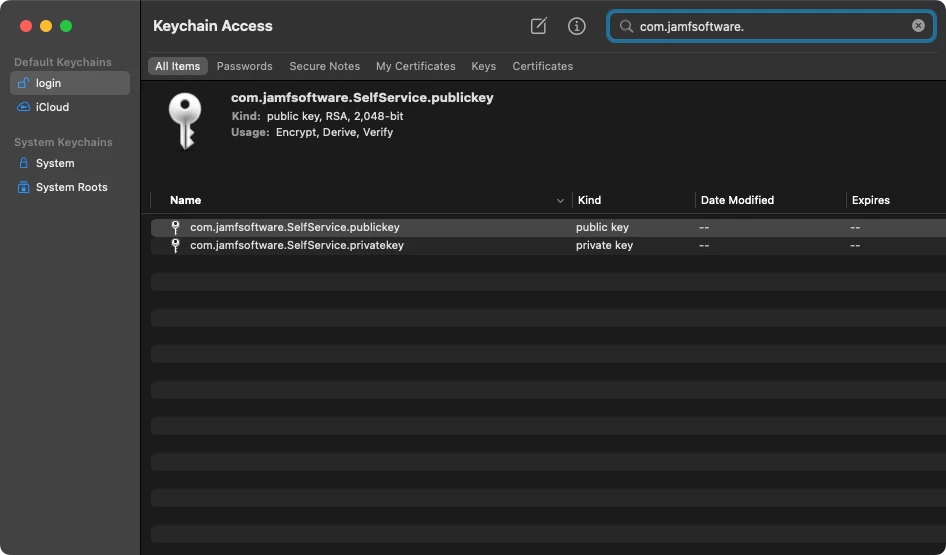
Does it return the expected information? I have never used Self Service for AD binding but I wonder if the Jamf public keys in Keychain have been damaged.
What do you see if you query the Jamf Pro server using Terminal?
ex. "dig jss.jamfproserver.com"
Does it return the expected information? I have never used Self Service for AD binding but I wonder if the Jamf public keys in Keychain have been damaged.
com.jamfsoftware.SelfService.publickey
com.jamfsoftware.SelfService.privatekey
@howie_isaacks I don't uses SS for binding but I have the same issue with Wildly where SS is not reachable.
I have reimaged 2 workstations and still the same results
I have ran the Dig command and received the expected output
@howie_isaacks thanks for the suggestions. Everything looks fine in Terminal, and I've also tried deleting those 2 keys, reinstalling Self Service and still no luck. Once it is reinstalled it still has the offline error.
Why not unenroll the system from Jamf Pro and then re-enroll it? Running "/usr/local/jamf/bin/jamf removeFramework" will remove the Jamf agent, the keychain items, and everything else installed by Jamf Pro including Self Service. I'm trying to understand how binding to AD would cause this.
Also done this @howie_isaacks, it's every single new device we are enrolling. The whole process is fine until we run the Policy in Self Service - what's also interesting is the policy works, the device binds to AD and then Self Service goes offline.
Also done this @howie_isaacks, it's every single new device we are enrolling. The whole process is fine until we run the Policy in Self Service - what's also interesting is the policy works, the device binds to AD and then Self Service goes offline.
Maybe this is a good time to re-think binding to AD. What real benefit do you get from doing it? That said, what exactly does the policy do? What happens if you bind to AD using a configuration profile instead?
Maybe this is a good time to re-think binding to AD. What real benefit do you get from doing it? That said, what exactly does the policy do? What happens if you bind to AD using a configuration profile instead?
Our user accounts are managed in our on-prem AD so we bind to be able to use these - the configuration profile is an interesting idea, I will definitely try this, thanks!
Our user accounts are managed in our on-prem AD so we bind to be able to use these - the configuration profile is an interesting idea, I will definitely try this, thanks!
I had a client who insisted on binding Macs to Open Directory until I finally talked them out of it. I used a configuration profile for that. I worked really well. Directory binding would really screw up my auto enrollment and setup process. Jamf Connect works great for that.
I had a client who insisted on binding Macs to Open Directory until I finally talked them out of it. I used a configuration profile for that. I worked really well. Directory binding would really screw up my auto enrollment and setup process. Jamf Connect works great for that.
Configuration Profile worked! Thanks for the suggestion, setup just now and Self Service remains online once run - brilliant.