Question

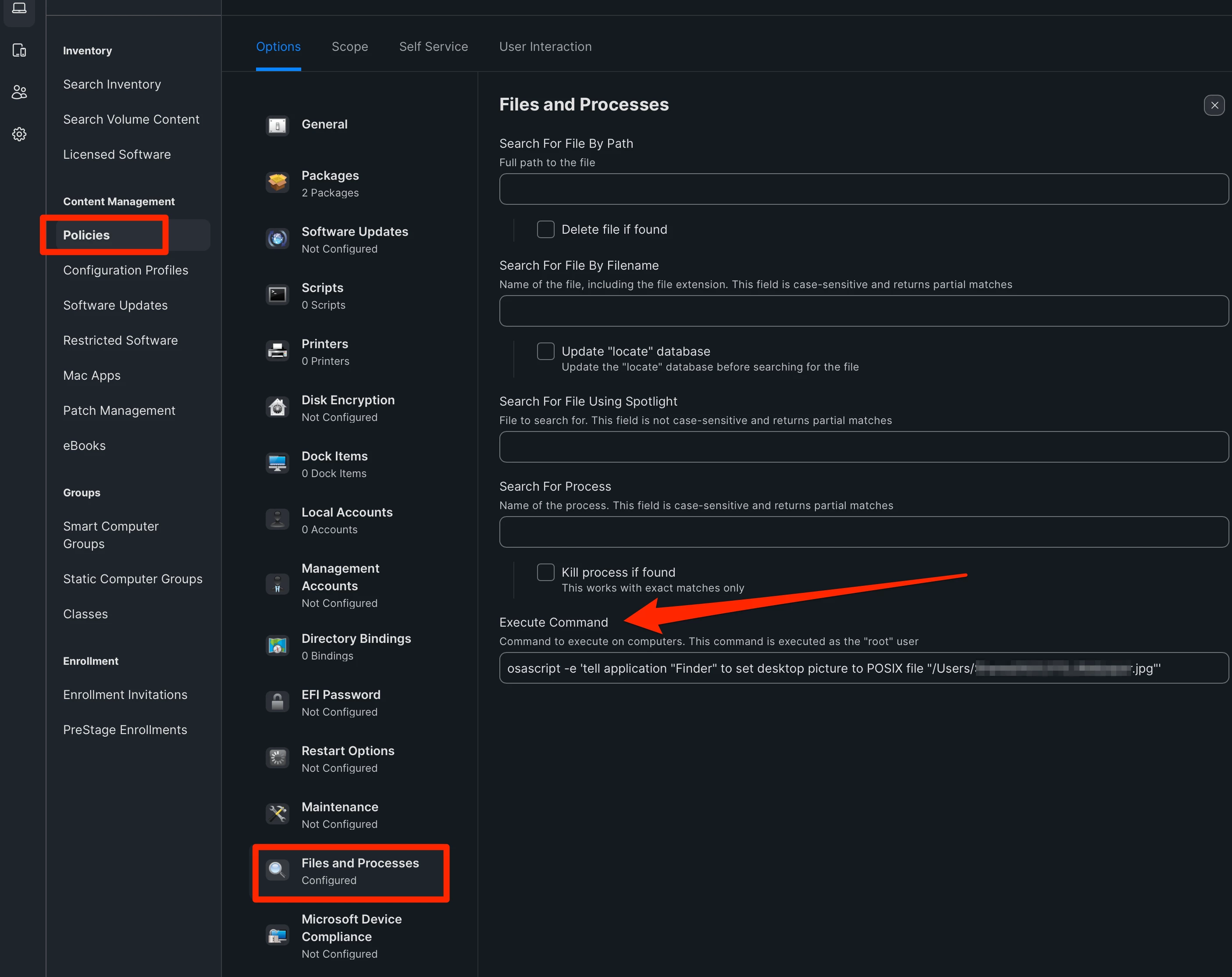
Setting a specific desktop image/screen saver

  • June 4, 2024
  • 9 replies
  • 61 views

Forum|alt.badge.img+6

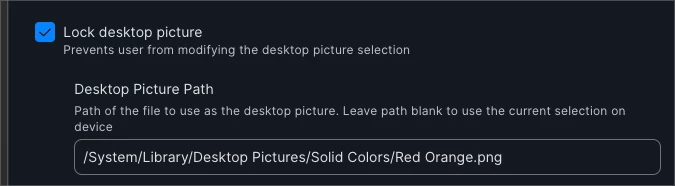
What is the best route to set a specific desktop image for managed devices. So far I have seen the create a package that deplys the specific image you want. Then create a configuration policy to lock the desktop picture and putting the path of the file. Is this the best way?


Thanks

9 replies

mvu
Forum|alt.badge.img+20
  • Jamf Heroes
  • June 4, 2024

Yeah, that works.

If you want to set the specific desktop image but want your users to have the option change it, you can run an osascript to change the desktop image. Users can change it in Systems Settings later if they'd like.


I haven't tried this with macOS Sonoma, but should work.


jamf-42
Forum|alt.badge.img+17
  • Esteemed Contributor
  • June 4, 2024

yup.. deploy the image here and fix using the restrictions payload... but note that has 1001 other settings that you may also be using or not required.... test, pilot, deploy.. 😎


Forum|alt.badge.img+6
  • Author
  • Contributor
  • June 4, 2024

yup.. deploy the image here and fix using the restrictions payload... but note that has 1001 other settings that you may also be using or not required.... test, pilot, deploy.. 😎


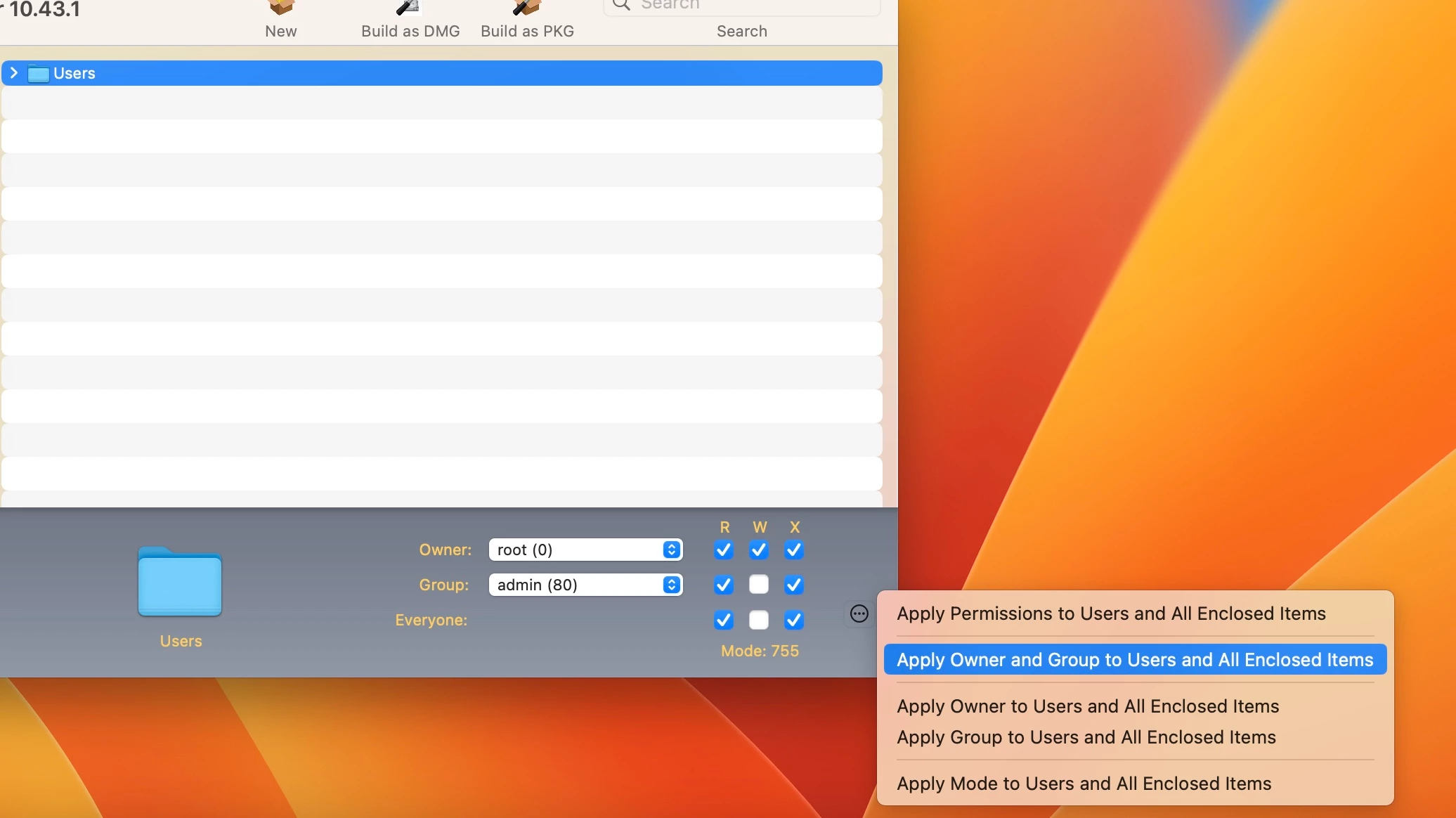
Thank you, when using the composer which setting should i choose. I usually select "Apply Permissions to Users and All Enclosed items"


jamf-42
Forum|alt.badge.img+17
  • Esteemed Contributor
  • June 4, 2024

Thank you, when using the composer which setting should i choose. I usually select "Apply Permissions to Users and All Enclosed items"


not sure what you packaging there... but the path does not start with /Users

create the folder structure manually in Composer to match /Library/Desktop Pictures/YOURPIC.PNG

and then push perms root:admin


AJPinto
Forum|alt.badge.img+26
  • Legendary Contributor
  • June 4, 2024

Thank you, when using the composer which setting should i choose. I usually select "Apply Permissions to Users and All Enclosed items"


This is getting more into package building then the wallpaper configuration. I would suggest placing the wallpaper you want to use in /Library/Desktop Pictures/ and use the Apply Owner and Group to All Enclosed items as you are doing now.

The folder location is not mandatory, but its best to store stuff in a location that makes sense. Absolutely change file permissions either in composer or before you package, you dont want to own the files you are deploying.


Forum|alt.badge.img+6
  • Author
  • Contributor
  • June 4, 2024

not sure what you packaging there... but the path does not start with /Users

create the folder structure manually in Composer to match /Library/Desktop Pictures/YOURPIC.PNG

and then push perms root:admin


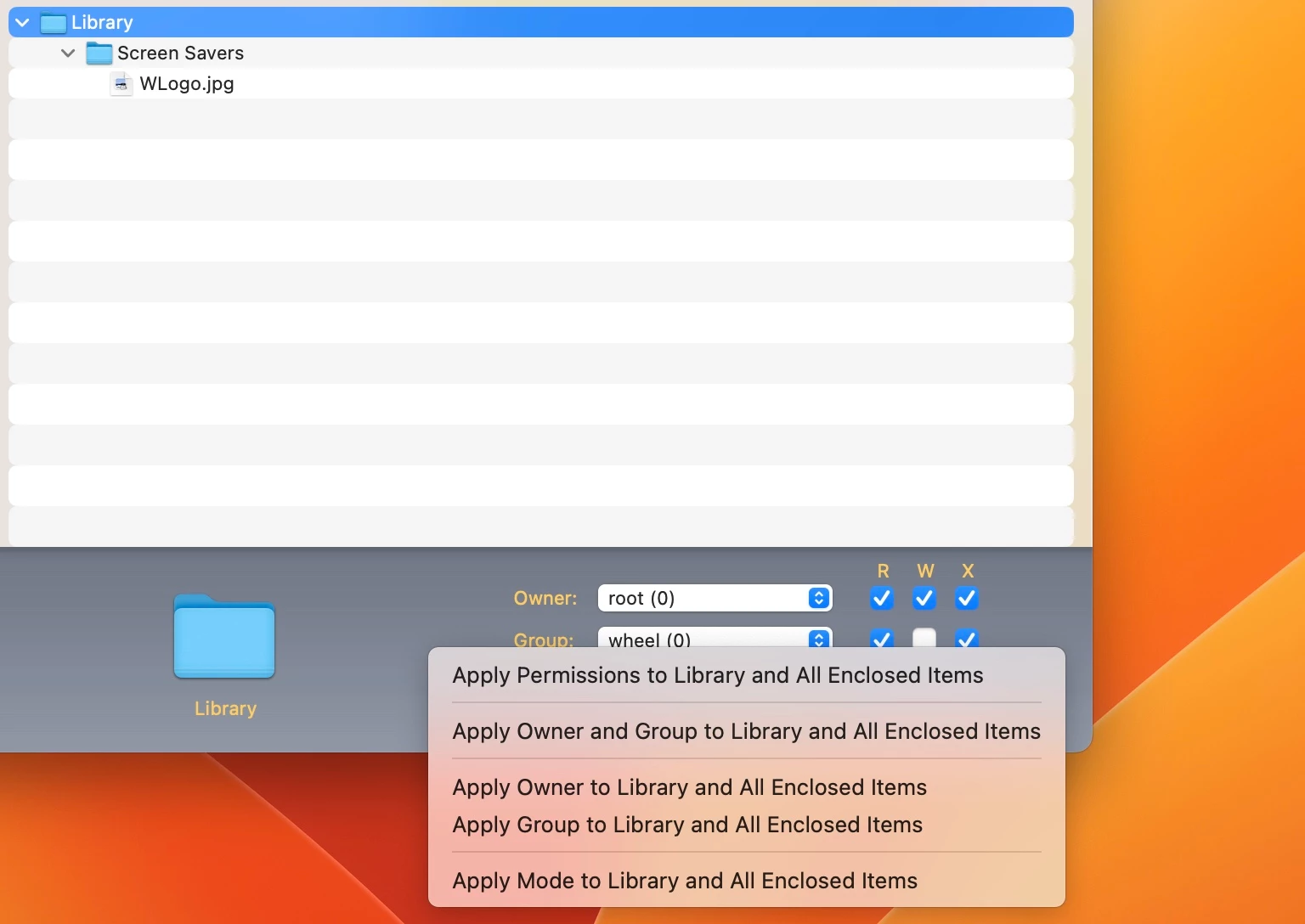
Thanks for the feedback. Does something like this look better? Also would it be best to select "Apply permissions to Library and all enclosed items?

Thanks again


jamf-42
Forum|alt.badge.img+17
  • Esteemed Contributor
  • June 4, 2024

Thanks for the feedback. Does something like this look better? Also would it be best to select "Apply permissions to Library and all enclosed items?

Thanks again


your path is screen savers? that not really where I'd put it.. 


Forum|alt.badge.img+6
  • Author
  • Contributor
  • June 4, 2024

your path is screen savers? that not really where I'd put it.. 


I tried putting into System/Library/Desktop Pictures/ but it did not let drag the image inside. Any suggestions?

Thanks


mallej
Forum|alt.badge.img+4
  • Contributor
  • June 5, 2024