Question

setup FileVault on Catalina

  • February 11, 2020
  • 6 replies
  • 44 views

KurdTech
Forum|alt.badge.img+3

Hello Everyone,

i am trying setup profile or policy that allow Enrolled macOS to enable filevault and save it in Jamfpro server, similar to window BitLocker key and save in on AD. any Idea would be appreciated it.


6 replies

Forum|alt.badge.img+8
  • Valued Contributor
  • February 11, 2020

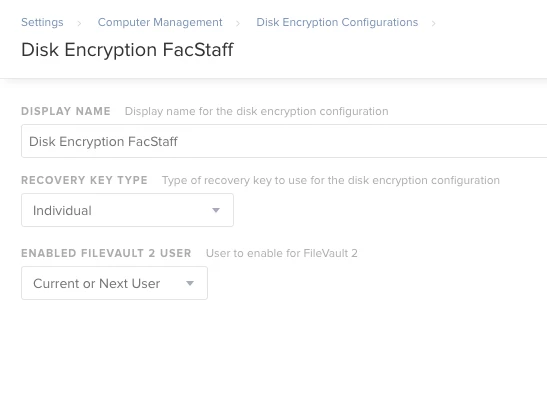
First, you'll need to to go to Settings -> Computer Management -> Disk Encryption Configurations and create a configuration.

We use Individual Recovery Keys, as Institutional will give each computer the same key. If it gets cracked or otherwise figured out, all of our computers' encryption would be essentially useless.

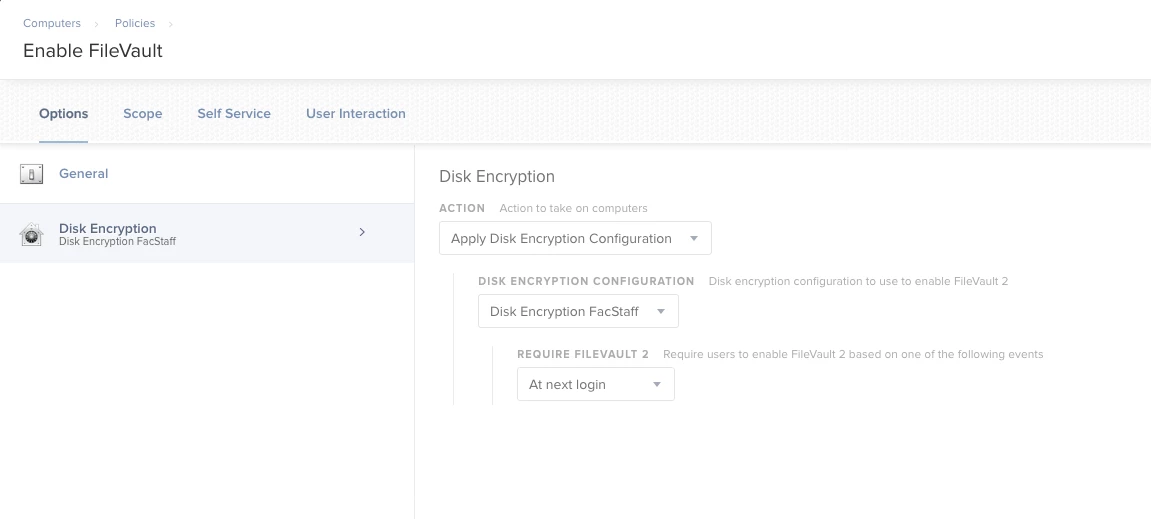
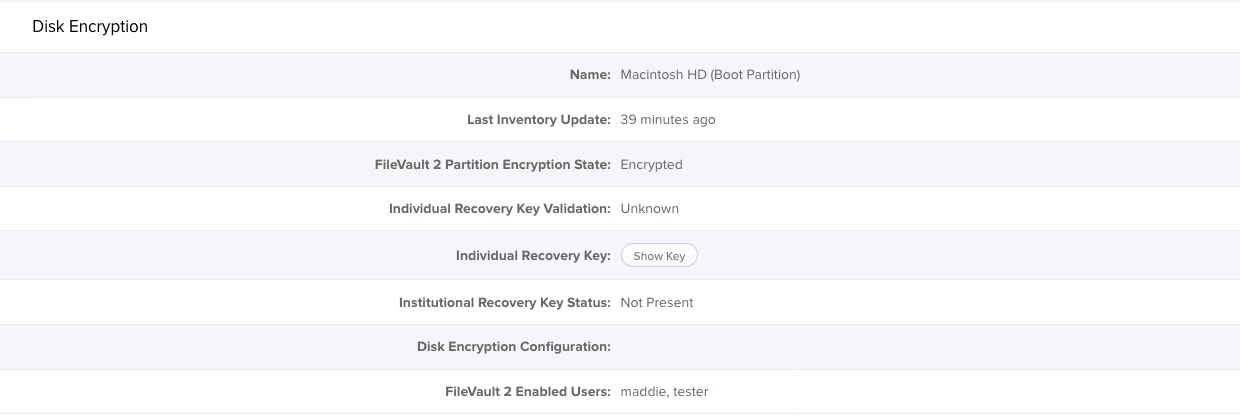
After this you need to create a policy to enable FileVault. Once this policy is applied, the key will be stored in the device record.


KurdTech
Forum|alt.badge.img+3
  • Author
  • New Contributor
  • February 11, 2020

Thank you for your quick reply. Do i have to turn on FileVault prior to apply this policy?


Forum|alt.badge.img+2
  • New Contributor
  • February 12, 2020

This is how we have FileVault setup in our environment too. But I have seen others use Configuration Profiles to achieve this. I wonder which is better?


Forum|alt.badge.img+8
  • Valued Contributor
  • February 12, 2020

My understanding is it has to be managed with a disk encryption profile OR a configuration profile and then deployed with a policy.

https://resources.jamf.com/documents/technical-papers/Administering-FileVault-on-macOS-10.14-or-Later-with-Jamf-Pro.pdf


Forum|alt.badge.img+16
  • Honored Contributor
  • February 12, 2020

I thought this too, however I have it working in out dev and prod with just the policy ..

C

I wanted to use a profile but it locked up the machines. On ABM enrolled machines, but not on manually enrolled machines.


KurdTech
Forum|alt.badge.img+3
  • Author
  • New Contributor
  • February 28, 2020

Thank you all,