Question

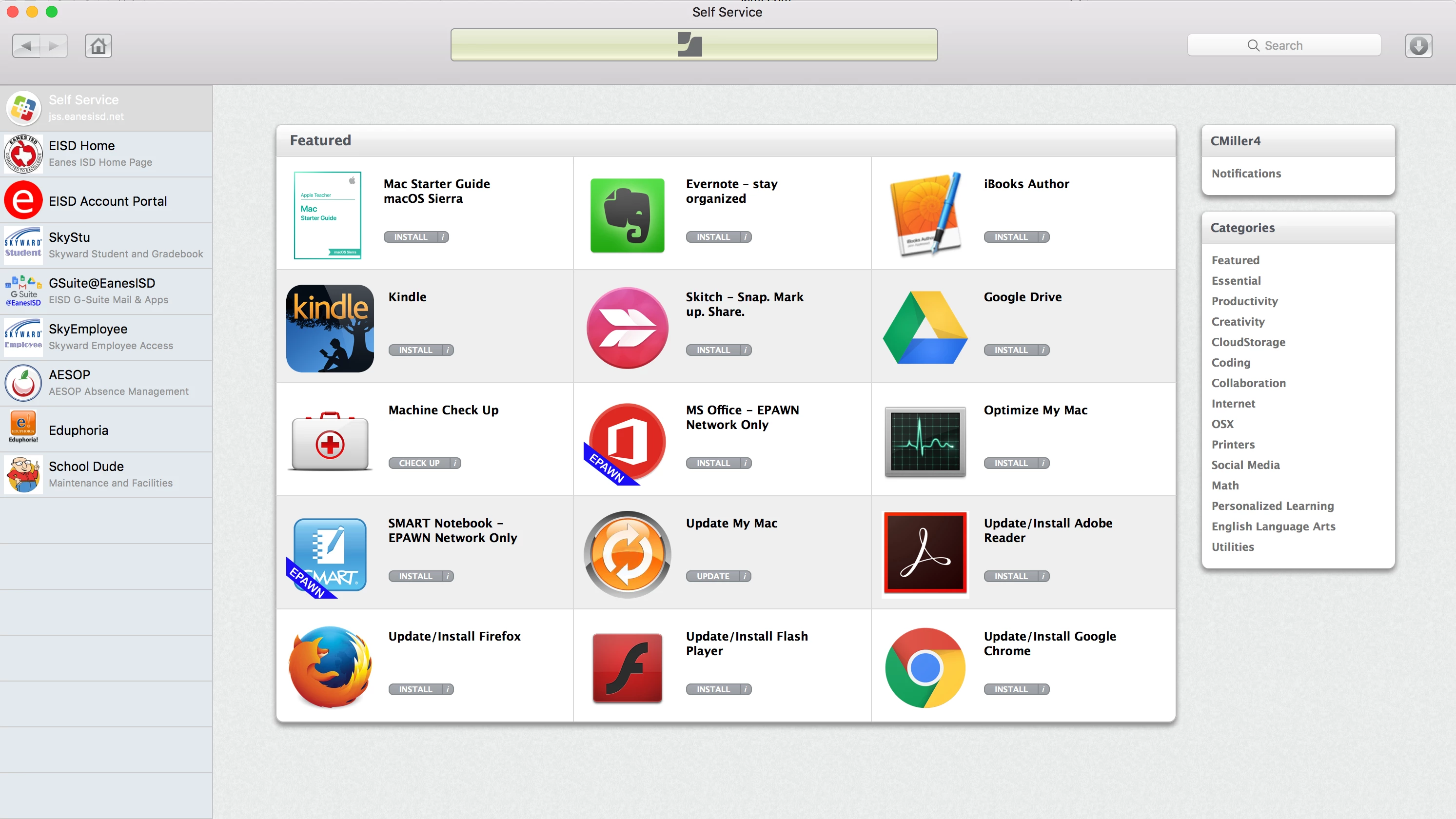
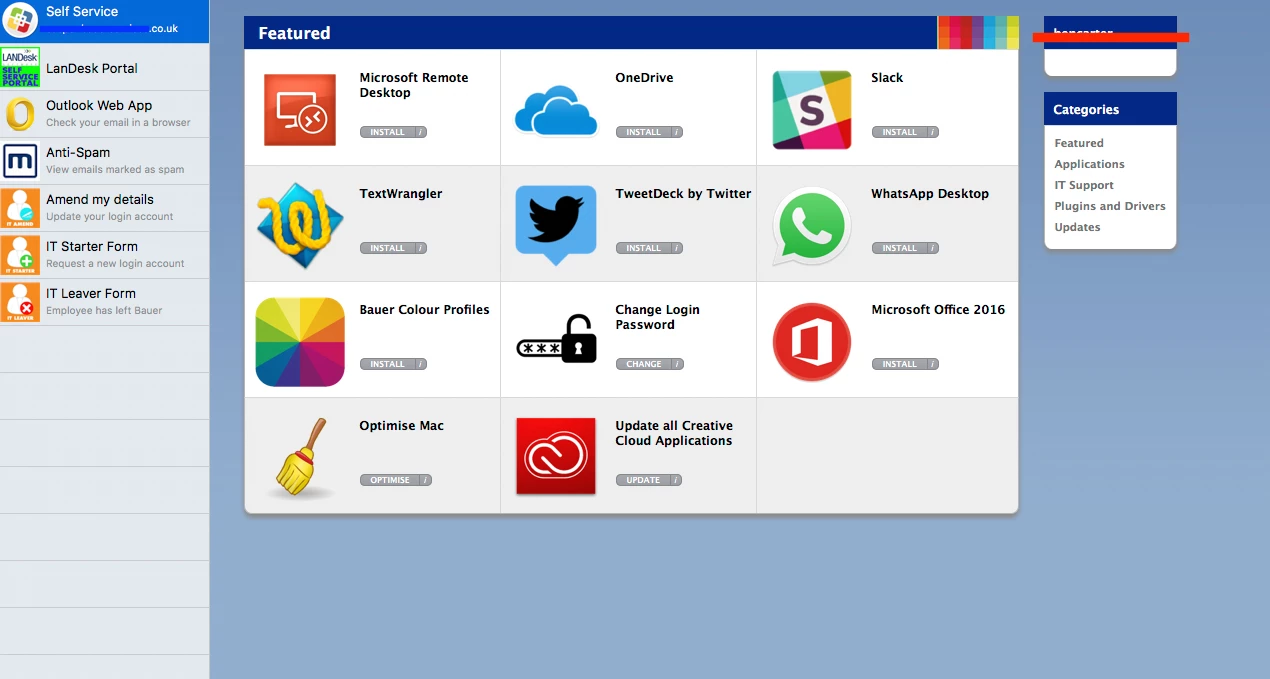
Show of your self service

  • November 5, 2013
  • 65 replies
  • 246 views

Show first post

65 replies

Forum|alt.badge.img+7
  • Contributor
  • December 4, 2014

@Aaron Could you share your Outlook signature script?


ImAMacGuy
Forum|alt.badge.img+23
  • Esteemed Contributor
  • December 4, 2014

Aaron - Can you post your recreate outlook profile script as well?


BrysonTyrrell
Forum|alt.badge.img+19
  • Valued Contributor
  • December 4, 2014

I might as well jump in and share too.

external image link


emily
Forum|alt.badge.img+26
  • Hall of Fame
  • December 4, 2014

Forum|alt.badge.img+9
  • Valued Contributor
  • December 4, 2014

@jonnydford - We have an AD environment, but I use "dscl" to pull the data, so it should work with OD as well. You may need to tweak it a bit depending on your environment. I haven't found a way to embed the images actually into the signature, so it relies on an external link.

#!/bin/sh

USERNAME=`stat -f%Su /dev/console`

FIRSTNAME=`dscl . -read "/Users/$USERNAME" FirstName | cut -d':' -f2 | xargs`
LASTNAME=`dscl . -read "/Users/$USERNAME" LastName | cut -d':' -f2 | xargs`
JOBTITLE=`dscl . -read "/Users/$USERNAME" JobTitle | cut -d':' -f2 | xargs`
PHONENUM=`dscl . -read "/Users/$USERNAME" PhoneNumber | cut -d':' -f2 | xargs`
EMAIL=`dscl . -read "/Users/$USERNAME" EMailAddress | cut -d':' -f2 | xargs`

if [[ $a != 9656* ]]; then
    PHONENUM=`echo "9656 $PHONENUM"`
fi
PHONENUM=`echo "+61 3 $PHONENUM"`

HTML="
<br/>
$FIRSTNAME $LASTNAME<br/>
$JOBTITLE<br/>
Peter MacCallum Cancer Centre<br/>
<a href='http://www.petermac.org'>http://www.petermac.org</a><br/>
<br/>
Phone: $PHONENUM<br/>
<a href='mailto:$EMAIL'>$EMAIL</a><br/>
<img height=58 width=135 src='http://petermac.org/sites/all/themes/petermac_new/logo.png'><br/>
<a href='https://twitter.com/petermac_news'><img height=25 width=150 src='http://petermac.org/sites/default/files/twitter-button.jpg'><br/>
"

osascript <<EOD
tell application "Microsoft Outlook"
    make new signature with properties {name:"$FIRSTNAME $LASTNAME", content:"$HTML"}
end tell

tell application "Microsoft Outlook" to activate
tell application "System Events"
    click menu item "Preferences..." of menu 1 of menu bar item "Outlook" of menu bar 1 of application process "Outlook"
    click item 1 of (buttons of window "Outlook Preferences" of application process "Outlook" whose description is "Signatures")
    select last item of (rows of table 1 of scroll area 2 of window "Signatures" of application process "Outlook")
end tell
EOD

What I do at the end is get Outlook to display the signature to the user to check for errors. We try to be diligent with our data entry, but sometimes bits are missing or incorrect in our AD. It produces something that looks like this:

external image link

@jwojda - My method is a bit of a scorched earth approach, but I find it works well. There's probably a better method, and I'm open to suggestions. Mine in particular relies on the presence of the MUD folder in the User Templates as it has some pre-configured bits, but you could tweak it as necessary. It's actually quite simple:

#!/bin/bash

USER=`stat -f%Su /dev/console`

if (ps aux | grep [M]icrosoft >/dev/null); then
    a=$(osascript -e 'tell application "System Events" to activate' -e 'tell application "System Events" to set question to display dialog "In order to continue, all Office applications will be closed. Are you sure you want to continue?" buttons {"Yes", "No"} default button 2 with icon caution' -e 'button returned of question')
    if [ "$a" == "No" ]; then
        exit 0
    fi
fi

# Kill all Office processes cleanly
killall -HUP "Microsoft Excel"
killall -HUP "Microsoft Word"
killall -HUP "Microsoft PowerPoint"
killall -HUP "Microsoft Outlook"
killall -HUP "Microsoft Database Daemon"
killall -HUP "Microsoft AU Daemon"

# Wait while processes are cleaning up
while (ps aux | grep [M]icrosoft >/dev/null)
do
    sleep 1
done

# Rename old folder
mv "/Users/$USER/Documents/Microsoft User Data" "/Users/$USER/Documents/Microsoft User Data.$(date +%Y%m%d%H%M%S)"

# Recreate from template
cp -R /System/Library/User Template/English.lproj/Documents/Microsoft User Data "/Users/$USER/Documents/"
chown -R "$USER:PMCIDomain Users" "/Users/$USER/Documents/Microsoft User Data"

# Run Outlook to complete setup
sudo -u "$USER" /Applications/Microsoft Office 2011/Microsoft Outlook.app/Contents/MacOS/Microsoft Outlook &

Forum|alt.badge.img+11
  • Contributor
  • February 26, 2015

Thanks @RaulSantos for creating this thread!

Hey @jacob_salmela any chance you could share your code for "Refresh Connection with Management Servers"?

Hey @franton any chance you could share you rebuild spotlight index code that works with 10.9.x?

Hey @krichterjr any chance you could chafe your update keychain password code?

Or if anyone else has code for these and can share it, great!

Thanks @Aaron for the outlook scripts.


Forum|alt.badge.img+13
  • Contributor
  • February 27, 2015

@pblake I just run a Recon for my "Refresh connection" task. I find that if a client hasn't checked in, it will work when the user forces it via Self Service.


Forum|alt.badge.img+4
  • Contributor
  • December 1, 2016

@rlandgraf - This may be a blast from the past, but what is running in the background when running the following policies from your Self Service above?
1) "Update Inventory" - I assume this is tied to Recon?
2) "Computer Info"

Much appreciated!


Forum|alt.badge.img+16
  • Contributor
  • February 28, 2017

I'm working on Self Service. This thread has been pretty helpful. Are the categories that you have listed the categories that they are in your JSS?


Forum|alt.badge.img+16
  • Valued Contributor
  • February 28, 2017

Ys the catergories in the JSS are the same ones in Self Service and it automatically creates and displays any that have valid Self Service policies for the current user.


Forum|alt.badge.img+10
  • Contributor
  • March 25, 2017


Here's mine. Kind of getting started. All our teachers are migrating to Macs this spring. So I'm keeping things pretty simple for them.


Forum|alt.badge.img+7
  • Contributor
  • March 27, 2017


Made a few CSS changes with some custom background images. Sure it will all change with JAMFPro 9.10 but since 9.8 has worked a treat.


Forum|alt.badge.img+5
  • Contributor
  • August 23, 2017

I'm pretty sure I know this answer already, but is it possible to nest Self Service plug ins?


Forum|alt.badge.img+1
  • New Contributor
  • August 24, 2017

@ Retrac How did you go about customizing self service?


Forum|alt.badge.img+7
  • Contributor
  • August 24, 2017

I found the CSS file that was being used and changed a few div containers to have a bg image or changed the bg colour and text colour. took off a rounded corner in places too. There are only 2 new images, the background and the main div across the top.

This is the file I changed (JSS 9.98 on CentOS 7)
/usr/local/jss/tomcat/webapps/ROOT/stylesheets/osxselfservice/landingPage.css
I uploaded the new images here
/usr/local/jss/tomcat/webapps/ROOT/ui/images/selfservice2/new/

Obviously a complete hack and sure JAMF would not approve lol.

JamfPro 10 has Self Service branding so hopefully won't need to be going this route again.