Question

Sierra 10.12.5 Upgrade breaking Corp Wifi

  • May 15, 2017
  • 87 replies
  • 414 views

Show first post

87 replies

Forum|alt.badge.img+12
  • Contributor
  • May 16, 2017

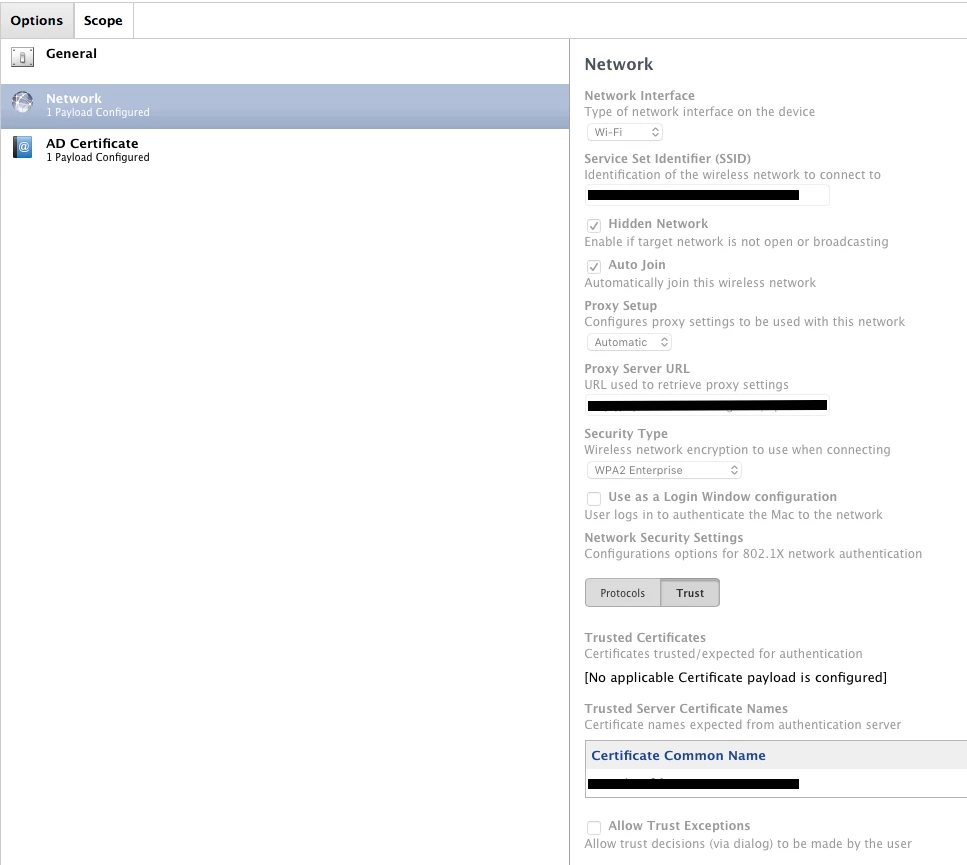
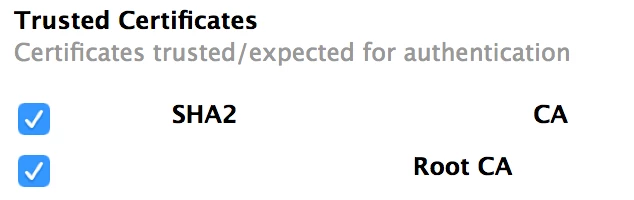
@mbezzo It's in the wifi payload of the configuration profile. Scroll to the bottom and click the Trust tab.


Forum|alt.badge.img+17
  • Valued Contributor
  • May 16, 2017

@bbot - ahhhh, thank you. :)


Forum|alt.badge.img+11
  • Valued Contributor
  • May 16, 2017

@perrycj are you including all of your certs in the cert chain in that same configuration profile and then selecting those? We deploy the root and intermediary certs in a separate profile, so I'm attempting to use their common name (and leaving the exceptions box unchecked) but it's not making a difference. I'm waiting on the engineer working our case to send us further suggestions - but I was just curious about whether or not you have your certs all within the same profile or split apart multiple profiles like we do.


Forum|alt.badge.img+11
  • Contributor
  • May 16, 2017

Adding our intermediate cert as a trusted certificate seemed to fix it for our organization.


Forum|alt.badge.img+12
  • Contributor
  • May 16, 2017

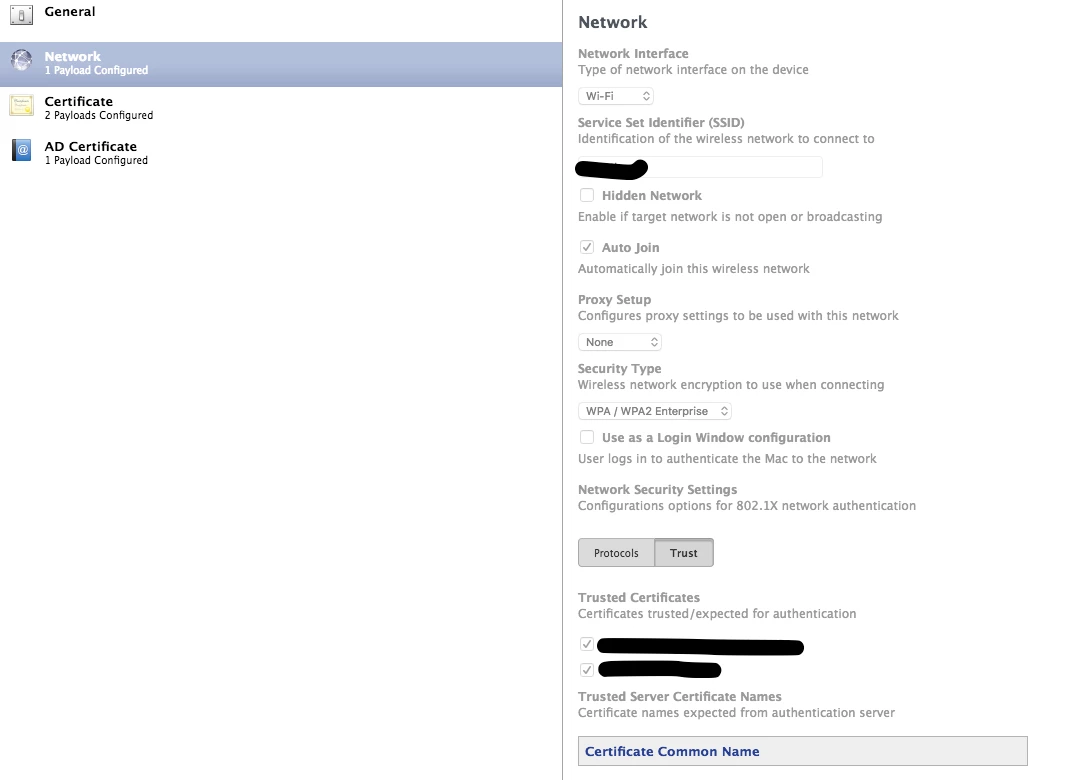
@chisox1 just to confirm, you checked the box for the intermediate cert under Trusted Certificates Certificates trusted/expected for authentication

then redeployed the configuration profile, updated to 10.12.5 and confirmed the wifi stayed connected?


Forum|alt.badge.img+11
  • Contributor
  • May 16, 2017

Correct! How I will deploy it to everyone without breaking them is a different story.


Forum|alt.badge.img+12
  • Contributor
  • May 16, 2017

@chisox1 Are you using AD certificates for wifi? How are you currently deploying the profile?


Forum|alt.badge.img+14
  • Valued Contributor
  • May 16, 2017

@jasonaswell All the certs we use are deployed with our wifi payload and in that trust section, I check off our Root CA as the trusted cert. You can check whichever cert is appropriate for your environment. Our ethernet profile has no certs in it at all because the trust is established with the certs from the wifi profile.

I think if you just avoid using the common name at all and just check off the cert name as the trusted cert, you should be good.


Forum|alt.badge.img+14
  • Valued Contributor
  • May 16, 2017

@bbot its just the trust that gets redeployed.. meaning you don't have to worry about having to generate another machine cert from AD (although it will happen automatically when you redeploy the configuration profile anyway). if you select to use either your intermediate or root CA as the trusted cert, not use the common name and redeploy that profile, it should work fine. Does that make sense?


Forum|alt.badge.img+12
  • Contributor
  • May 16, 2017

@perrycj Makes sense. The part where I'm stuck is that I have a separate config profile that has the root + intermediate certificates. We deployed the certificates before we rolled out 802.1x wifi. (this is still active)

Now we have a separate profile that includes both root + intermediate certs, AD cert request and wifi config. I'll need to do some testing, but I think making the trust setting in this wifi config and re-deploying should resolve it.


Forum|alt.badge.img+14
  • Valued Contributor
  • May 16, 2017

@bbot sure that's fine too. In that certs profile, just make sure to check off the box for the cert you want to trust and uncheck the box from common name trust and you should be fine.


Forum|alt.badge.img+12
  • Contributor
  • May 16, 2017

@perrycj In the certs profile, I don't think there's an option to check the box to trust. It'll have to be in the wifi configuration profile. The cert profile I have only deploys the root and intermediate certificates


Forum|alt.badge.img+14
  • Valued Contributor
  • May 16, 2017

@bbot Yes sorry.. I meant on the connection having the issues with 10.12.5.. so if it's wifi, then in the trust section there. It has to be defined somewhere so it should be in your wifi profile under trust.


Forum|alt.badge.img+11
  • Contributor
  • May 16, 2017

So it appears the change is that we must explicitly tell the supplicant (via network payload trust tab) what radius server(s) it is authorized to provide the cert to (either by trusting the radius server's CA or inputting server names). Before it worked without this. You will probably have to add that cert to your certificate payload if the radius server's cert is signed by a different CA than your client cert.


Forum|alt.badge.img+11
  • Contributor
  • May 17, 2017

Our official response from Apple was as follows
"You can think of the authentication process as a two step process; first it will check to see if the certificates are in the keychain and trusted, then it will check to see if trust has been anchored in the Wi-Fi profile. If it meets these two criteria it will connect.
If trust isn’t anchored in the profile then it will check to see if there is a trusted server certificate name in the profile. If there is, and it is the domain used to sign the certificates, then the machine will successfully authenticate."

@bbot Our current setup is deploying AD certs through the config profile. We also have a Root Cert profile. In my very limited testing so far, having a profile that deploys all certs and having a duplicate "trust" certificate in the wireless profile has not broken anything. We are pushing the profiles via MDM.


Forum|alt.badge.img+7
  • Valued Contributor
  • May 17, 2017

Hi all,

We encounter the same problem, no connection to our WiFi possible.
The WiFi network is cert based.

What seems to be working: (suggested by @nwiseman )
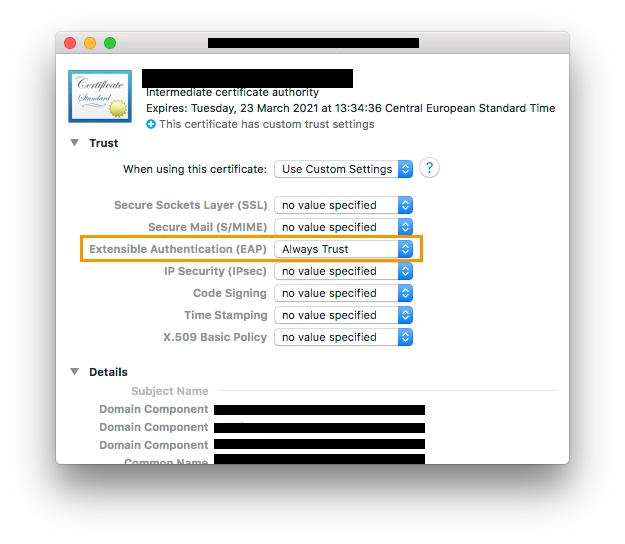
Set in the Trust Section of that certificate EAP to "Always trust"

I tried to handle that inside the Configuration Profile, but that wasn't working at all (it even disabled the Workaround). What am I doing wrong here?

Thank you very much
BR
Daniel


Forum|alt.badge.img+6
  • Contributor
  • May 17, 2017

@dpratl I deploy my root and intermediate certs as a part of the same profile and they show up under Trusted Certificates and allow me to check them as trusted.


Forum|alt.badge.img+12
  • Contributor
  • May 17, 2017

Still running into some issues here. On my test machines, I am unable to connect to WiFi completely after checking the Trust box for the intermediate certificate.

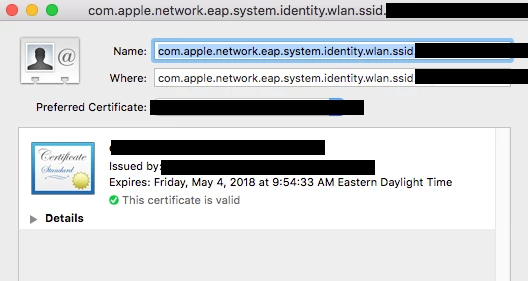
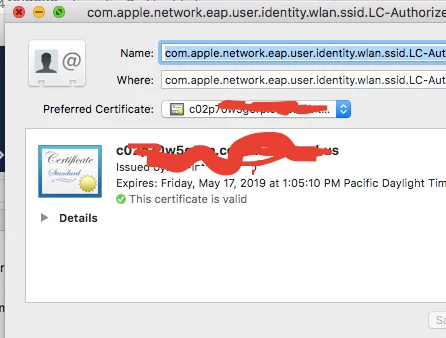
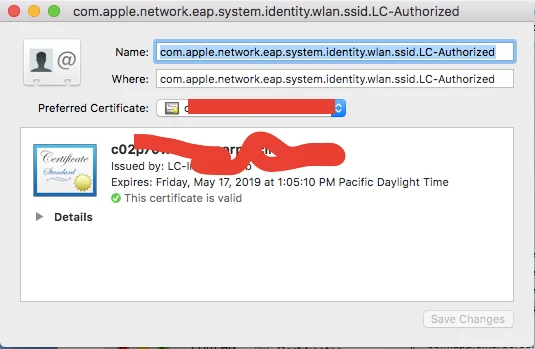
Can someone review my config? This is getting installed on the computer level. AD certificate is requesting for a machine certificate to authenticate. Certificates are requesting properly, it creates the com.apple.network.eap.user.identity.wlan.ssid in keychain and assigns the appropriate certificate.

On 10.12.5, I can have the user re-install the current configuration profile (without the intermediate box trust checked), and it'll re-connect to wifi fine. It's just that the wifi disconnects after updating to 10.12.5.

I also have a separate configuration profile that deploys just the root + intermediate certificates to the system keychain. (these have been on the Mac prior to the wifi config profile being deployed)


Forum|alt.badge.img+6
  • Contributor
  • May 17, 2017

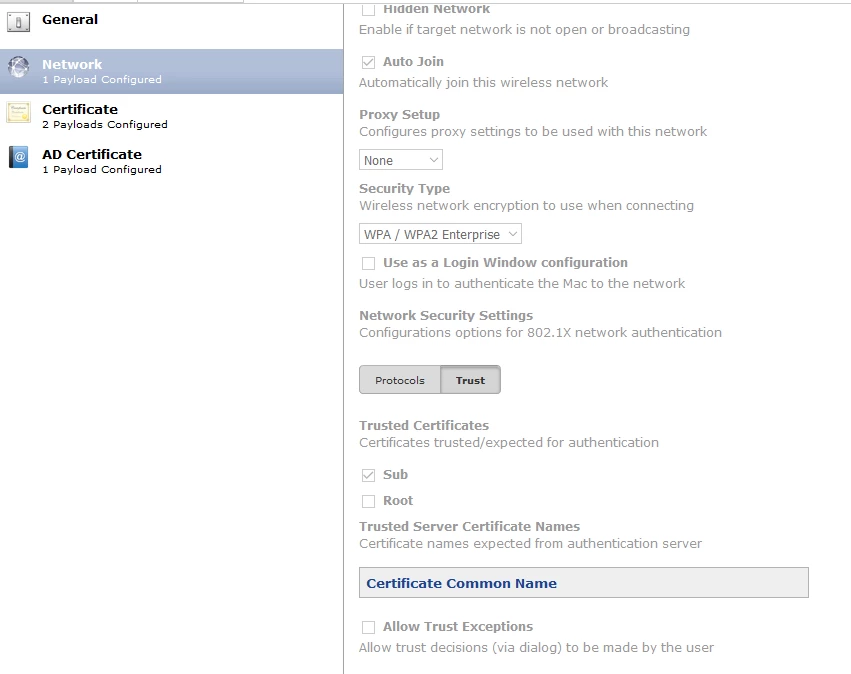
@bbot you need to trust the root and sub, also I'm trusting by exact cert name where you have 'root' and 'sub' and it's working here.


Forum|alt.badge.img+12
  • Contributor
  • May 17, 2017

No dice. I've tried trusting both certificates, and adding the common names into the trust.
I've tried going into keychain, right clicking the certificates and setting the trust to "Always Trust" and it still won't connect to wifi... so I'm not sure if the issue is with the intermediate and root.


Forum|alt.badge.img+18
  • Honored Contributor
  • May 17, 2017

We trust both the root and the sub (which are included in the profile) in the Network payload and it has been working fine for us on our 10.12.5 testers.


Forum|alt.badge.img+6
  • Contributor
  • May 17, 2017

@bbot are the certs getting installed and marked as trusted?


Forum|alt.badge.img+12
  • Contributor
  • May 17, 2017

@jason.desveaux the root is marked as Always Trust all the way down the list. The Intermediate is marked as valid, trust is set to use system defaults and no value specified. This is after marking them both as trusted in the configuration profile.

The messed up part is even after manually trusting the intermediate, it still won't connect.

The only way I can get it to connect to wifi is if none of the boxes are checked in the configuration profile.


Forum|alt.badge.img+6
  • Contributor
  • May 17, 2017

@bbot strange... is your identity preference in the keychain pointing at a trusted cert?


Forum|alt.badge.img+12
  • Contributor
  • May 17, 2017

Looks fine to me. I have both system and login keychain.