

Question

Sierra - no local accounts

  • September 23, 2016
  • 2 replies
  • 10 views

mhasman
Forum|alt.badge.img+22

Updated home Mac with Sierra. Now 4 of 6 local accounts are not on login screen.

I can see those in "Fast User Switching Menu", but getting the error when trying to login - account is not available.

Already restored 10.11 from full TM backup, the upgraded to Sierra again - the same issue.

Also tried to install clean Sierra then migrate accounts from TM backup. When complete and restarted - no accounts on login screen...

Please help :)
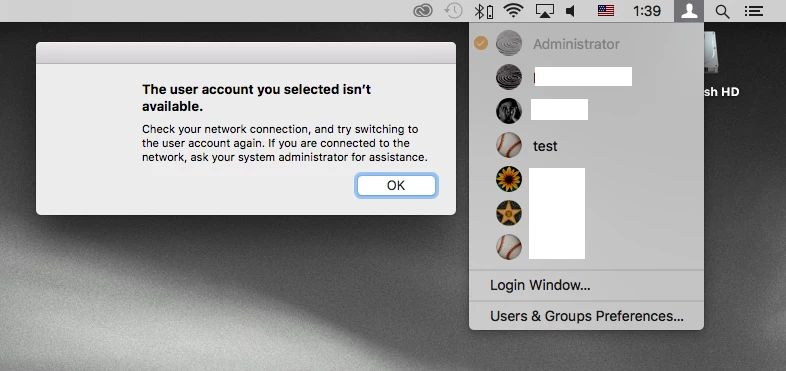
P.S. FileVault 2 is off

2 replies

Forum|alt.badge.img+3
  • New Contributor
  • September 23, 2016

Try to use 'resetpassword' command.
First,start mac from recovery HD,then use terminal,type command 'resetpassword',you will see the accounts list,just change the password,then restart.
The local accounts will be back.


mhasman
Forum|alt.badge.img+22
  • Author
  • Valued Contributor
  • September 26, 2016

@shenchao Thsnk you for advice!

Unfortunatelly, 'resetpassword' works just once. As password is reset, account shows up on login screen and allows to login in. But after log out or restart it disappears again.

First time in my long "apple" life I am experiencing serios issue with system upgrade.