Question

Skip Big Sur Accessibility screen

  • November 18, 2020
  • 9 replies
  • 62 views

Forum|alt.badge.img+6

Is anyone aware of a method to skip this accessibility screen when doing an in-place upgrade to Big Sur (10.16/11.0.x)?
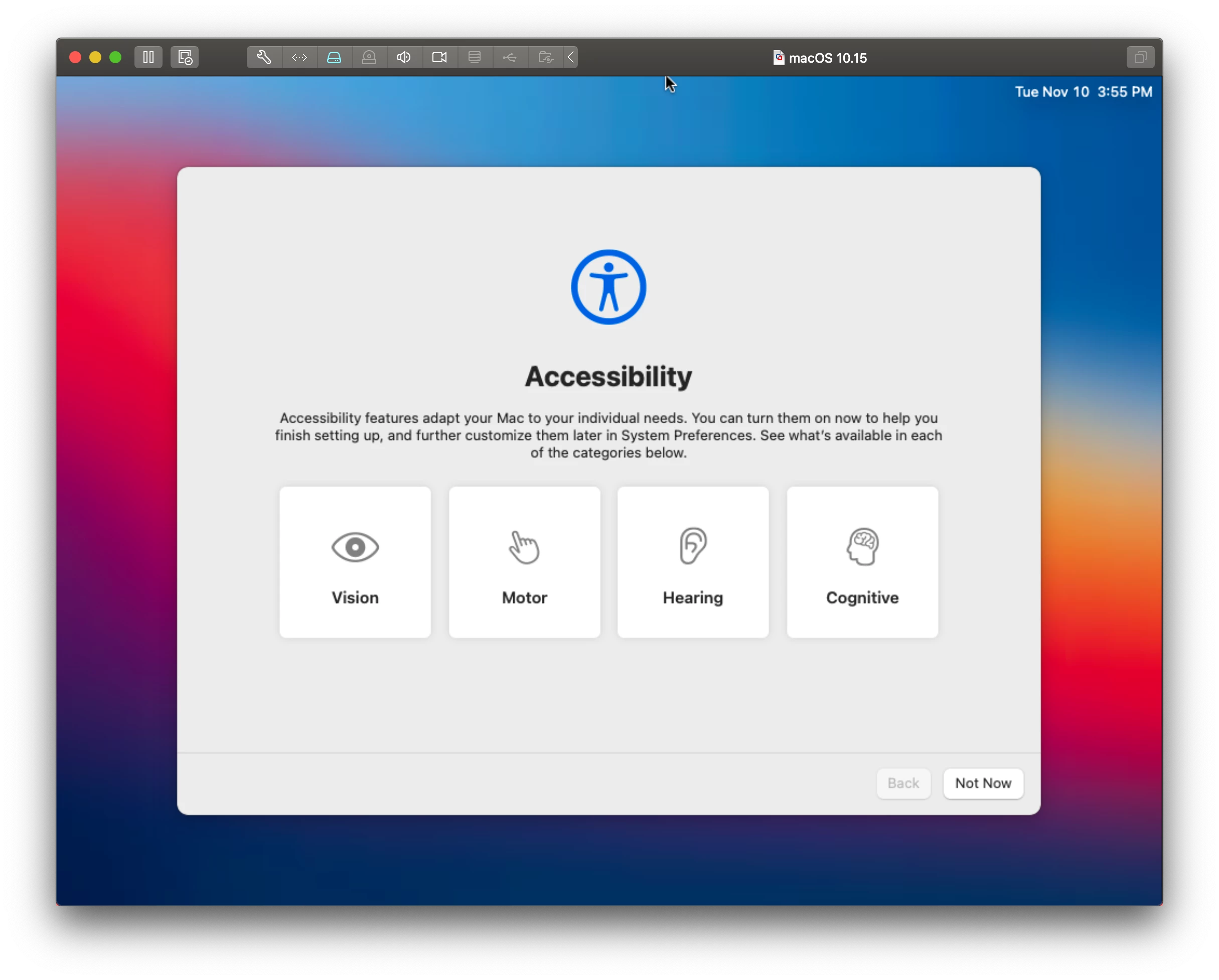
I'm aware you can skip everything during Automated Enrollment for new devices but haven't found anything for devices we're updating.

I've also used the config profiles offered by rtrouton in the past - https://github.com/rtrouton/profiles . Again not seeing anything for the new accessibility one.

9 replies

Forum|alt.badge.img+6
  • Author
  • Contributor
  • November 18, 2020

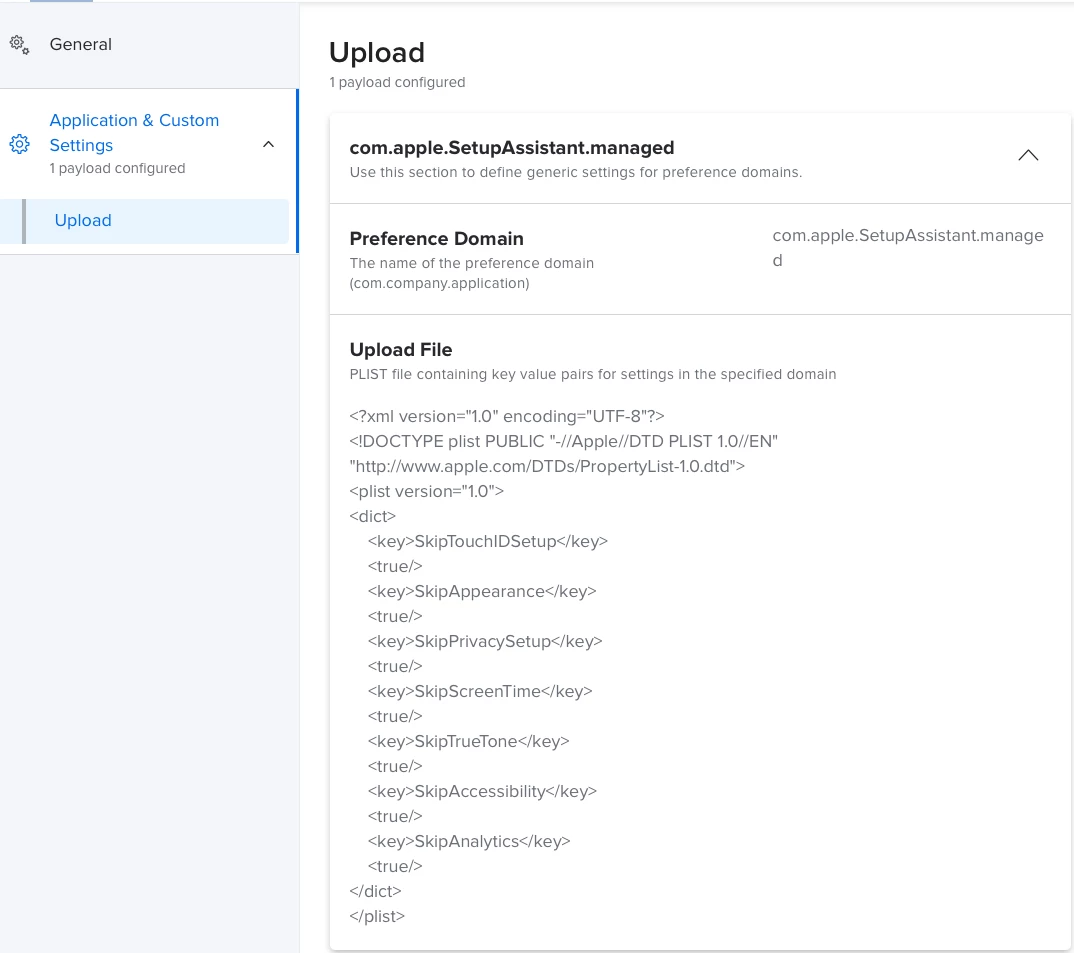
Well, I took a look what those other CPs are actually doing which looks to be manipulating the com.apple.SetupAssistant.managed preference domain value. Not seeing anything in Apple's documentation about the new Accessibility pane - https://developer.apple.com/documentation/devicemanagement/setupassistant


Forum|alt.badge.img+7
  • New Contributor
  • November 18, 2020

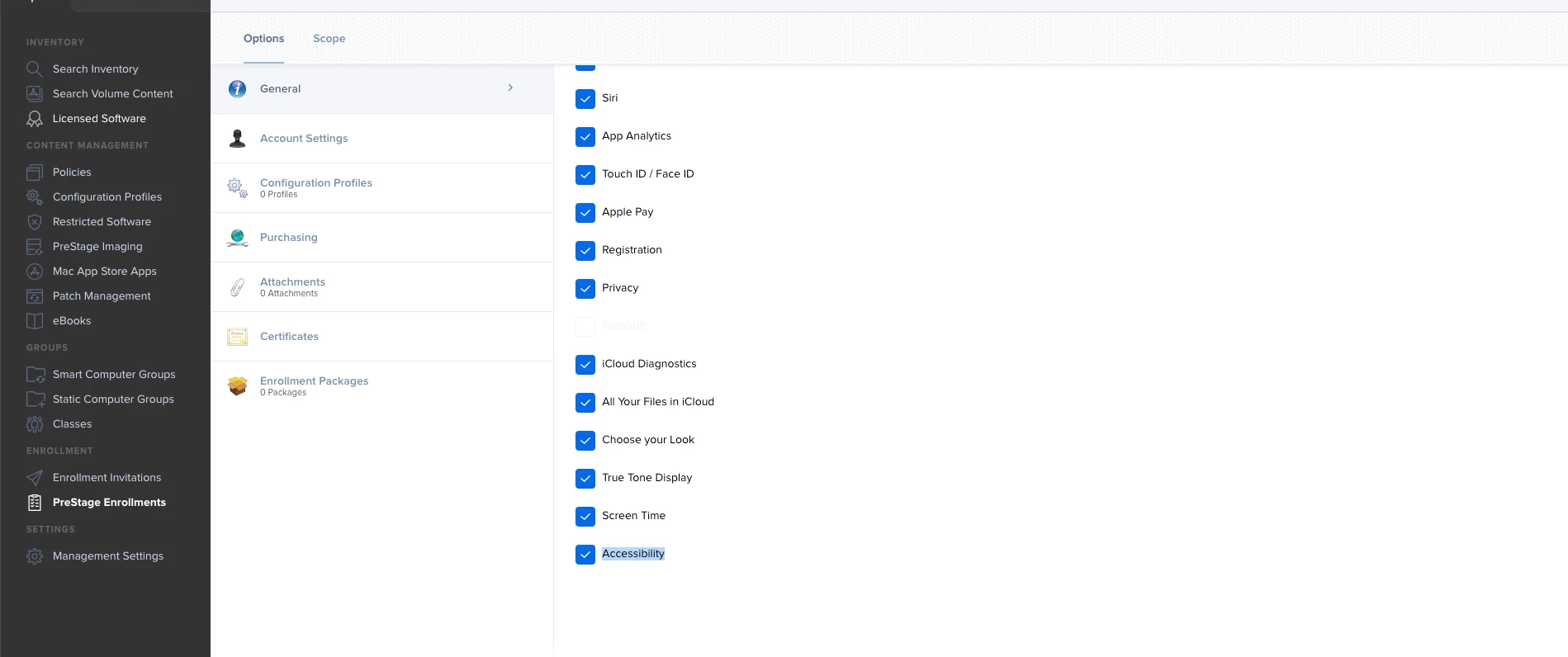
Check the PreStage Enrollment pane for this option.


Forum|alt.badge.img+6
  • Author
  • Contributor
  • November 19, 2020

I did a quick test of skipping this option in pre-stage enrollment (Automated Enrollment Enabled). It does indeed to do what I'm looking for when doing an in-place macOS update.

Quite surprising actually. I was probably too quick to assume pre-stage enrollment configuration only impact user experience during initial enrollment.

Thanks @a.feliciano!


DBrowning
Forum|alt.badge.img+24
  • Esteemed Contributor
  • November 19, 2020

I just took a look at com.apple.SetupAssistant on my upgraded machine and saw a key for DidSeeAccessibility


Forum|alt.badge.img+6
  • Author
  • Contributor
  • November 20, 2020

Nice find!


snowfox
Forum|alt.badge.img+9
  • Contributor
  • November 22, 2020

I have a similar problem on jamf Pro 10.25.1 and pre-exisitng prestage enrolments.
Even though I have the accessibility button now ticked, it still displays for Big Sur device enrolments. (Not an upgrade, this is a disk wipe & clean install from bootable USB.)

It could be because the prestage enrolments were already created on an earlier version of Jamf.
I hope I don't have to recreate them from scratch. I will have to test it with a new PSE and see...


Forum|alt.badge.img+6
  • Contributor
  • July 9, 2021

Same here, Accessibility is still showing up in DEP process even if this option is checked


sdagley
Forum|alt.badge.img+25
  • Jamf Heroes
  • July 9, 2021

There is no option to suppress the Accessibility screen on Big Sur during DEP/ADE because it's presented before the Mac ever communicates with the MDM server.


Forum|alt.badge.img+9
  • Contributor
  • July 30, 2021

I have this in a Configuration Profile and it worked to skip it in Big Sur/M1 - 

Domain: com.apple.SetupAssistant.managed

<key>SkipAccessibility</key>

<true/>