Solved

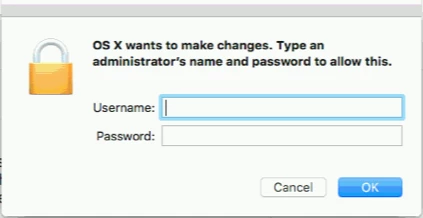
Suppress "OS X wants to make changes"

  • September 22, 2017
  • 3 replies
  • 43 views

Forum|alt.badge.img+10

Is there a way to suppress the dialogue?

I notice it popping up on clients quite often. Usually they ignore it, as they aren't admins, but I'm sure it gets annoying.

Best answer by georgecm12

It's not a question of suppressing it. It's going to be more a question of determining what, on your system, is requesting privilege escalation. It's not normal to have that pop up "quite often" - it should only be occurring when there is a known action being taken that requires administrative permissions.

3 replies

georgecm12
Forum|alt.badge.img+12
  • Valued Contributor
  • Answer
  • September 22, 2017

It's not a question of suppressing it. It's going to be more a question of determining what, on your system, is requesting privilege escalation. It's not normal to have that pop up "quite often" - it should only be occurring when there is a known action being taken that requires administrative permissions.


Forum|alt.badge.img+10
  • Author
  • Valued Contributor
  • September 22, 2017

@georgecm12 I feel like it has something to do with our imaging workflow. I'm new to Jamf as of April so I used a lot of my predecessors workflow for imaging as I was a little cramped for time. I know the issues won't be there next school year from my workflow but wasn't sure if there was something I could do to eliminate the message for now. I know they alway's pop up if I remote into a machine for the first time using the local admin account. They pop up for both the admin account and then the student account will also start to see it.


mvu
Forum|alt.badge.img+20
  • Jamf Heroes
  • September 22, 2017

I agree with @georgecm12 . Recently, we had a few users who had this problem, and it turned out to be an older version of Google Chrome wanting an update.

After authenticating with the admin rights, I saw the white .dmg Google installer flash on the Desktop quickly, then unmount.

I either updated Chrome, or removed it using an App Cleaner to get all the files, then re-installed.

