Question

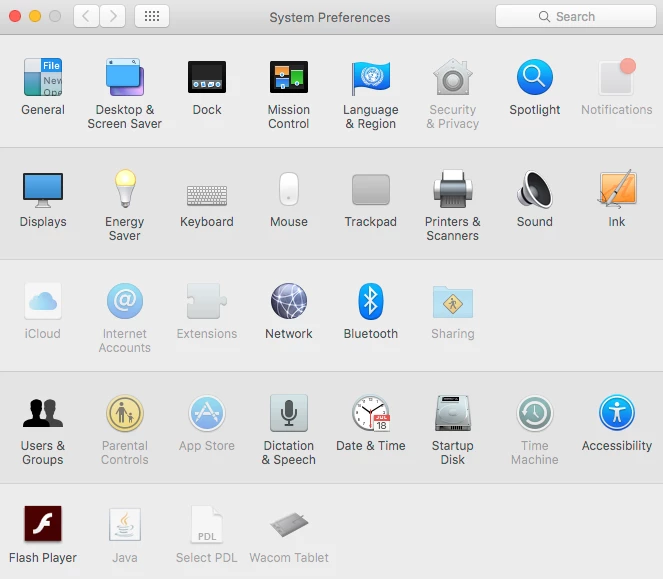
System Preferences “your system administrator has not given you access to this preference pane”

  • January 29, 2018
  • 8 replies
  • 40 views

Forum|alt.badge.img+6


Hi

We currently have 50 machines out of 400 that state the above message.

No recent policies have been pushed or amended in that case. I wanted to know how to correct this issue. I have tried to do it via Configuration Policy but for some odd reason only 40 Machines can be seen out of 400 I try to scope the Configuration Policy and it has not been defined to a specific site. We are running v9.82 on El Capitan

Any suggestions would be appreciated

8 replies

Forum|alt.badge.img+10
  • Valued Contributor
  • January 29, 2018

I think this is a managed preferences thing. I would check those just in case. If it's a config profile it'll show up in the computer's inventory as a profile.


Forum|alt.badge.img+2
  • New Contributor
  • January 29, 2018

This is related to the "Restrictions" payload in a configuration profile, so you're looking in the right spot.

  1. Are you sure you haven't set any exclusions?
  2. What do you mean when you say you can only see 40 machines? What variables/groups are you using to scope the config profile?

mm2270
Forum|alt.badge.img+24
  • Legendary Contributor
  • January 29, 2018

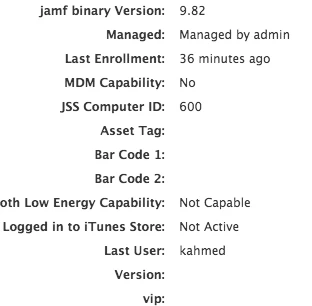
Config Profiles can only be scoped to machines that are enrolled into MDM, meaning if you look at the device record, under the General section it should say "MDM Capability: Yes" If it doesn't say that, profiles can't be pushed to it and that would be one reason for them to not show up in scoping for the Profile.
It may not be the only reason though.


Forum|alt.badge.img+6
  • Author
  • Contributor
  • January 29, 2018

@justinboyle In 'Restrictions' payload I have set it so it is not greyed out / disabled. But when trying to scope to machines that are enrolled into JSS and the machines in questions, I am unable to scope it as it is not appearing in there.

@mm2270 I will check again in the general section if it states "MDM Capability: Yes".

It is odd that it only happened to those machines, this was never an issue before.


Forum|alt.badge.img+6
  • Author
  • Contributor
  • January 30, 2018

Just had a look now and 'MDM Capability' is No

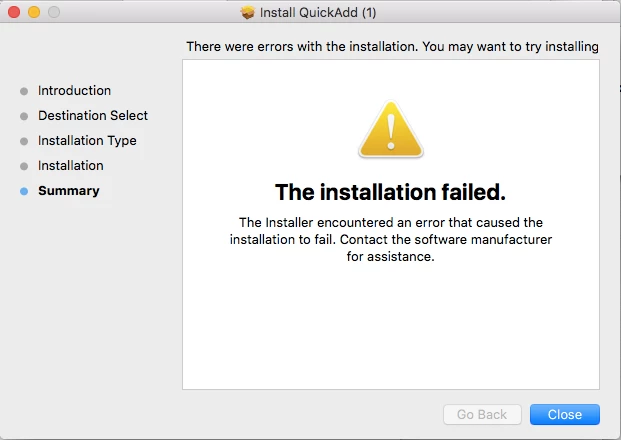
When trying to re-enroll interestingly it fails with this message


Forum|alt.badge.img+9
  • Contributor
  • January 30, 2018

Hi, 'k84' - as for fails to re-enroll with this…

I have seen that kind of thing too…
It seems to be caused by the computer record 'already existing' before re-enrolment.

You have two choices:
1: Delete the 'computer record' before trying to re-enrol the machine…
2: Don't delete the 'computer record' - but after the enrol fails 'the first time', re-enrol it a second time - this time around it should 'succeed'.

If you have the condition, where the machine is re-enrolled, but 'failed' the enrolment
- then it's kind of 'half-in' the system… and some things sometimes don't work correctly on it…
- For it to work 'correctly' - you need to end up in the state where enrolment 'succeeded'…


mm2270
Forum|alt.badge.img+24
  • Legendary Contributor
  • January 30, 2018

Also make sure you are using a new QuickAdd after going through the User Initiated Enrollment (UIE), or a standalone one from Recon.app. You can't reuse the QuickAdd's that get pulled down when doing the UIE process. Those are one offs that will only work once. The one's built from Recon.app will work over and over again.


Forum|alt.badge.img+6
  • Author
  • Contributor
  • January 30, 2018

Hi @PeterClarke & @mm2270

I will let you know how I get on.

Thanks guys