

Solved

TCC not working

  • March 20, 2020
  • 6 replies
  • 37 views

Forum|alt.badge.img+11

Hi Everyone,

I’m trying to help a user with the following problem:
- Camera works in facetime
- Camera not found in any third-party app such as Skype or Zoom

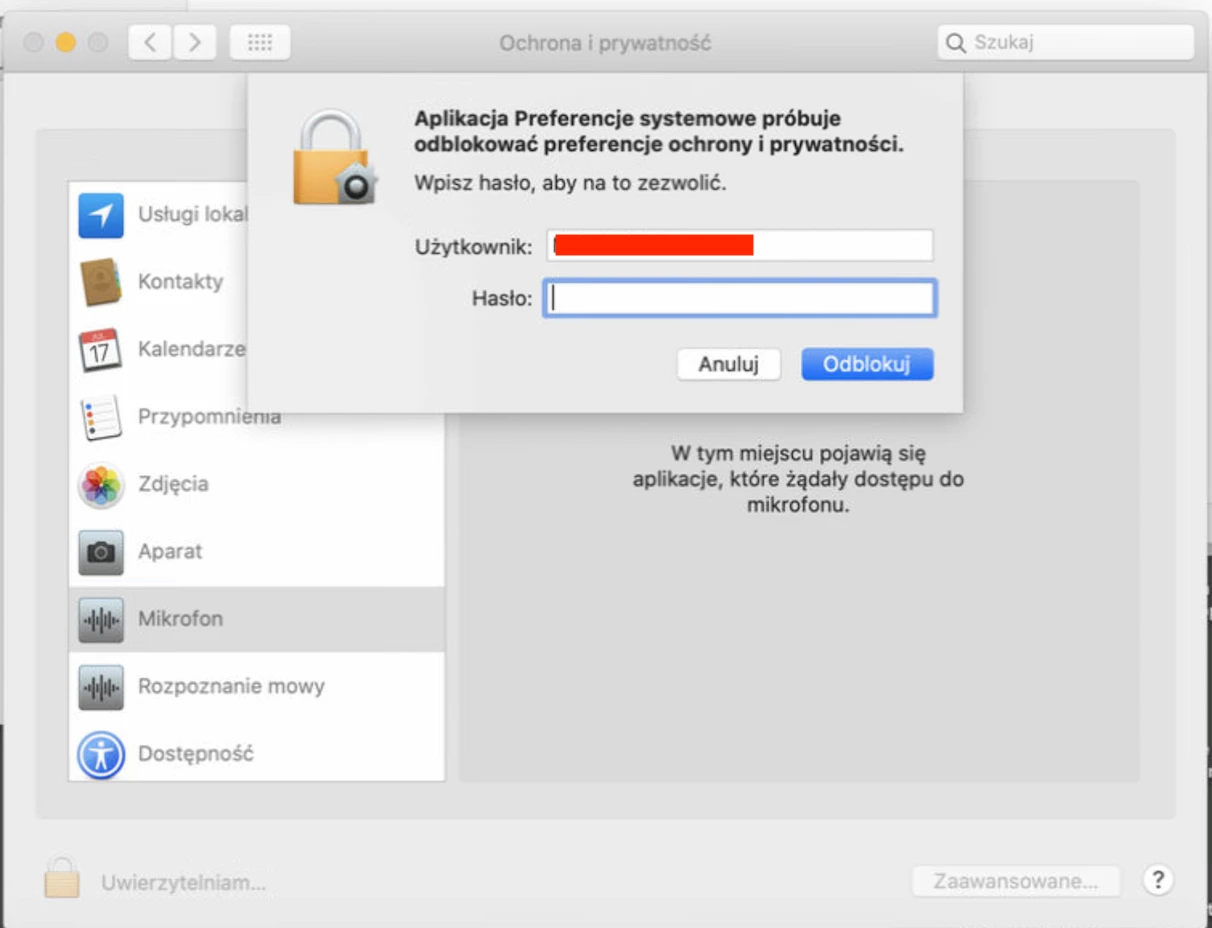
I’m expecting PPPC/TCC to kick in and ask access to camera and mic but it doesnt and the list ( in sys prefs, privacy) is empty.

I tried with a new app but there is no prompt appearing asking for video and mic.

Does anyone have a clue on what could be happening? This is 10.15.3. and I've reset the PPPC/TCC requests already.

Thanks in advance,

Julien

Best answer by julienvs

Thanks guys!
What a horrible issue to troubleshoot remotely :)

Here's what I did thanks to your advice:

  1. reboot computer while holding command + r
  2. open terminal
  3. csrutil disable
  4. reboot
  5. Sudo rm -rf ~/Library/Application Support/com.apple.TCC
  6. reboot computer while holding command + r
  7. csrutil enable
  8. reboot

Thanks again and good luck to everyone in these remote times!

Julien

6 replies

donmontalvo
Forum|alt.badge.img+36
  • Hall of Fame
  • March 20, 2020

Forum|alt.badge.img+3
  • New Contributor
  • March 20, 2020

Try running permissions on the account. We ran into this and it seems like fixing permissions with

sudo chown -Rv <username> /Users/<username>

and then restarting fixes the issues. You could also fix the permissions in the GUI. Here is an article that gave us the idea of using this to fix this issue.

https://superuser.com/questions/1441270/apps-dont-show-up-in-camera-and-microphone-privacy-settings-in-macbook


Forum|alt.badge.img+11
  • Author
  • Contributor
  • March 20, 2020

Hmmm ... seems it's a corrupt PPPC/TCC database. Tried to reset it but now it's even more damaged. I'll post results here.


Forum|alt.badge.img+10
  • New Contributor
  • March 20, 2020

What I have been successfully doing is disabling SIP and then running the command 'Sudo rm -rf ~/Library/Application Support/com.apple.TCC' from the terminal and then enable SIP again. That seems to do the trick.


Forum|alt.badge.img+12
  • Contributor
  • March 20, 2020

This post really helped us resolve our TCC issues last year.


Forum|alt.badge.img+11
  • Author
  • Contributor
  • Answer
  • March 23, 2020

Thanks guys!
What a horrible issue to troubleshoot remotely :)

Here's what I did thanks to your advice:

  1. reboot computer while holding command + r
  2. open terminal
  3. csrutil disable
  4. reboot
  5. Sudo rm -rf ~/Library/Application Support/com.apple.TCC
  6. reboot computer while holding command + r
  7. csrutil enable
  8. reboot

Thanks again and good luck to everyone in these remote times!

Julien