Solved

TeamViewer Quick Support Eula

  • June 8, 2021
  • 12 replies
  • 72 views

BookMac
Forum|alt.badge.img+9

Hey folks,

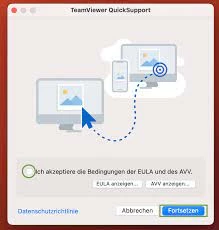
this is my first post here and we have Jamf Pro since 2 weeks. We have a customized Teamviewerqs.pkg which is deployed to all computers. At the first start the window with Eula prompted. Is there a way to block it or accept it with a config in background?

Cheers

Best answer by larsafpetersens

Seems like TeamViewer has stopped looking in Managed Preferences so needs to put in Users Preferences now.

Since we ether use DEPNotify ( which checks if user is logged in before running the Policy ) or Self Service when provisioning the app this works for us. Don't know if it's the best way but since no one replied I hope it helps someone.


#!/bin/zsh

# Get the currently logged in user
currentUser=$( echo "show State:/Users/ConsoleUser" | scutil | awk '/Name :/ { print $3 }' )

# Get uid logged in user
uid=$(id -u "${currentUser}")

runAsUser() {
if [[ "${currentUser}" != "loginwindow" ]]; then
launchctl asuser "$uid" sudo -u "${currentUser}" "$@"
else
echo "no user logged in"
exit 1
fi
}

runAsUser defaults write com.teamviewer.teamviewer.preferences.Machine "EulaAcceptedQS" -integer "1"
 
exit 0

12 replies

Forum|alt.badge.img+7
  • Valued Contributor
  • June 9, 2021

Would also be curious to know the answer to this as well; I doubt it, but would be nice to have.


Forum|alt.badge.img+7
  • Contributor
  • June 22, 2021

No one? :(


pkleiber
Forum|alt.badge.img+9
  • Contributor
  • June 24, 2021

Hi guys, we also use QuickSupport in our environment. The first time you start TeamViewer QS it will ask to accept the EULA. IF you do that, a plist file is written to ~/Library/Preferences/com.teamviewer.TeamViewerQS.plist which contains:
<?xml version="1.0" encoding="UTF-8"?>
<!DOCTYPE plist PUBLIC "-//Apple//DTD PLIST 1.0//EN" "http://www.apple.com/DTDs/PropertyList-1.0.dtd">
<plist version="1.0">
<dict> <key>PermissionSetupWasShown</key> <true/> <key>ScreenCaptureWasRequested</key> <true/> <key>TVEULAAccepted</key> <true/>
</dict>
</plist>
This was in our case with Teamviewer QS Version 15.15.5 But I think with newer versions like 15.17.6 the EULA dialogue is gone. I checked on another client with the newer version and there was no EULA popup. I check again and will give you feedback.


pkleiber
Forum|alt.badge.img+9
  • Contributor
  • June 24, 2021

So just completely removed the old version from my system then reinstalled the new version via Jamf. No popup regarding EULA is shown. Hope this will help you.


Forum|alt.badge.img+7
  • Valued Contributor
  • August 3, 2021

So just completely removed the old version from my system then reinstalled the new version via Jamf. No popup regarding EULA is shown. Hope this will help you.


EULA is back (and different looking) in 15.20.x


Forum|alt.badge.img+10
  • Valued Contributor
  • August 13, 2021

EULA is back (and different looking) in 15.20.x


EULA doesn’t popup for me. So it works
I just uploaded the PLIST file after I accepted it to Jamf Pro to the same configuration profile that I set up for our Teamviewer integration. 


pkleiber
Forum|alt.badge.img+9
  • Contributor
  • August 17, 2021

EULA doesn’t popup for me. So it works
I just uploaded the PLIST file after I accepted it to Jamf Pro to the same configuration profile that I set up for our Teamviewer integration. 


Could you share your configuration profile? I am curious how you guys manage your Teamviewer setup.


Forum|alt.badge.img+10
  • Valued Contributor
  • August 17, 2021

Could you share your configuration profile? I am curious how you guys manage your Teamviewer setup.


@pkleiber unfortunately I can't upload the images here... 

view links: 
https://ibb.co/PmvbmQr
https://ibb.co/K6hHtmW


BookMac
Forum|alt.badge.img+9
  • Author
  • Jamf Heroes
  • September 2, 2021

@pkleiber unfortunately I can't upload the images here... 

view links: 
https://ibb.co/PmvbmQr
https://ibb.co/K6hHtmW


@Flaurian 
I've tried the same like you. the pppc works like a charm but if i upload the plist, the Preference Domain field is empty. i insert "com.teamviewer.TeamViewerQS.plist" and safe the profile but the eula popo still comes. after i accept the eula the plist is created.


BookMac
Forum|alt.badge.img+9
  • Author
  • Jamf Heroes
  • March 16, 2022

hey folks. after a while i've give it a next try. and what should i say. i've entered "com.teamviewer.TeamViewerQS.plist" in the preference domain field in the upload section for the config profile. after i changed it to "com.teamviewer.TeamViewerQS" it works. 

My plist looks like this:


<?xml version="1.0" encoding="UTF-8"?> <!DOCTYPE plist PUBLIC "-//Apple//DTD PLIST 1.0//EN" "http://www.apple.com/DTDs/PropertyList-1.0.dtd"> <plist version="1.0"> <dict> <key>TVEULAAccepted</key> <true/> </dict> </plist>


Cheers


BookMac
Forum|alt.badge.img+9
  • Author
  • Jamf Heroes
  • January 27, 2023

TeamViewer 15.37.3 and EULA Screen is back and the old plist doesn't work anymore. Any suggestions?


larsafpetersens
Forum|alt.badge.img+3
  • New Contributor
  • Answer
  • December 12, 2023

Seems like TeamViewer has stopped looking in Managed Preferences so needs to put in Users Preferences now.

Since we ether use DEPNotify ( which checks if user is logged in before running the Policy ) or Self Service when provisioning the app this works for us. Don't know if it's the best way but since no one replied I hope it helps someone.


#!/bin/zsh

# Get the currently logged in user
currentUser=$( echo "show State:/Users/ConsoleUser" | scutil | awk '/Name :/ { print $3 }' )

# Get uid logged in user
uid=$(id -u "${currentUser}")

runAsUser() {
if [[ "${currentUser}" != "loginwindow" ]]; then
launchctl asuser "$uid" sudo -u "${currentUser}" "$@"
else
echo "no user logged in"
exit 1
fi
}

runAsUser defaults write com.teamviewer.teamviewer.preferences.Machine "EulaAcceptedQS" -integer "1"
 
exit 0