
Solved

Teradici PCoIP Client

  • July 29, 2020
  • 2 replies
  • 23 views

Forum|alt.badge.img+5

Anyone had any luck creating a PPPC profile for the Teradici PCoIPClient.app ?

I am not having a problem deploying the .app, I basically have a policy to place PCoIPClient.app in /tmp and then copy the .app into the /Applications folder. PCoIPClient.app launches, but after quitting, I get this (see the attached .png):
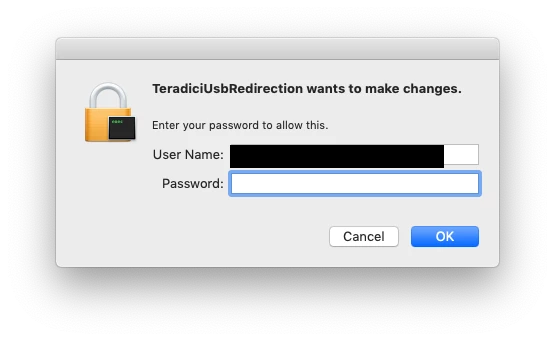
TeradiciUSBRedirection wants to make changes.

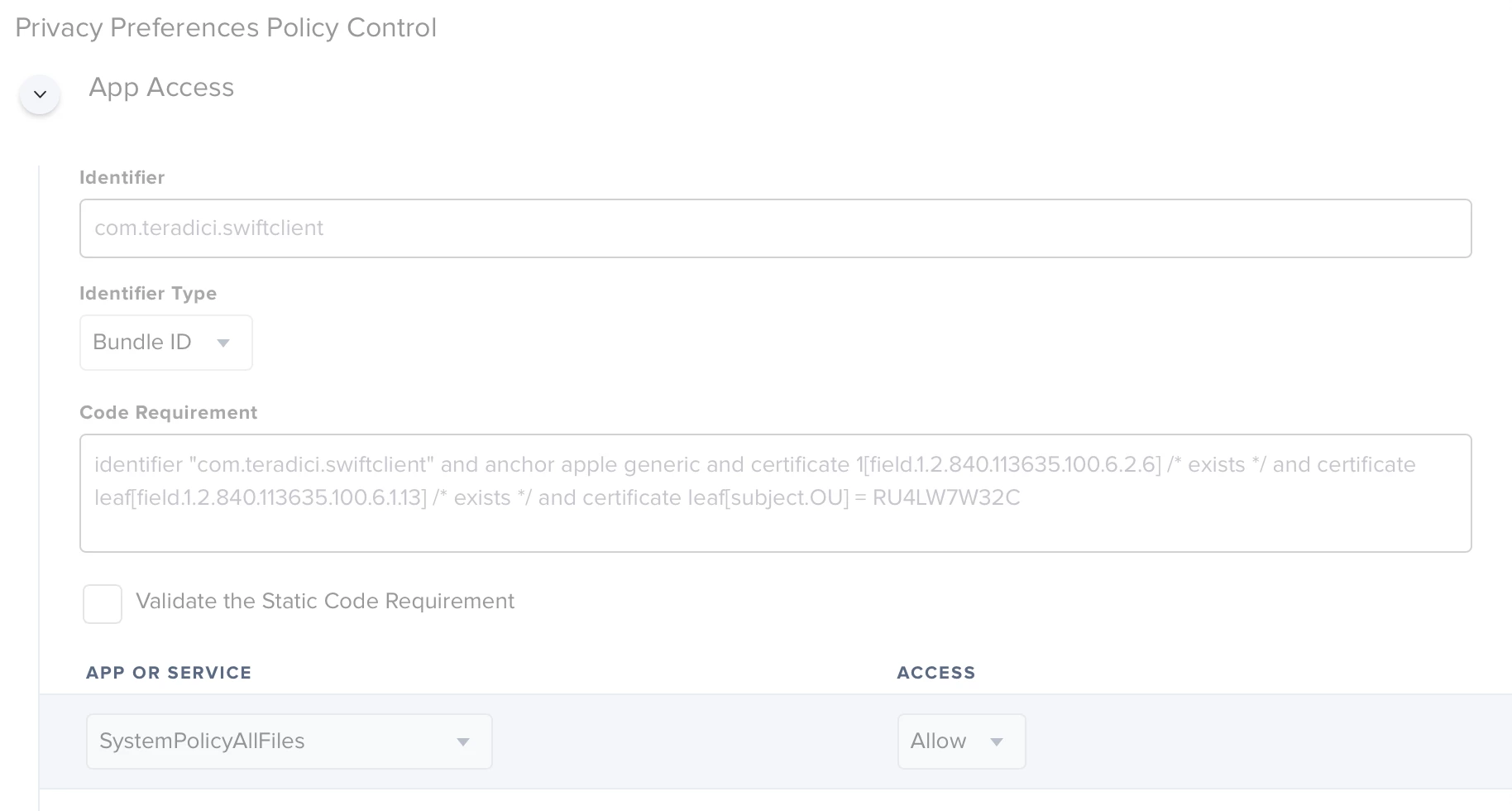
So here's what I get dragging PCoIPClient.app into PPPC Utility:

com.teradici.swiftclient identifier "com.teradici.swiftclient" and anchor apple generic and certificate 1[field.1.2.840.113635.100.6.2.6] / exists / and certificate leaf[field.1.2.840.113635.100.6.1.13] / exists / and certificate leaf[subject.OU] = RU4LW7W32C

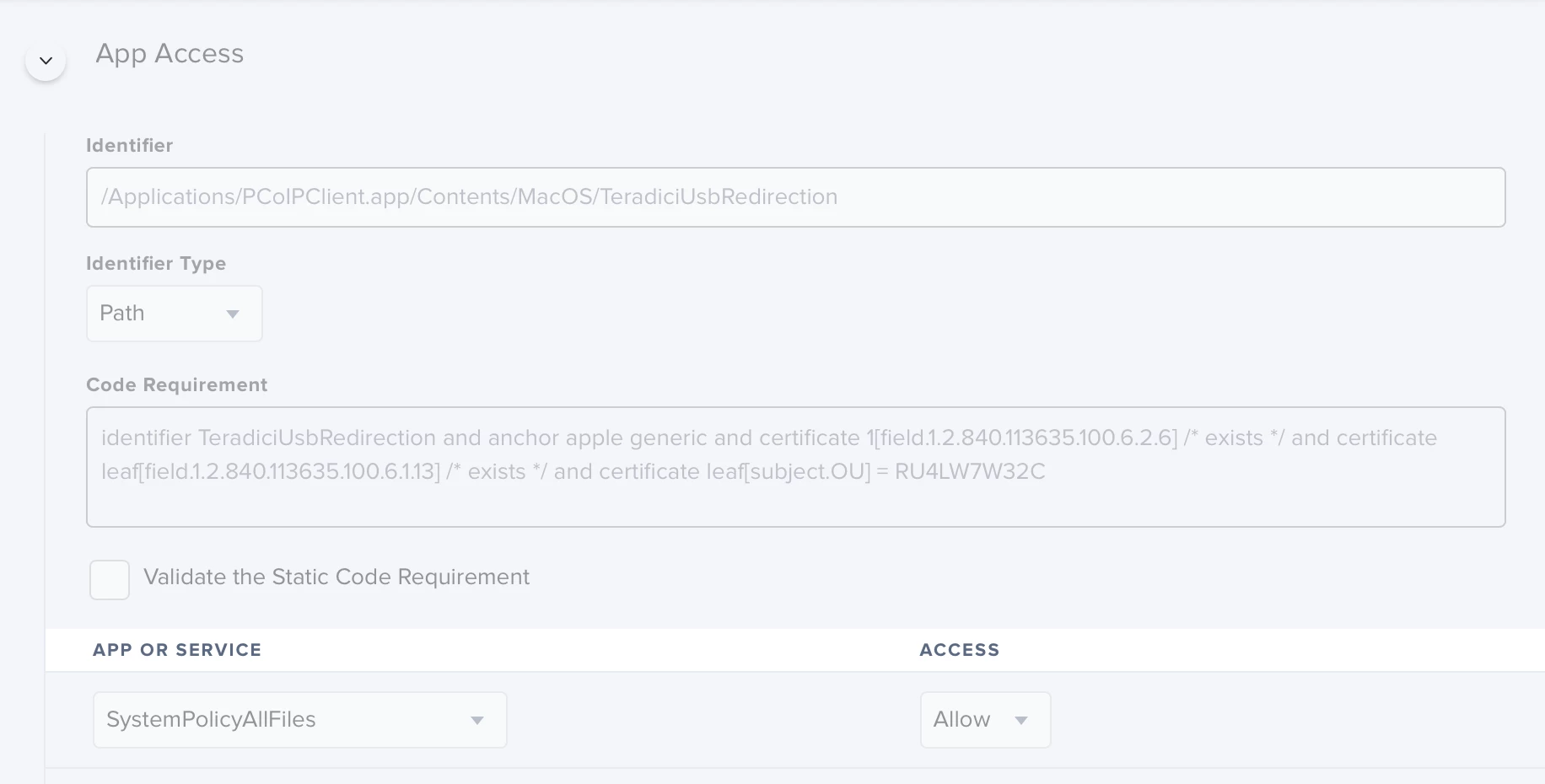
So that TeradiciUsbRedirection exists here:
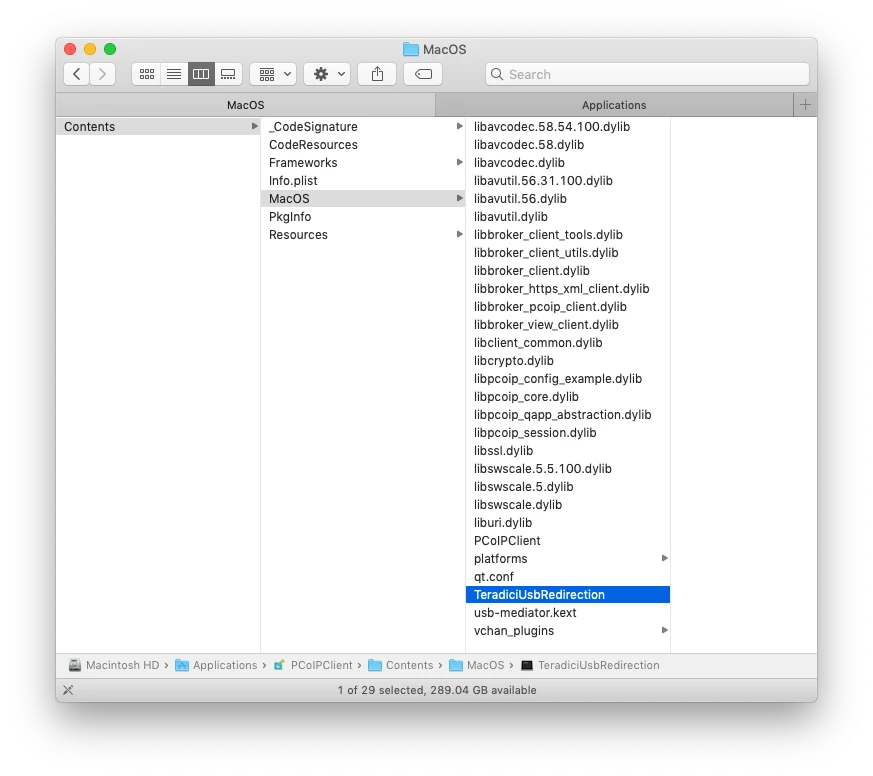
I have made a profile with the above information from the PPPC Utility, but it seems I get the same behavior with TeradiciUsbRedirection requesting administrator access to do something.

Definitely have a case open right with the vendor
but I figured I'd make a discussion here to see if anyone has run into the same concern.

Best answer by Julian_Poon

After talking with support further, here's what actually needs to be done here to work around this behavior:

#!/bin/sh
## postinstall
 installdir='/Applications/PCoIPClient.app/Contents/MacOS/'
/usr/sbin/chown -R root:wheel ${installdir}TeradiciUsbRedirection 
/usr/sbin/chown -R root:wheel ${installdir}usb-mediator.kext
/bin/chmod -R 4755 ${installdir}TeradiciUsbRedirection 
/bin/chmod -R 4755 ${installdir}usb-mediator.kext

just run the above as part of your post install or as a separate script and voila, no more prompt from TeradiciUSBRedirection ; hope this helps someone.

2 replies

Forum|alt.badge.img+5
  • Author
  • New Contributor
  • July 29, 2020

Oh, quick update, I did get a response from Teradici Global Support saying this is a known behavior on macOS, but they didn't provide a work around and said they'd get back to me.


Forum|alt.badge.img+5
  • Author
  • New Contributor
  • Answer
  • July 29, 2020

After talking with support further, here's what actually needs to be done here to work around this behavior:

#!/bin/sh
## postinstall
 installdir='/Applications/PCoIPClient.app/Contents/MacOS/'
/usr/sbin/chown -R root:wheel ${installdir}TeradiciUsbRedirection 
/usr/sbin/chown -R root:wheel ${installdir}usb-mediator.kext
/bin/chmod -R 4755 ${installdir}TeradiciUsbRedirection 
/bin/chmod -R 4755 ${installdir}usb-mediator.kext

just run the above as part of your post install or as a separate script and voila, no more prompt from TeradiciUSBRedirection ; hope this helps someone.