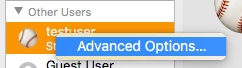
Where I work we have a few Accounts that we want in front of the Students accounts. To do this we need to add a space in front of the Account we are creating. The script that was created by someone that is no longer here does not seems to work any more. We are using 10.9, 10.10 & 10.11.
From what I have found this should work but does not. I have also seen -realname & RealName but neither work. I do not want to change the Home Folder name, just the Full Name/Real Name.
dscl . -change /Users/$ShortName RealName "$FullName2" "$ShortName"
With this I have changed it to the following:
dscl . -change /Users/test RealName "Test" " Test"
dscl . -change /Users/test -realname "Test" " Test"
The script we use to use is as follows:
sudo dscl . -change /Users/imaginglearning -realname "Imagine Learning" " Imagine Learning"
Here is the error I get in Casper after trying to apply the script:
Script exit code: 185
Script result: DS Error: -14009 (eDSUnknownNodeName)
change: Invalid Path
Error running script: return code was 185.