Here is a script I made to remove old installations of Cisco AnyConnect that were done back before a choices.xml file was used.
#!/bin/bash
#This script will uninstall the full install of Cisco AnyConnect with all the modules
# It will first look for the existance of the dart installer. If it is there, it will run.
# then it will run the full anyconnect uninstaller. After that is completed, then we can install
# the new version of Cisco Anywhere that only installs the VPN component.

if [ -e "/opt/cisco/anyconnect/bin/dart_uninstall.sh" ]
then
	/opt/cisco/anyconnect/bin/dart_uninstall.sh
else echo "no DART to remove"
fi
/opt/cisco/anyconnect/bin/anyconnect_uninstall.sh
exit 0
It works great... with the exception that in Big Sur and Mojave (I haven't tested other versions), it throws up the following dialog:
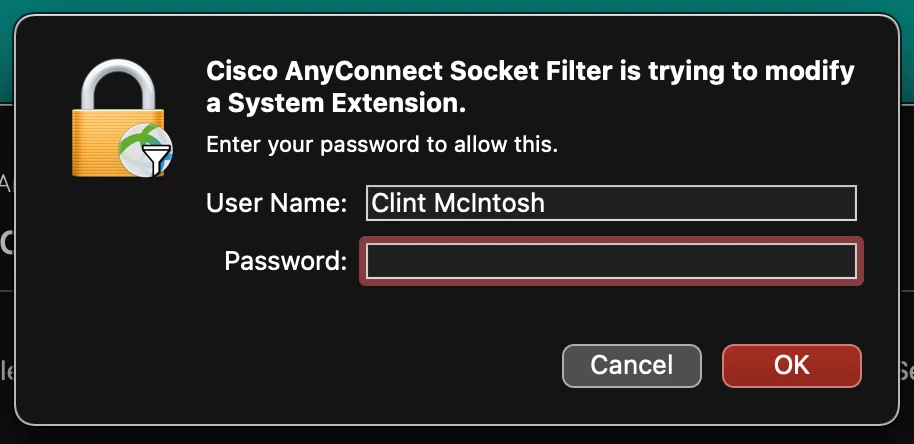
Obviously the point of running things in Self Service is so end users don't have to get an admin to authenticate for them. Does anyone know how I can make this alert not come up while running the Cisco-provided scripts for uninstallation?