Solved

Upgraded to 9.9 - now recon is giving Invalid Message - The message could not be parsed

  • April 1, 2016
  • 32 replies
  • 313 views

Show first post

32 replies

Forum|alt.badge.img+1
  • New Contributor
  • April 7, 2016

Ditto (*insert massive sigh here)


Forum|alt.badge.img+17
  • Honored Contributor
  • April 7, 2016

I don't get why JAMF hasn't emailed all customers (or windows server customers if it has that info broken out) and told them not to use the installer and do a manual install instead. Not everyone follows every post on JN.


Forum|alt.badge.img+18
  • Valued Contributor
  • April 8, 2016

This solution repaired our JSS also.
Windows 2008 R2 server.


Forum|alt.badge.img+1
  • New Contributor
  • April 8, 2016

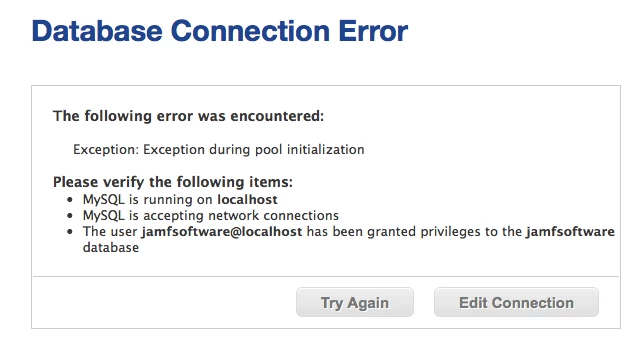
So I follow the steps above and as soon as I try and connect back to my JSS for the web I get the following error. When I replace the ROOT folder with the original one I'm able to connect but I still get the same invalid message error.


Forum|alt.badge.img+4
  • Contributor
  • April 12, 2016

Hi all,

Thanks, this also resolved the error for our system too. The only extra thing I needed to do was copy the Database.xml file from within the ROOTWEB-INFxml directory. This contains the password required to connect to the database @whaking2k, I had the same error message. I think you can also get around it by clicking Edit Connection and re-entering the password...


Forum|alt.badge.img+1
  • New Contributor
  • April 12, 2016

Thanks @shaunpbrowne I was able to find that file after some poking around.


georgecm12
Forum|alt.badge.img+12
  • Valued Contributor
  • July 29, 2016

I just encountered this problem as well, and yes, the solution in this thread resolved it. I was starting to pull my hair out until I found this thread!