
Question

Use of Jamf Trust with additional corporate VPN

  • December 17, 2025
  • 1 reply
  • 46 views

dsmith-jamf
Forum|alt.badge.img+1

I am trying to use Jamf Trust in conjunction with my Ubiquity hardware and cannot connect to it.
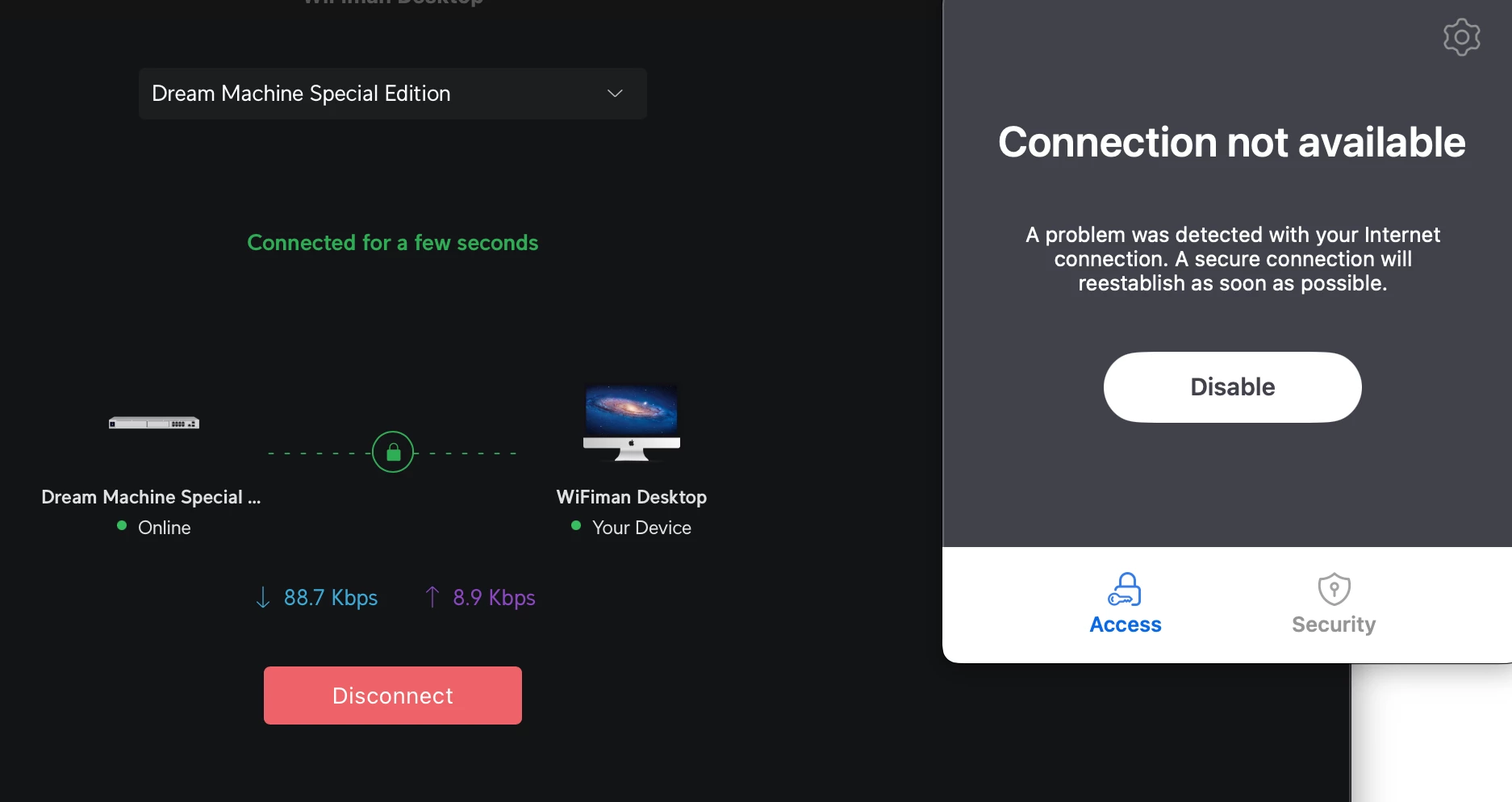
 

 I am trying to use the application ‘Wifiman’ to [teleport] into my office (https://help.ui.com/hc/en-us/articles/5246403561495-UniFi-Gateway-Teleport-VPN) ideally this would be the network route for all non ZTNA connections. I am still trying to figure out how to get all of the DNS to play nice in this ticket.


Any insight or similar deployment notes would be great help. I don’t think I am the only person trying to implement this particular solution stack.

1 reply

h1431532403240
Forum|alt.badge.img+2
  • New Contributor
  • January 13, 2026

Hi dsmith-jamf,

You've hit a fundamental macOS limitation here. Apple only allows one active DNS proxy/content filter extension at a time on macOS. This is a platform constraint, not something specific to Jamf Trust or CrowdStrike.

The core issue: Both CrowdStrike Falcon and Jamf Trust use Network Extensions for DNS/content filtering. When CrowdStrike's filter is active, it blocks other DNS configurations from taking effect - which is exactly what you're seeing with the greyed-out DNS Settings.

Possible solutions:

  1. Disable CrowdStrike's network filter component - If you're using CrowdStrike primarily for endpoint protection (EDR) rather than DNS filtering, you may be able to disable just the network filter portion while keeping the core protection active. Check with your CrowdStrike admin or support on how to deploy without the DNS/content filter component.
  2. Use Jamf Trust for ZTNA only (without DNS filtering) - In Jamf Security Cloud, you can configure activation profiles to enable only ZTNA without content filtering. This may reduce the conflict since ZTNA primarily uses a WireGuard VPN tunnel rather than DNS interception for routing traffic to private resources.
  3. Choose one product for DNS filtering - If both products need DNS-level filtering, you'll have to pick one. Decide whether CrowdStrike or Jamf Trust should own DNS filtering based on your security requirements.

Regarding your Ubiquiti VPN question: If you disable Jamf Trust's DNS component and only use ZTNA, you should be able to run a third-party VPN like Ubiquiti alongside it. ZTNA's per-app routing typically coexists better with traditional VPNs than full DNS-based filtering does.

I'd recommend contacting both Jamf and CrowdStrike support with your specific deployment scenario - they may have documented coexistence configurations for this exact situation.