
Question

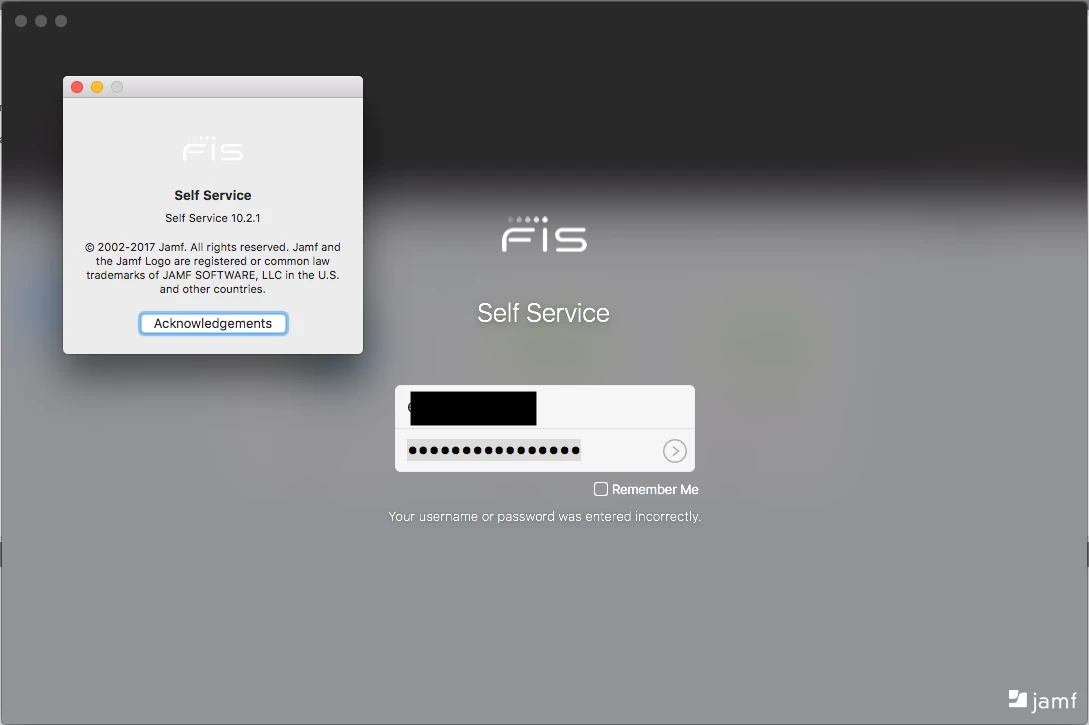
User cannot login to Self Service

  • March 14, 2018
  • 6 replies
  • 20 views

Forum|alt.badge.img+3

The user has checked his AD creds are not locked, he's used them on company internal sites that use the same creds.

He is enrolled and checking in to the JSS.

We were going to remove framework and start over but wanted to see if there are any other suggestions first.
6 replies

Forum|alt.badge.img+9
  • Valued Contributor
  • March 14, 2018

@Rkurk we just had this very issue. It was very frustrating and confusing. It all happened right after I upgraded to Jamf Pro 10.

Long story short, our resolution (with an open ticket to Jamf Support, who were great BTW) was to completely remove our Jamf installations from our servers and remove all instances of Java. We basically rebuilt everything but the database, so it wasn't a total nightmare. We installed Java, the JCE pieces, then the Jamf Pro side. After the Jamf Pro install was done, we verified our LDAP settings, had the needed cert installed to communicate with LDAP via SSL and it all worked and we could log into Self Service again. Apparently, we had some older versions of Jamf Pro hanging around which didn't get removed from the various upgrades over the previous months.

It was a headache, but thanks to the kind folks at Jamf, they helped us work through it. Hopefully that helps. Good luck.


Forum|alt.badge.img+4
  • New Contributor
  • March 14, 2018

Can you confirm that ldap connectivity is live via the user & location section of an inventory record? If you attempt to assign a user ldap should be searched. This will confirm a valid connection with your ldap server.


Forum|alt.badge.img+12
  • Valued Contributor
  • March 15, 2018

Hi RKurk,

is this for a single user only? Does his Mac have the correct time?


Forum|alt.badge.img+3
  • Author
  • New Contributor
  • March 16, 2018

@jon.mann I am having the admin check this now, thank you!

@mschroder This is just one user, no others having this issue. We've done a removeframework now and it did not fix it. I will have the user check the computers time as well, he is remote as well. We are based in SF and he is in the midwest somewhere. We have several other remote users that have enrolled and can access Self Service just fine though.

Thanks for the replies.


Forum|alt.badge.img+7
  • Valued Contributor
  • March 19, 2018

Upgrading to JAMF Pro 10.2.2 resolved this problem:

Jamf

Product Documentation
Jamf Pro logo
Jamf Pro Release Notes
Version 10.2.2

Jamf Pro Release Notes 10.2.2
What's New in This Release
This release includes the following bug fixes:

[PI-005459] Fixed an issue that caused Self Service for macOS to occasionally crash after launching.


Forum|alt.badge.img+6
  • Contributor
  • March 19, 2018

^
Self Service isnt crashing for him, its just not accepting one users username and pass