Question

Visual Studio Code Install

  • October 11, 2023
  • 5 replies
  • 190 views

Forum|alt.badge.img+9

Just putting this out to share since deploying software via Jamf apps have been very flakey for me lately. I am by no means a scripting expert so feel free to make changes or offer any refinement, so far it does what I want it to do, downloads the universal zip file for VS Code, Unzips it, moves it to Applications, trusts the app, and then deletes the install folder for the secure temp folder.


#!/bin/sh pkgfile="VSCode-darwin-universal.zip" tmpDir=$(/usr/bin/mktemp -d "/tmp/VSCode-install.XXXXXX") logfile="/Library/Logs/VSCodeInstallScript.log" url=' https://code.visualstudio.com/sha/download?build=stable&os=darwin-universal' /bin/echo "--" >> ${logfile} /bin/echo "`date`: Downloading latest version." >> ${logfile} /usr/bin/curl -L -o ${tmpDir}/${pkgfile} ${url} /bin/echo "`date`: Installing..." >> ${logfile} cd ${tmpDir} tar xvfz VSCode-darwin-universal.zip /bin/sleep 5 mv "${tmpDir}/Visual Studio Code.app" "/Applications/Visual Studio Code.app" /bin/echo "`date`: Deleting package installer." >> ${logfile} rm -rf "${tmpDir}" #Bless VS Code xattr -rc "/Applications/Visual Studio Code.app" exit 0


5 replies

pete_c
Forum|alt.badge.img+16
  • Honored Contributor
  • October 11, 2023

You might consider adding a `codesign` check to verify that your download is authentic:

/usr/bin/codesign -dvv /path/to/Visual\\ Studio\\ Code.app # expected values: # # Developer ID Application: Microsoft Corporation (UBF8T346G9) # TeamIdentifier=UBF8T346G9

dvasquez
Forum|alt.badge.img+16
  • Valued Contributor
  • October 11, 2023

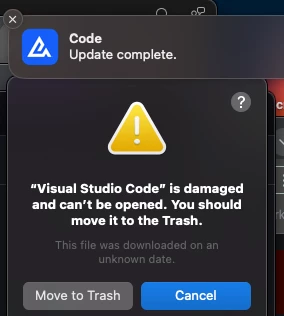
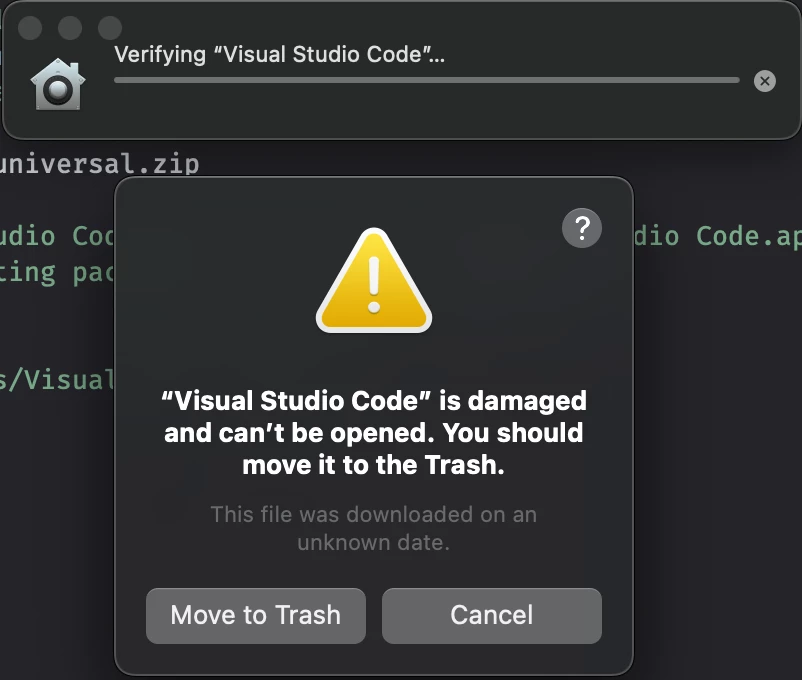
I have seen that after the Visual Studio Code was updated it fails to open, as of recent.

I will test your script and get back to you on the effectiveness. 

Thank you!


Forum|alt.badge.img+9
  • Author
  • Contributor
  • October 11, 2023

You might consider adding a `codesign` check to verify that your download is authentic:

/usr/bin/codesign -dvv /path/to/Visual\\ Studio\\ Code.app # expected values: # # Developer ID Application: Microsoft Corporation (UBF8T346G9) # TeamIdentifier=UBF8T346G9

thanks Ill check it out!


dvasquez
Forum|alt.badge.img+16
  • Valued Contributor
  • October 11, 2023

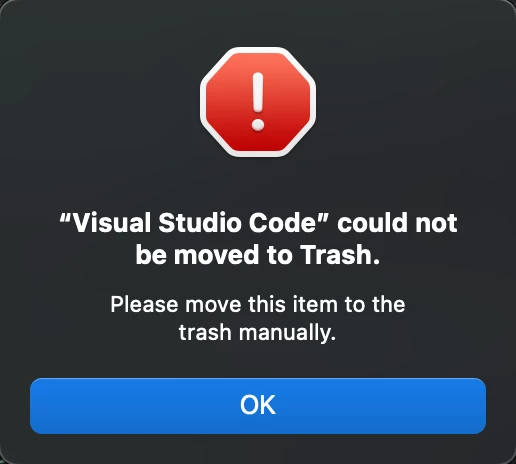
Initially, I received these when testing your script, see screenshots. I then simply added a line to the script to remove before installation and all went well. After that, I removed the line and tried again and all was ok.  I think I am still going with MacApps as the issue with Visual Studio Code seems to be resolved for us. 


Forum|alt.badge.img+9
  • Author
  • Contributor
  • October 11, 2023

I had one similar to this last week with Xcode, for some reason it was showing as installed in my ~/Applications folder which was weird and had to manually uninstall it. I still cant find an approved process from my security team to deploy Xcode because my users refuse to be on the current version at any time, and also not allow local admin rights.