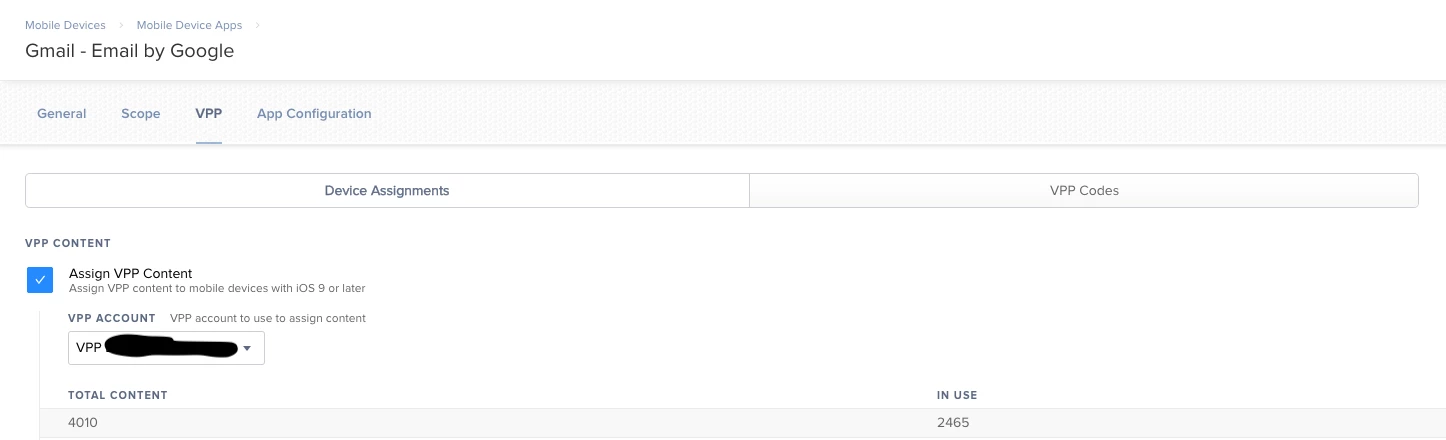
JAMF is attempting to install my VPP apps but its asking me to login to the AppStore on the iPad.
What am I missing that the account isn't being applied to the iPad so it can just download and install the apps?

 +7
+7JAMF is attempting to install my VPP apps but its asking me to login to the AppStore on the iPad.
What am I missing that the account isn't being applied to the iPad so it can just download and install the apps?
Best answer by AthensMatt
Hello all,
The problem has been solved. The short answer is set the Settings/Self Service/iOS/General/ Install automatically to Neither.
The long answer:
Simply making the change to "Neither" as mentioned above in the short answer didn't resolve my problem per say. It did actually stop the prompt asking for iTunes login BUT it also stopped all apps from being installed. Yes. After I changed that no app was being pushed from our JAMF Pro server to any of our managed iOS devices. After the support case was elevated they were able to help me resolve that issue by adding the following to my VPP Self Service licensed App under the App Configuration tab:
<dict>
<key>INVITATION_STRING</key>
<string>$MOBILEDEVICEAPPINVITE</string>
<key>JSS_ID</key>
<string>$JSSID</string>
<key>SERIAL_NUMBER</key>
<string>$SERIALNUMBER</string>
<key>DEVICE_NAME</key>
<string>$DEVICENAME</string>
<key>MAC_ADDRESS</key>
<string>$MACADDRESS</string>
<key>UDID</key>
<string>$UDID</string>
<key>JSS_URL</key>
<string>https://YOURJAMFURL:8443/</string>
</dict>
Adding that above config and scoping the VPP Self Serve App to my managed iOS devices fixed the problem.
Thanks to "Jeff" at JAMF tech support for helping me with this!
Enter your E-mail address. We'll send you an e-mail with instructions to reset your password.