Question

What scripts and helpdesk tools do you use with self service?

  • January 31, 2019
  • 130 replies
  • 738 views

Show first post

130 replies

Forum|alt.badge.img+4
  • New Contributor
  • April 13, 2019

@sdagley We don't currently do this due to the "no longer found" issue, but JAMF does allow Self Service login outside of AD. If you look under All Settings >> Self Service >> macOS >> Login, you can set the Authentication type to either "Single Sign On" or "LDAP account or Jamf Pro user account" so we would have them login with their JAMF accounts.

For the "no longer found" issue, support confirmed it's an issue with the JAMF user login not working properly. It displays the correct policies, but the feature itself isn't working as expected in that they don't actually action.


Forum|alt.badge.img+7
  • Contributor
  • April 19, 2019

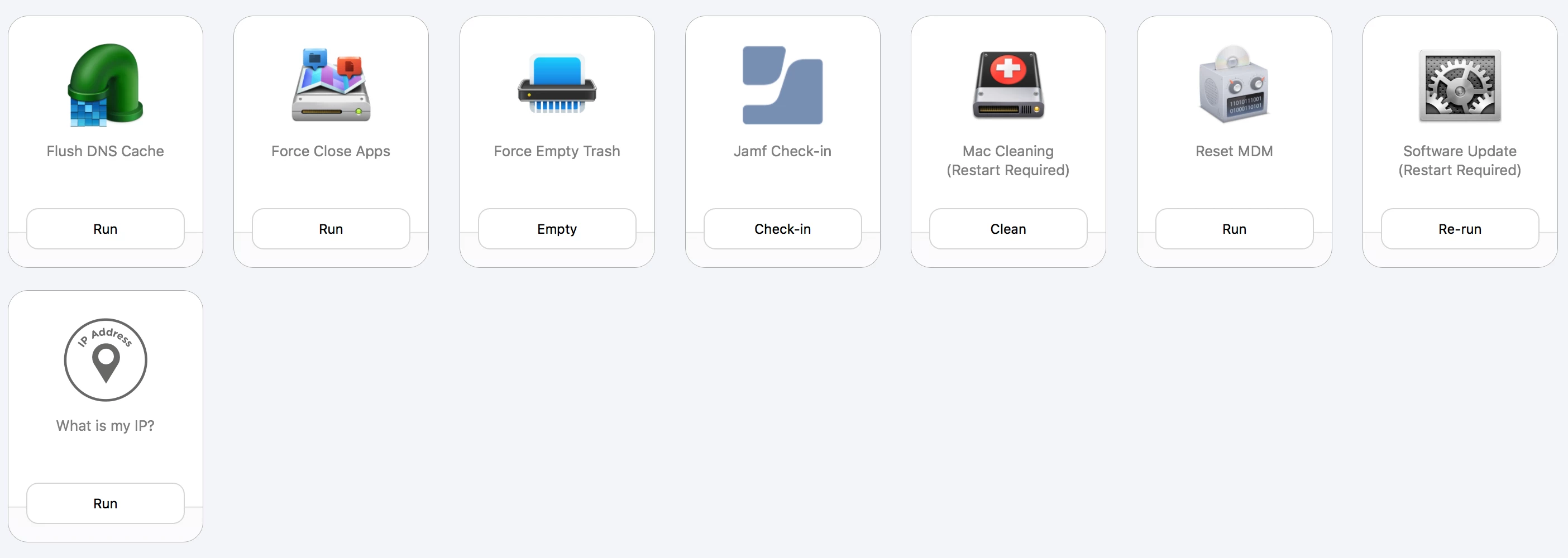
Here are our tools scoped to everyone:

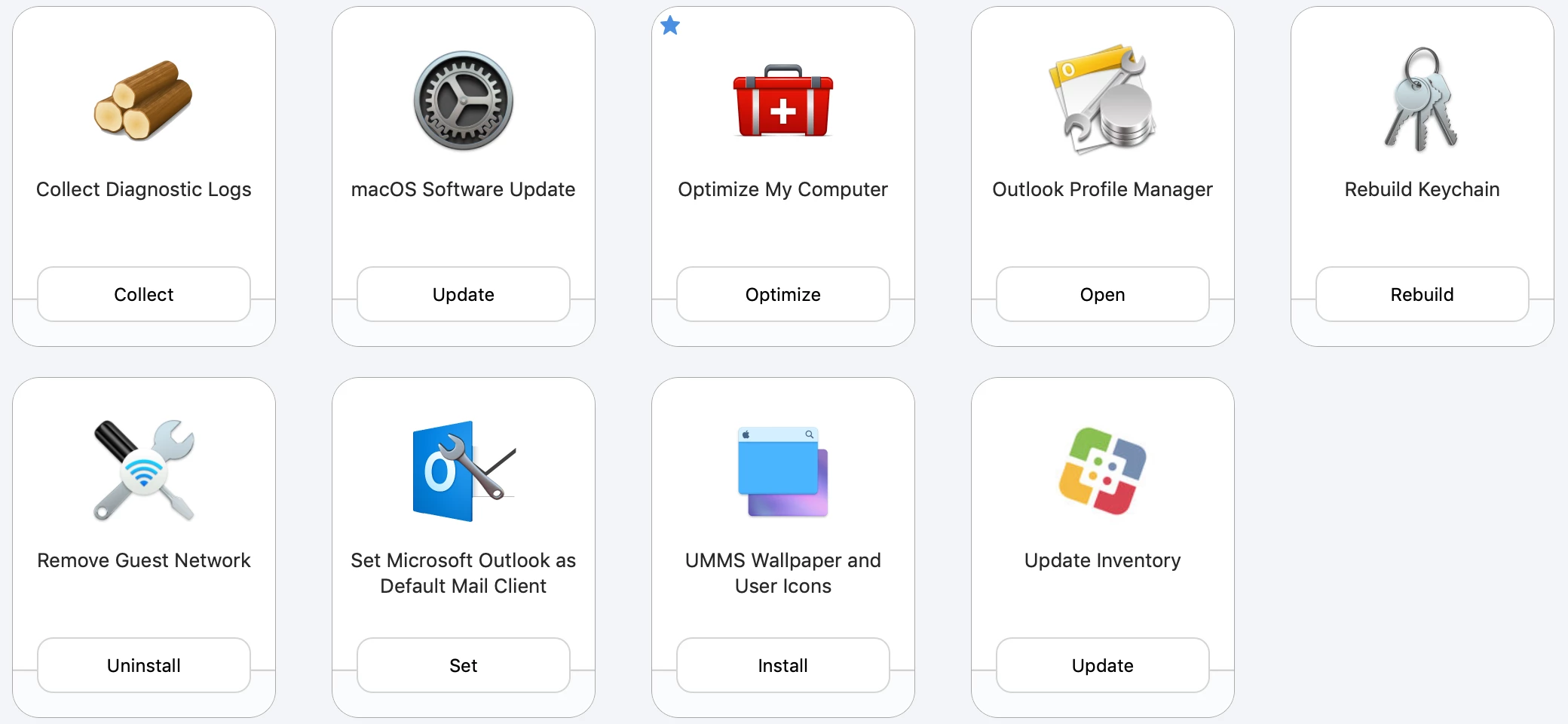
When a tech signs in, they get access to McAfee Uninstall Script, Office Uninstall Script, Adobe Uninstall Script, Spotlight rebuild, Remove Office license and a few more.


Forum|alt.badge.img+4
  • Contributor
  • April 20, 2019

@hrhnick Can you share with us your Rebuild Keychain script? Does it fix the issue with password resets with computers bind to AD?


Forum|alt.badge.img+4
  • Contributor
  • April 20, 2019

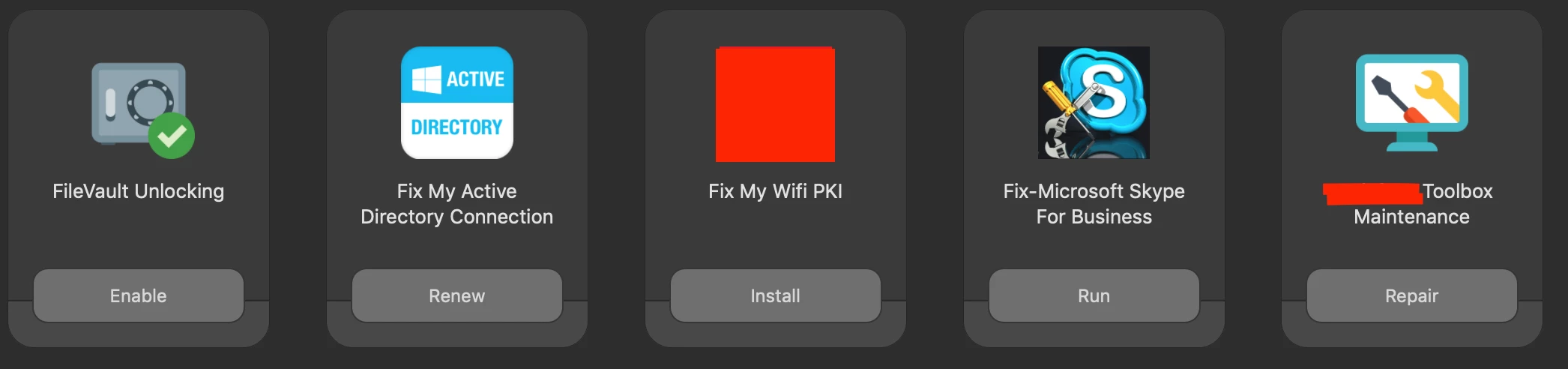
@emily can you share your remove Wifi script?


Forum|alt.badge.img+7
  • Contributor
  • April 20, 2019

it’s very crude. we don’t bind to AD, so it literally warns the user what it’s gonna do, renames the old keychain folder in case we need to undo, then prompts a logout which regenerates a new keychain. If you look on github, I’ve seen some more advanced scripts that do what you seek.


pete_c
Forum|alt.badge.img+16
  • Honored Contributor
  • April 20, 2019

I'm still using https://github.com/jmahlman/uarts-scripts/blob/master/Adobe-RUMWithProgress-jamfhelper.sh for my Adobe CC updater. It's a little finicky, but still worthwhile to keep everyone directed to the "Self Service does it all for you" ethos (myth?).


Forum|alt.badge.img+10
  • Contributor
  • April 23, 2019

@wildfrog Can you share your Set Outlook as Default script/policy?


AxelK
Forum|alt.badge.img+1
  • New Contributor
  • April 26, 2019

hi,

have a look here: https://macadmins.software/tools/

maybe it helps a bit

macadmins.software


coachdnadel
Forum|alt.badge.img+12
  • Jamf Heroes
  • April 26, 2019

This is an awesome post, but I have to agree that the screen shots are giving me great ideas that are not going to be implemented without access to the scripts. If these are being pulled from github, could you just share the links instead of posting a bunch of scripts?


Forum|alt.badge.img+16
  • Valued Contributor
  • April 26, 2019

@ammonsc This is what I use for Outlook as the default. If you run this with a user that's been in place for awhile it could mess up their outlook plist. but we run this as part of our new computer setup.

#!/bin/bash

# It's meant to be run immediately after a user logs in for the first time.
# pulled from https://www.jamf.com/jamf-nation/discussions/6845/sharing-a-script-set-outlook-as-default-email-contacts-calendar-app


plistbuddy="/usr/libexec/PlistBuddy"
USER=$(/bin/ls -l /dev/console | /usr/bin/awk '{print $3}')
launchServicesSecure="/Users/$USER/Library/Preferences/com.apple.LaunchServices/com.apple.launchservices.secure.plist"
PLIST_ENTRIES=$(/usr/bin/defaults read $launchServicesSecure | /usr/bin/grep LSHandlerPreferred | /usr/bin/wc -l | /usr/bin/sed 's/ //g')

if [ "$PLIST_ENTRIES" = "0" ]; then
    ONE="0"
    TWO="1"
    THREE="2"
    FOUR="3"
    FIVE="4"
    SIX="5"
else
    ONE=$(/bin/echo $(($PLIST_ENTRIES+1)))
    TWO=$(/bin/echo $(($PLIST_ENTRIES+2)))
    THREE=$(/bin/echo $(($PLIST_ENTRIES+3)))
    FOUR=$(/bin/echo $(($PLIST_ENTRIES+4)))
    FIVE=$(/bin/echo $(($PLIST_ENTRIES+5)))
    SIX=$(/bin/echo $(($PLIST_ENTRIES+6)))
fi

# Create the LSHandlers array
$plistbuddy -c "add:LSHandlers array" "${launchServicesSecure}"

# Set default for mailto links
$plistbuddy -c "add:LSHandlers:${ONE}:LSHandlerPreferredVersions dict" "${launchServicesSecure}"
$plistbuddy -c "add:LSHandlers:${ONE}:LSHandlerPreferredVersions:LSHandlerRoleAll string -" "${launchServicesSecure}"
$plistbuddy -c "add:LSHandlers:${ONE}:LSHandlerRoleAll string com.microsoft.outlook" "${launchServicesSecure}"
$plistbuddy -c "add:LSHandlers:${ONE}:LSHandlerURLScheme string mailto" "${launchServicesSecure}"

# Set Outlook 2016 as default for email
$plistbuddy -c "add:LSHandlers:${TWO}:LSHandlerContentType string com.apple.mail.email" "${launchServicesSecure}"
$plistbuddy -c "add:LSHandlers:${TWO}:LSHandlerPreferredVersions dict" "${launchServicesSecure}"
$plistbuddy -c "add:LSHandlers:${TWO}:LSHandlerPreferredVersions:LSHandlerRoleAll string -" "${launchServicesSecure}"
$plistbuddy -c "add:LSHandlers:${TWO}:LSHandlerRoleAll string com.microsoft.outlook" "${launchServicesSecure}"

# Set Outlook 2016 as default email from Outlook 2011
$plistbuddy -c "add:LSHandlers:${THREE}:LSHandlerContentType string com.microsoft.outlook14.email-message" "${launchServicesSecure}"
$plistbuddy -c "add:LSHandlers:${THREE}:LSHandlerPreferredVersions dict" "${launchServicesSecure}"
$plistbuddy -c "add:LSHandlers:${THREE}:LSHandlerPreferredVersions:LSHandlerRoleAll string -" "${launchServicesSecure}"
$USER $plistbuddy -c "add:LSHandlers:${THREE}:LSHandlerRoleAll string com.microsoft.outlook" "${launchServicesSecure}"

# Set Outlook 2016 as default for .ics files
$plistbuddy -c "add:LSHandlers:${FOUR}:LSHandlerContentType string com.apple.ical.ics" "${launchServicesSecure}"
$plistbuddy -c "add:LSHandlers:${FOUR}:LSHandlerPreferredVersions dict" "${launchServicesSecure}"
$plistbuddy -c "add:LSHandlers:${FOUR}:LSHandlerPreferredVersions:LSHandlerRoleAll string -" "${launchServicesSecure}"
$plistbuddy -c "add:LSHandlers:${FOUR}:LSHandlerRoleAll string com.microsoft.outlook" "${launchServicesSecure}"

# Set Outlook 2016 as default calendar from Outlook 2011
$plistbuddy -c "add:LSHandlers:${FIVE}:LSHandlerContentType string com.microsoft.outlook14.icalendar" "${launchServicesSecure}"
$plistbuddy -c "add:LSHandlers:${FIVE}:LSHandlerPreferredVersions dict" "${launchServicesSecure}"
$plistbuddy -c "add:LSHandlers:${FIVE}:LSHandlerPreferredVersions:LSHandlerRoleAll string -" "${launchServicesSecure}"
$plistbuddy -c "add:LSHandlers:${FIVE}:LSHandlerRoleAll string com.microsoft.outlook" "${launchServicesSecure}"

# Set Outlook 2016 as default for .vcard
$plistbuddy -c "add:LSHandlers:${SIX}:LSHandlerContentType string public.vcard" "${launchServicesSecure}"
$plistbuddy -c "add:LSHandlers:${SIX}:LSHandlerPreferredVersions dict" "${launchServicesSecure}"
$plistbuddy -c "add:LSHandlers:${SIX}:LSHandlerPreferredVersions:LSHandlerRoleAll string -" "${launchServicesSecure}"
$plistbuddy -c "add:LSHandlers:${SIX}:LSHandlerRoleAll string com.microsoft.outlook" "${launchServicesSecure}"

exit

wildfrog
Forum|alt.badge.img+11
  • Valued Contributor
  • April 26, 2019

@ammonsc While I'm pretty sure it's more convoluted than it needs to be, here's what we do. . .

Smart Group collecting all machines that have Outlook installed.
Policy scoped to the "Outlook Installed" smart group that installs Rich Trouton's OutlookDefault app into /Applications/Utilities

Then we have a Smart Group that collects all machines that have the OutlookDefault app installed
And finally we have a policy scoped to the machines with the OutlookDefault app installed that will allow the user to click from Self Service to launch the OutlookDefault app and click to tell it to make Outlook the default.

I did it this way in large part because the OutlookDefault app needs to be run from the user context and scripting around that requirement exceeds my scripting skills.

Now. . .I probably could do away with the smart group that collects OutlookDefault being installed because if the first policy worked correctly, every machine with Outlook should have the OutlookDefault app.


Forum|alt.badge.img+5
  • Contributor
  • May 7, 2019

@tlarkin can you point me to a script I can use for log scrapping? Ty sir.


Forum|alt.badge.img+31
  • Honored Contributor
  • May 10, 2019

@kdean

I wrote that at a previous job, but basically something along these lines:

#!/bin/bash

# poc for a log collector

currentuser=$(scutil <<< "show State:/Users/ConsoleUser" | awk '/Name :/ && ! /loginwindow/ { print $3 }')
logdir="/Users/${currentuser}/Desktop/logs"

logs_to_collect=(
/var/log/jamf.log
/var/log/system.log
/var/log/install.log
)

mkdir "${logdir}"

for log in ${logs_to_collect[@]} ; do
   cp log "${logdir}"
done

zip "${logdir}.zip" "${logdir}"

I just rewrote that in a few min and tested it, seems to work. It just places a folder of zipped logs on that user's Desktop. This is basically what it was. I don't have this yet at my current job, but I am still building things out.


Forum|alt.badge.img+5
  • Contributor
  • May 10, 2019

Cool @tlarkin I appreciate the help. I will add this to self service and scope this to our Corp IT Dept for end user troubleshooting. Thank you again.


Forum|alt.badge.img+7
  • Valued Contributor
  • May 10, 2019

@tlarkin Hi, I ran your script, but the folder comes back empty, have I missed something? any advice would be greatly appreciated. Thanks


Forum|alt.badge.img+5
  • Contributor
  • May 10, 2019

Maybe there is nothing to log yet @sdunbar maybe try running sudo jamf policy, manage and recon, install some software on a test machine and see if it dumps to the logs.


Forum|alt.badge.img+31
  • Honored Contributor
  • May 10, 2019

ahhh yeah I didn't even realize this, but that is a bash-ism you must use full paths with cp and I apparently also wrote one specific piece as if I were writing it in Python, lol sorry y'all

Here is the updated code, tested on my Mac just now

#!/bin/bash

# poc for a log collector

currentuser=$(scutil <<< "show State:/Users/ConsoleUser" | awk '/Name :/ && ! /loginwindow/ { print $3 }')
logdir="/Users/${currentuser}/Desktop/logs"

logs_to_collect=(
/var/log/jamf.log
/var/log/system.log
/var/log/install.log
)

mkdir "${logdir}"

for log in "${logs_to_collect[@]}" ; do
    echo $log
   cp "${log}" "${logdir}"
done

zip "${logdir}.zip" "${logdir}"

my output:

bash-3.2# bash -x ~/IdeaProjects/bash/log_collector.sh 
++ scutil
++ awk '/Name :/ && ! /loginwindow/ { print $3 }'
+ currentuser=tlarkin
+ logdir=/Users/tlarkin/Desktop/logs
+ logs_to_collect=(/var/log/jamf.log /var/log/system.log /var/log/install.log)
+ mkdir /Users/tlarkin/Desktop/logs
+ for log in '"${logs_to_collect[@]}"'
+ echo /var/log/jamf.log
/var/log/jamf.log
+ cp /var/log/jamf.log /Users/tlarkin/Desktop/logs
+ for log in '"${logs_to_collect[@]}"'
+ echo /var/log/system.log
/var/log/system.log
+ cp /var/log/system.log /Users/tlarkin/Desktop/logs
+ for log in '"${logs_to_collect[@]}"'
+ echo /var/log/install.log
/var/log/install.log
+ cp /var/log/install.log /Users/tlarkin/Desktop/logs
+ zip /Users/tlarkin/Desktop/logs.zip /Users/tlarkin/Desktop/logs
  adding: Users/tlarkin/Desktop/logs/ (stored 0%)

Forum|alt.badge.img+5
  • Contributor
  • May 11, 2019

@tlarkin lol I have been looking at so many python and bash scripts recently I didn't even realize that lol going cross eyed in code :)


Forum|alt.badge.img+7
  • Valued Contributor
  • May 13, 2019

@tlarkin many thanks, working perfectly now. Cheers!


Forum|alt.badge.img+4
  • Contributor
  • May 13, 2019

@hrhnick or anyone can help me with the software Update policy which you use on the Self service

Appreciate your help

thanks


Forum|alt.badge.img+5
  • Contributor
  • May 13, 2019

@Santosh https://hcsonline.com/images/PDFs/InPlace_macOS_Mojave_.pdf & https://hcsonline.com/images/PDFs/Jamf_SS_macOS_HS.pdf should do the trick for you. Follow the steps exactly.


Forum|alt.badge.img+4
  • Contributor
  • May 13, 2019

@kdean thanks a lot for sharing the links. But these links provides the details how upgrade the MacOS . But i am looking for installing the security updates from Self Service.


Forum|alt.badge.img+31
  • Honored Contributor
  • May 13, 2019
@tlarkin lol I have been looking at so many python and bash scripts recently I didn't even realize that lol going cross eyed in code :)

@kdean yeah I have been primarily writing code in Python for the past few years, and I often forget the tiny things that bash requires nowadays because I don't write in that language every day anymore.

You start to forget things like closing if statements and how bash does string expansion, and other languages do not care about those things.

Glad it is working now, haha

Cheers,
Tom


Forum|alt.badge.img+5
  • Contributor
  • May 13, 2019

@Santosh it would work for the security update as well I believe, any updates that show up in Software Update like security updates should be updated the same way.


Forum|alt.badge.img+11
  • Contributor
  • July 30, 2019

Hello @neilrooney , I am similarly looking for self help tools, Please share me the list of tools, ideas and scripts that you have in place.
Cheers!!
-Naren