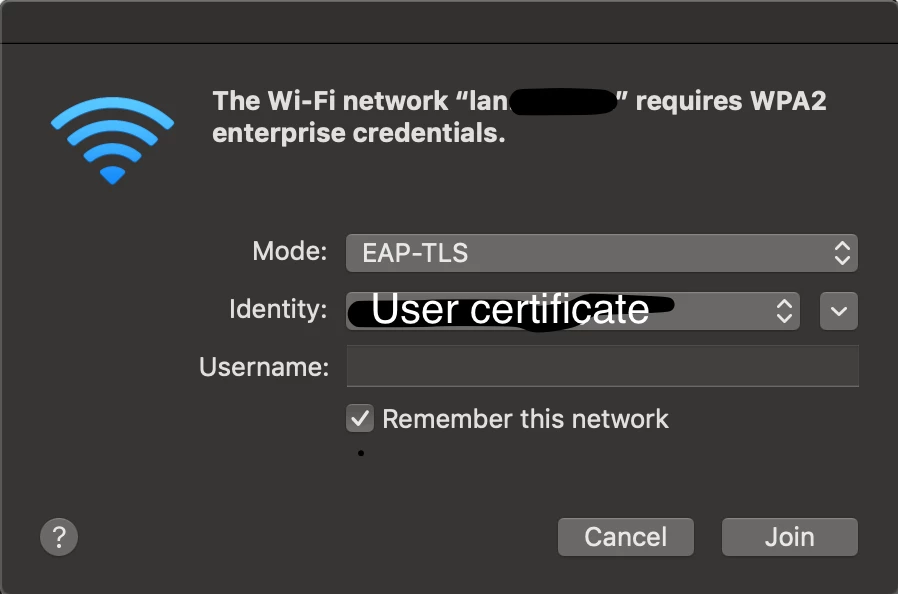
Hi =) We would like to pre-publish a network SSID via plist or script of possible which does eap-tls auth with a user based certificate ( due to mac is not AD bound, we use NoMAD ). Thanks to Nomad the certificate is already stored within the keychain. How to add preferred wirelessnetwork at index include Mode and Indentity? 1) SSID default lan.test.com networksetup -addpreferredwirelessnetworkatindex en0 lan.test.com 1 WPA2E 2) Mode = EAP-TLS ? 3) Identification = user certificate ?
Help me please =)
Best answer by ryanj
Because you are already using NoMAD you can use the WifiNetworks setting to associate the certificate you already have from NoMAD.
SSIDs of wireless networks you would like to associate any certificates created with NoMAD to via an identity preference in the Keychain.
If this configuration gets pushed with a Config Profile from Jamf, I believe the identity setting gets applied automatically, or at least I think there is an option to do so. If it's being set up manually, the way to do this is with the security set-identity-preference command.
What I'd suggest when seeing one of those dialogs is to choose the correct certificate manually and set in the UI, then go back and look in the user's login.keychain in Keychain Access for the new identity preference that was just created (you can sort to just those using the Kind column) It should be in a format similar to com.apple.network.eap.user.identity.wlan.ssid.[SSID Name] If you open it up in Keychain Access, you should see all the settings needed in order to be able to plug those into the security command to create them in a script.
In fact, here's an older thread where this is discussed on how to create those, since they need to be done as the logged in user, not as root. I mention on the thread on how to do that. The instructions on there may be a little out of date for today's OS versions, but it should get you on the right track. https://www.jamf.com/jamf-nation/discussions/25043/script-assistance-802-1x-wifi-user-keychain